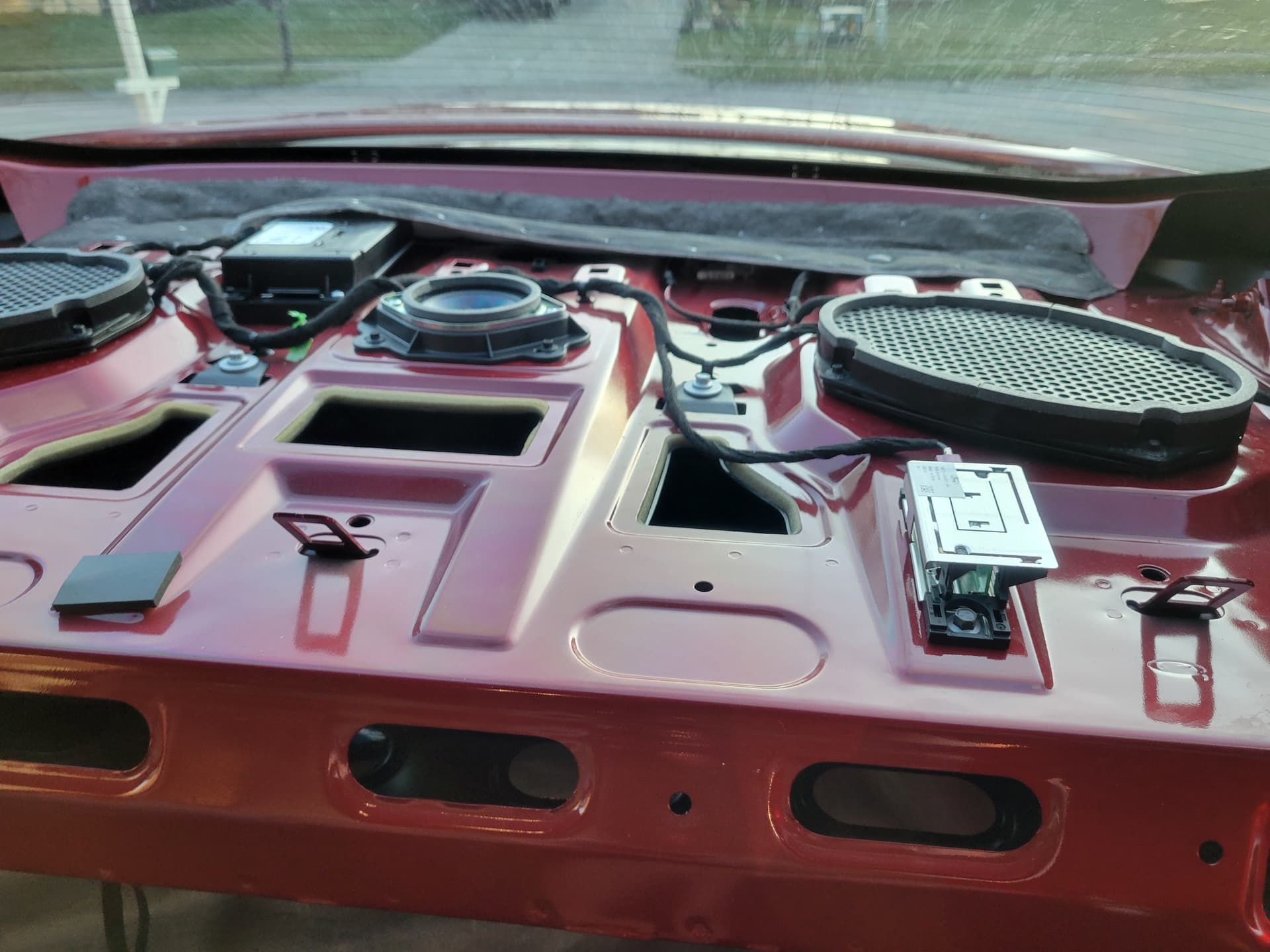
I just got done installing a J series TCU in my fusion about a week ago. Attached a Bingfu cellular antenna to the violet port but left the beige port empty. The ESN is showing up in my settings but I am not getting the authorization message to pop up on my APIM. I got the installation part done but the programming part is where I think I am messing up on. I do not know where this TCU originally came from since I got it from Ebay but the part number is JL3T-14G087-CK. I have updated it to the latest firmware, CT but did not touch the AB configurations.
When I would press connect to vehicle on the app, it would load for 4 minutes to just say check for message pop on sync then press accept. Nothing would show up after waiting for some time and then it sends me this message. “Sorry there was an error and we were unable to complete your request to change authorization rights on 2017 Fusion. Please try again later.” Any help would be appreciated!!
The TCU config will be close, but not exactly correct, you need to match the platform for everything to work right (Ecoboost, Hybrid or Energi). The attached AB file is for a Fusion with an EcoBoost engine.
Did you follow F150Chiel’s guide for placing a TCU in factory mode?
Did you update the APIM config so that its knows there is a TCU?
The cheap little BingFu may not work as the Ford antenna is a PIFA antenna. The same factory unit is used across multiple models (eg HL3T19K351AAA) with varying part numbers based or the mount or you and use the one used in the Energi update kit (NL1Z19A390A).
Just a note: The “Open Receiver” style antennas like the Bingfu will throw a constant DTC about an open circuit, and are typically a weaker reception antenna inherent to the design and impedance mismatch. The “Closed Receiver” PIFA antennas are far superior for this application using a built in ground plane for proper impedance matching to the TCU cellular receiver.
Thanks for the help! I have managed to get the authorization messaged to pop up with the provided Fusion AB as well as following the authorization guide again. Other than needing to replace the antenna to the Ford PIFA, everything on the app works. It shows my tire pressure, fuel level, remote start and properly locks/unlocks from any distance. Thanks for the help again!!