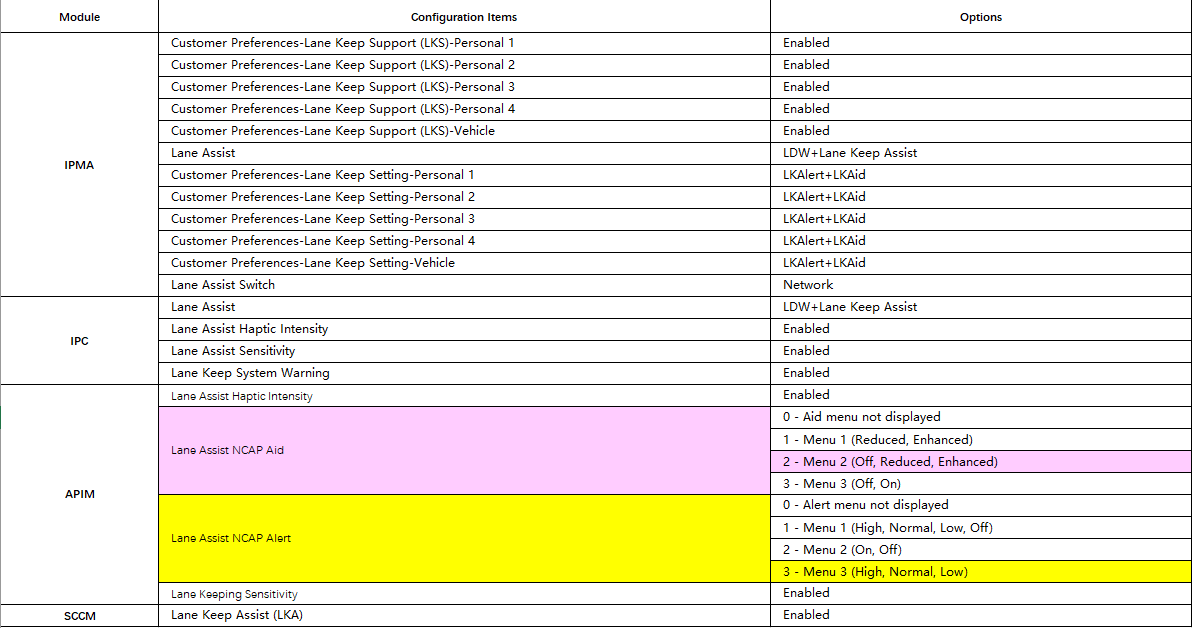
Here’s what happened: To use the latest European-style LCD dashboard, I needed to configure the menus for assisted driving and vehicle settings on the infotainment system. But, my original APIM module was from the Chinese 8GB version without navigation capabilities. As a result, the firmware couldn’t display the assisted driving and vehicle settings menus properly. So, I changed the firmware configuration to the following:
Secondary Boot Loader: GB5T-14G376-AA
Strategy (CAN, F188): 1U5T-14G374-EM
Calibration (CAN, F124): 1U5T-14G375-HA
ECU Configuration/SoundProfiles (CAN, F10A): GB5T-14G379-AA
ECU Configuration/ IlluminationStrategy (CAN, F16B): 5U5T-14G379-BC
But I overlooked the fact that 1U5T-14G375-HA is part of the European 64GB version with navigation capabilities. It wasn’t compatible with my APIM module. After applying this firmware, keyless entry stopped working. Although the assisted driving and vehicle setting menus now appeared and could be used, keyless entry remained disabled. After backing up the APIM module’s ABT configuration file, I switched back to the previous firmware configuration:
Secondary Boot Loader: GB5T-14G376-AA
Strategy (CAN, F188): 1U5T-14G374-EM
Calibration (CAN, F124): 1U5T-14G375-CA
ECU Configuration/SoundProfiles (CAN, F10A): GB5T-14G379-AA
ECU Configuration/IlluminationStrategy (CAN, F16B): 5U5T-14G379-BC
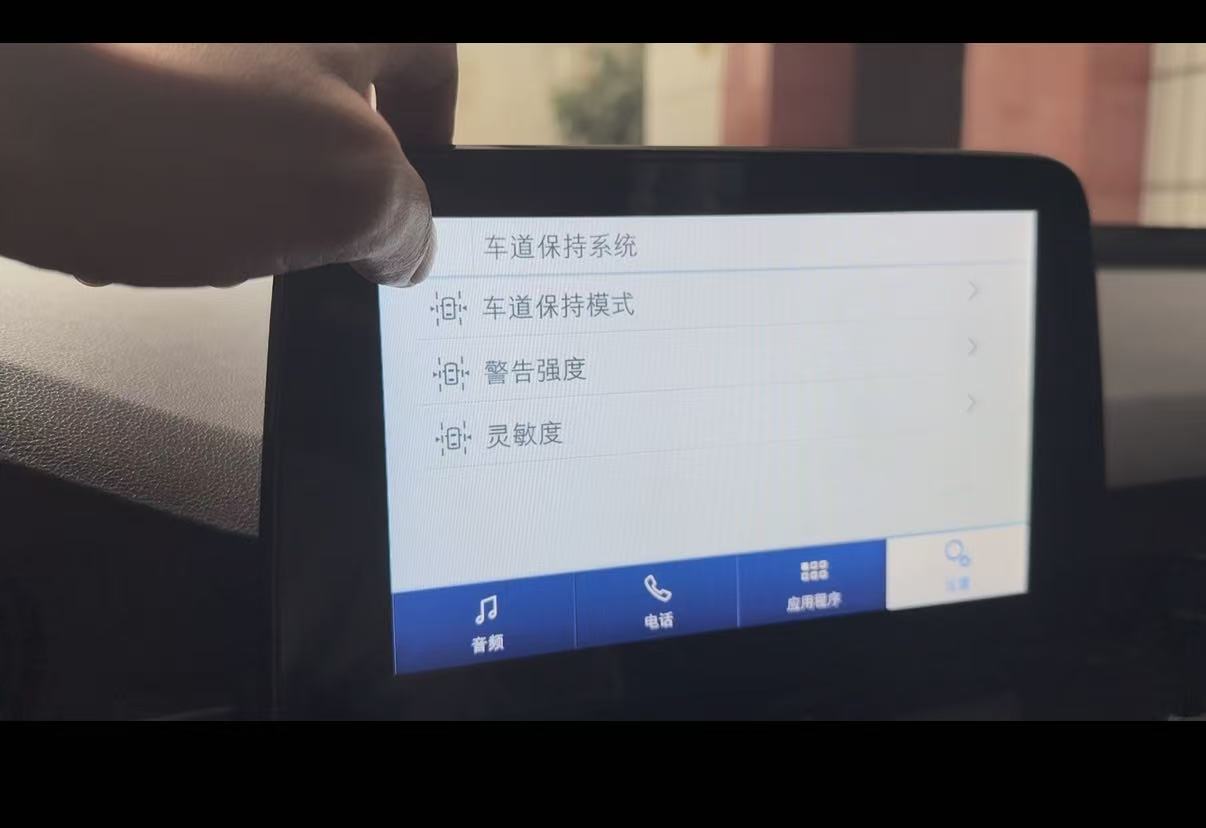
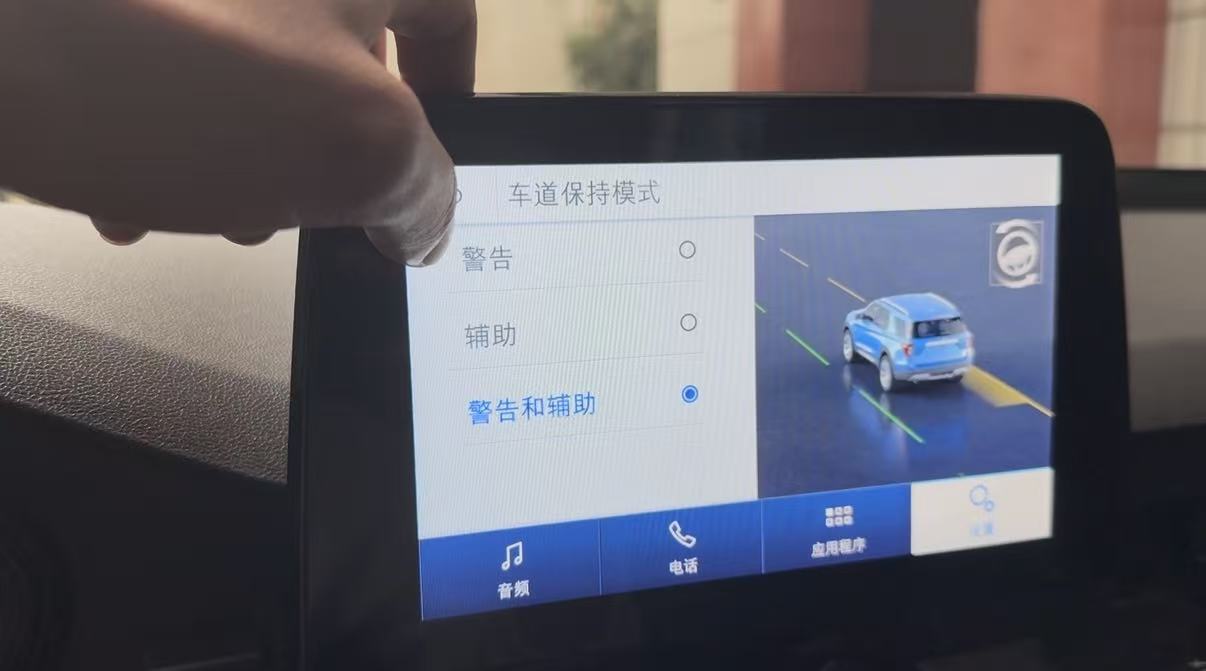
With this configuration, keyless entry worked again. But a new problem arose. I’m not sure if it was due to a different calibration file or some other reason, but the menu related to lane assist never appeared. I tried enabling all the settings related to lane assist, but still, the menu didn’t show up. So, I enabled the two configurations in the APIM module: “Lane Assist NCAP Aid” and “Lane Assist NCAP Alert”. However, the lane assist function didn’t seem to work properly.This is what the normal lane assist menu should look like.
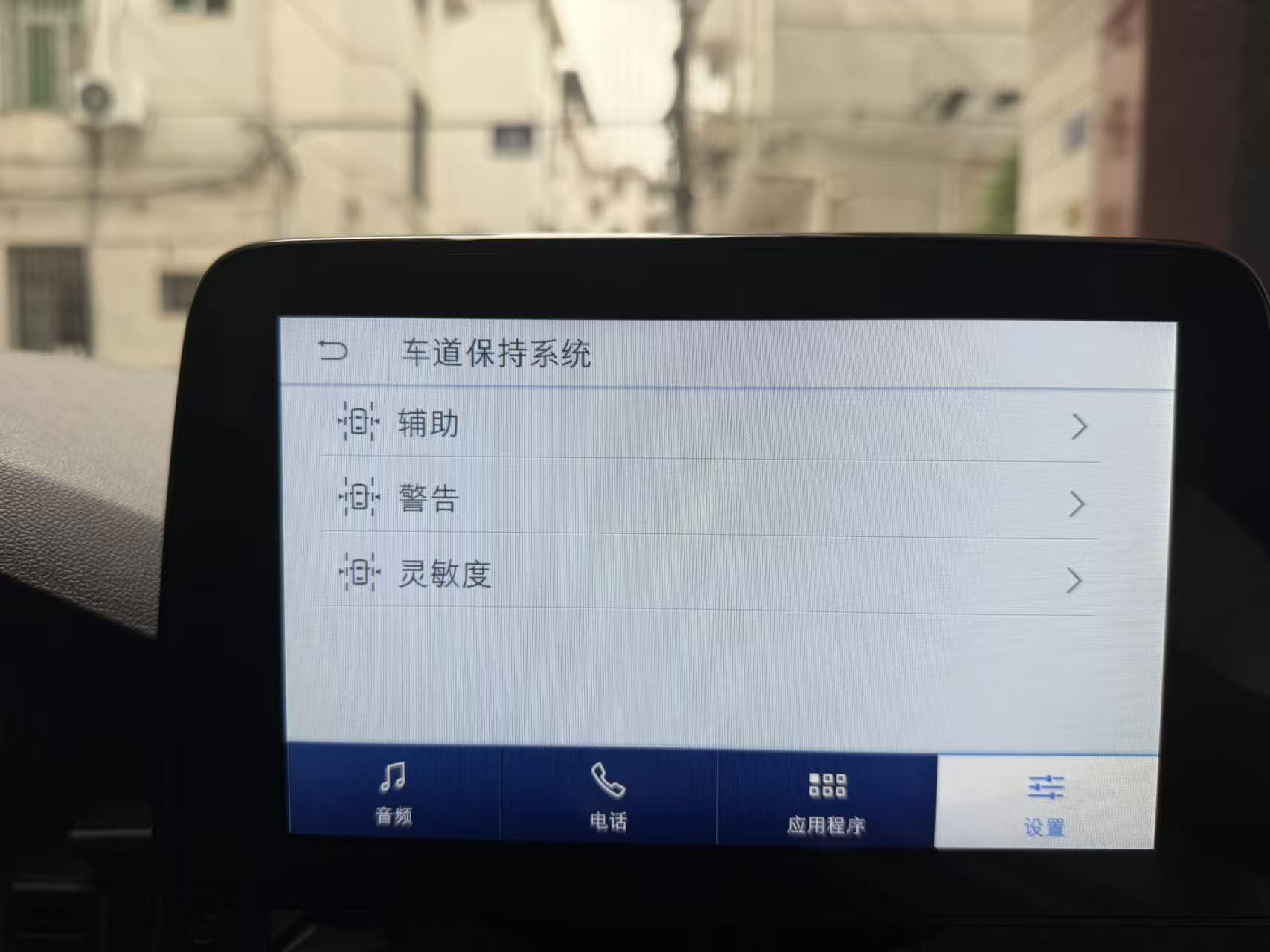
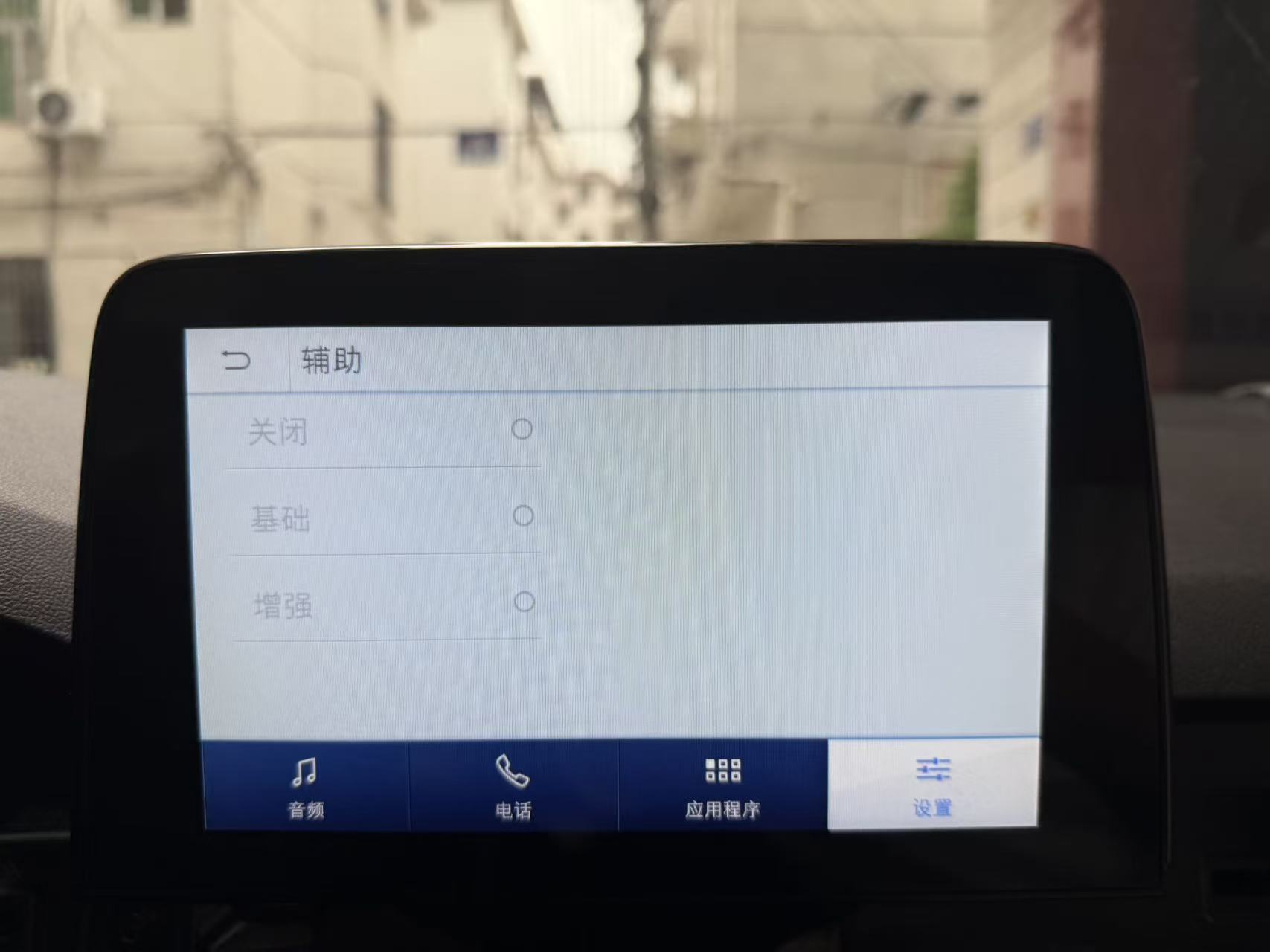
Here’s the current menu. Not only are the sub-menu names different, but in the assisted mode, the options “Warning”, “Assisted”, and “Warning+Assisted” aren’t available either. They’re grayed out and cannot be selected.
I learned from this forum that after updating the module’s firmware, error code U2100 may occur. In such cases, it’s necessary to load the original AB file. I think loading the original configuration file caused the issues with the assisted driving menu. I’d like to ask if there will be any problems if I load the ABT file from the previous firmware configuration using 1U5T-14G375-HA. Does anyone know?The following are the settings for all modules related to Lane Keeping Assist.