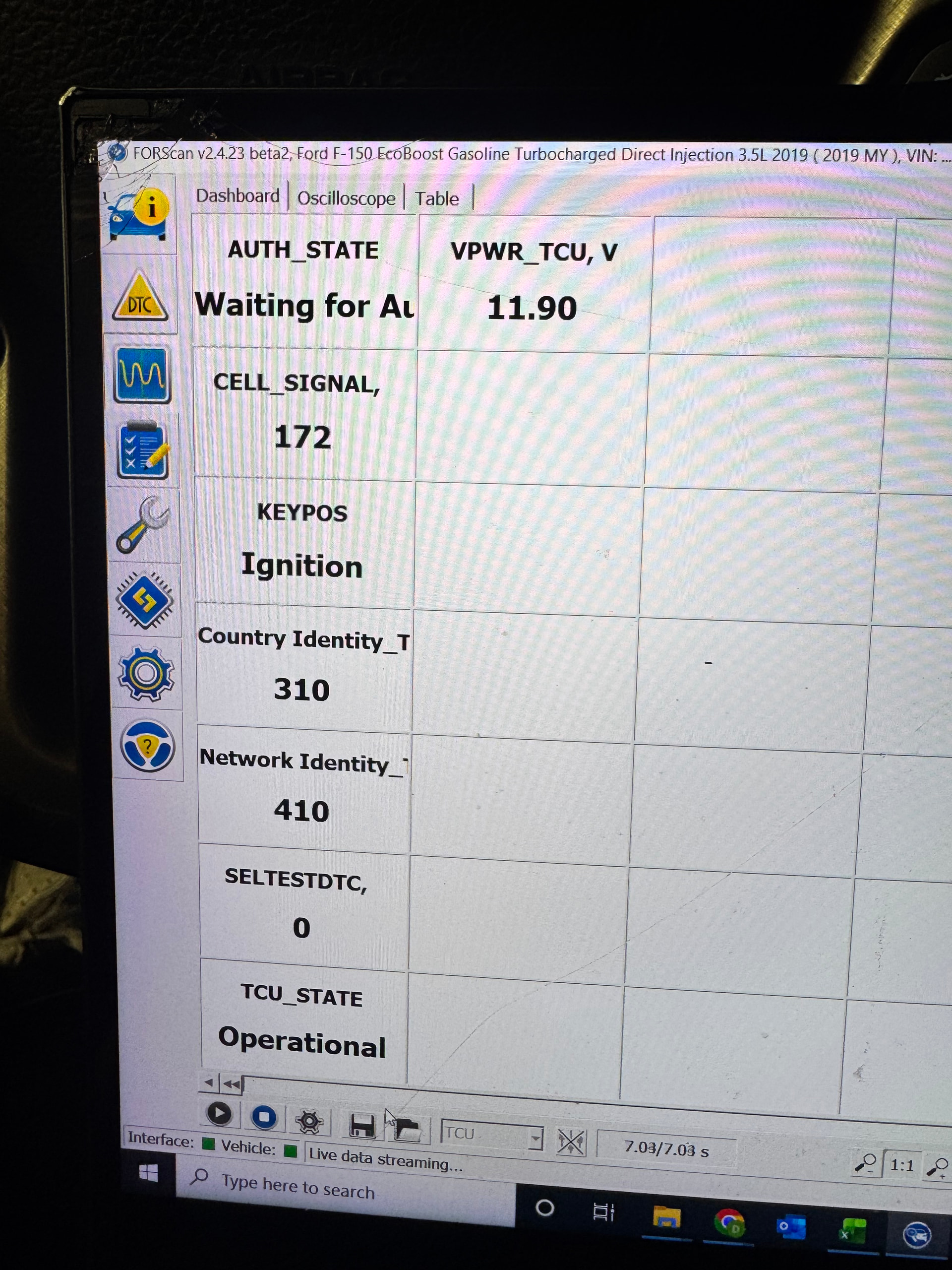
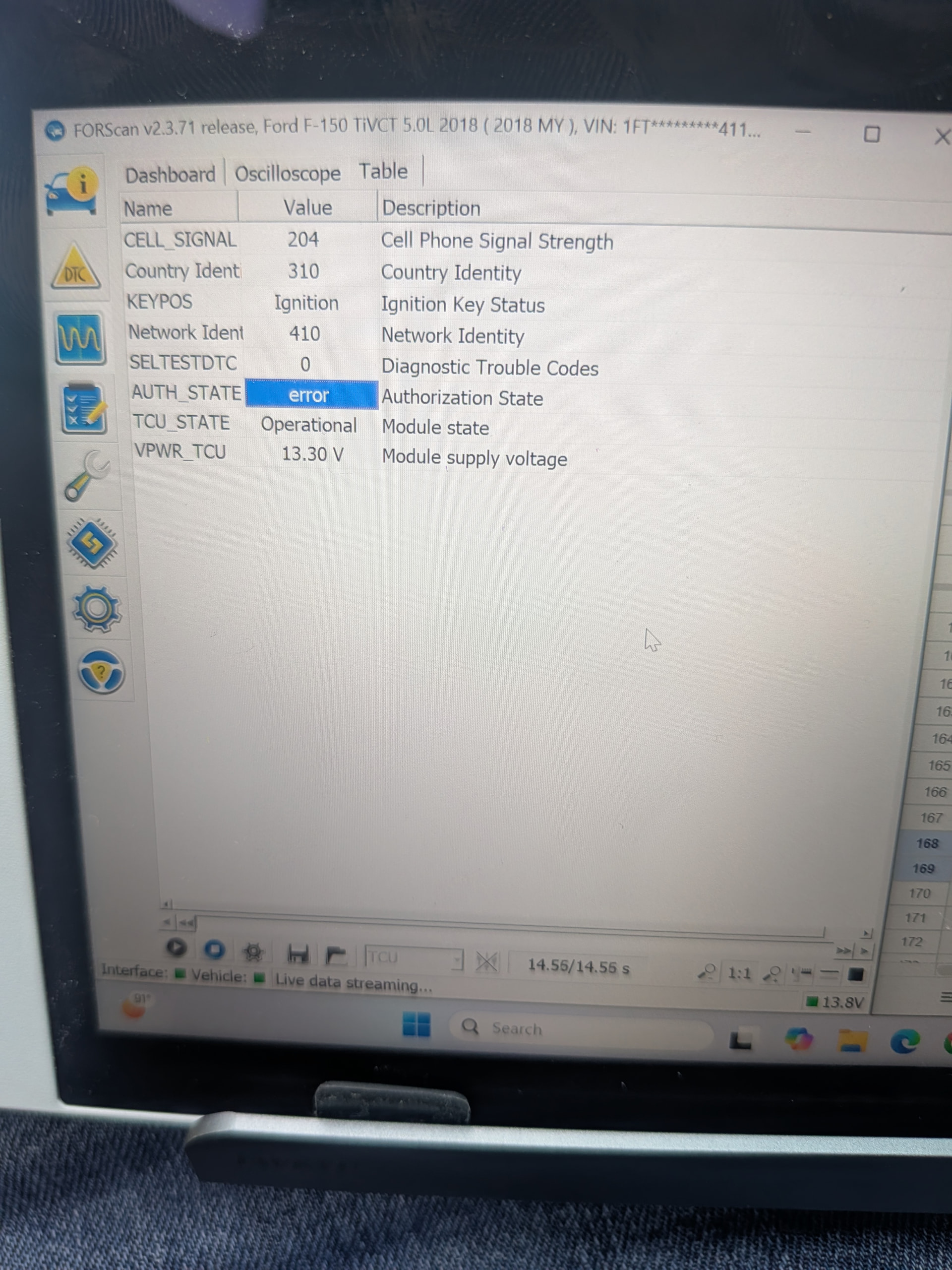
Hello was wondering if anyone can help me. I had ford pass working in my 2019 F150 until my retrofit. I did an extensive retrofit in my F150, replaced all the cab wiring (body harness, dash harness, door harnesses, roof harness) with high trim wiring. Replaced the seats with heated cooled massage, switched from column shift to floor shift. Swapped the single zone HVAC plenum to Dual zone plenum. I swapped in a super duty dash with sync 4. Before my retrofit ford pass worked fine, after not so well. I did not swap the TCU or gateway module. I did swap the RCM. I believe this may have to do with my BCM swap. I swapped to a BCM with push button start and intelligent Access. I know its not the sync 4 apim because I have pulled the sync 4 apim and added my original sync 3.4 8" screen back it still will not authorize, as i know it wont authroize with the sync 4 installed. Here are the troubleshooting steps I have done so far:
Completely removed my truck from the old non working fordpass, both on the app and on the website
done several master resets on my sync 3.4 apim
deleted app several times and tried re-adding truck
updated tcu in IDS
changed the asbuilt on the TCU to get it into “factory” mode, confirmed it was in factory mode with ids and then changed it back
Data logged the TCU in IDS, it is in an “operational” state, and the authorization state is “Wait for Authorize”
When I go into ford pass on the sync screen I can see that I do have LTE bars, so the TCU is online
Not getting and relevant DTC’s from the gateway module, TCU, RCM, APIM or BCM
Every time I hit connect to vechicle in app I get error 1603,
App is fully updated
I am out of ideas on where to go for here, everything looks as it should as far as I understand it, so if anyone has any suggestions or next troubleshooting ideas I would love to hear them. Thanks
I honestly have only checked it when i have the sync 3 screen in, and its waiting to authorize. Ive put the sync 3 screen back in a couple of times just to try to get ford pass back. Its my understanding that if you add ford pass with the sync 3 screen in it will work, and then if you put the sync 4 screen screen in after ford pass is added it will continue to work, but you cant add it with the sync 4 screen in. Also as far as i know there is no way to get the TCU working with the sync 4 screen for OTA updates
I just tested i am still in waiting for auth with sync 4 in, but even so all the research ive done shows it wont authorize unless the sync 3 screen is in.
these are the steps I used with forscan to get my TCU/fordpass to work in my truck.. It also took 2 days for mine to activate.
*5. Change these values in Forscan under the APIM module configuration: 7D0-02-02: xxxx 9xxx xxxx and if you got the 14G229 with the hotspot then this one too 7D0-02-03: 4xxx. Then perform a master reset on your Sync3 system.
If your truck did not have factory remote start then you also need to write these in Forscan: BdyCM 726-22-02: xxx1 xxxx xxxx and IPC 720-02-02: xxxx Axxx.
Next you need to do these procedures to activate the TCU to your truck and VIN. You can monitor the progress under the diag part of Forscan. If you have a diesel you will need to change the 754-01-01: from B132 xxxx xxxx to 754-01-01: B232 xxxx xxxx then write. Then you put it in factory mode by changing 754-01-01: to xx03 xxxx xxxx then write and wait for 10 mins. Then you goto provisioning mode by changing it to 754-01-01: xx00 xxxx xxxx and wait another 10 mins. Finally you put it in authorize mode by changing it back to 754-01-01: xx32 xxxx xxxx. You’re done with Forscan now.
This is where everyone else has the most issues so go drive the truck around a bit and get yourself some Chickfila or In-N-Out Burger. Then come home and forget about it for 8 hours, a day or a week. You need to be patient as some activate right away and others take days. Mine took 8 hours from the time I changed all the TCU settings. From the factory I suspect Ford servers must link Ford Pass Apps to the VINs once an hour, once a day or at some random time interval that’s not in real-time*
I figured out what my issue was. I mistyped one letter in my replacement bcm, and it pushed the incorrect vin to a bunch of my modules. Fixed the vin, ran a pcm/tcm relearn and was able tO get fordpass working with my sync 3, reinstalled sync 4 and if is still working