It’s been quite some time since I’ve updated on my non-nav 2018 F150, currently on 3.4.23188. As a reminder to everyone with North America non-nav units, you need to delete Gracenotes before trying to upgrade to 26057. If you don’t you will be stuck on the “updating” message but it’s not gonna update because there’s not enough memory. There’s a utility in the Updater program to create a USB to delete Gracenotes, then you can create the USB to upgrade to 26057.
1 Like
Non 3.4 native vehicles without NAV can also have issues with builds higher than 3.4.21265.
There is an element of truth to you post, which relies solely on an AI search of statements on the internet, either true or false, and we all know the reliabilityHowever, after reviewing the python json files in this release there is more to what has been done under the hood and why. The Sync 3 database features will be updated when I get the opportunity but it won’t be immediately.
1 Like
Display brightness stop working on 2 units. Region Canada, with nav on Explorer and without nav on F150. Downgrade to 23188, all good.
Update from 3.4.23188
Did you do a master reset after the update?
What are the model years on the vehicles?
Yes, master reset was done.
2019 f150
2017 explorer
Just updated my F250 Super Duty. Great Job! I tried to update several times through auto-updates and even downloaded from Ford. Ford would only update my Sync 3 to the latest subversion of Sync 3.0. Maps kept giving my BGMAP-ERR01. I used Syn3updater and everything installed and works beautifully. Thanks for doing this great work.
I updated without any issues. Completely successful.
Thank you very much to the entire team from Portugal.
My 2018 F-150 non-3.4 native non-nav has been running 23188 and now 26057 has been running without issue. YMMV. I did not notice any changes whatsoever from the upgrade.
Updated without issues.. Sirius channel pics went away for a bit, but overtime have all updated and filled in
I have an update from a ford technician when I took my escape in for recall 26C11/26V123 Its related to the camera issues which is why it’s still not available to users for individual download (from fords website) they want it done at the dealership.
1 Like
It’s not related top the camera issues. The vehicles with camera issues cant even run 3.4.2657 per Ford.
Ford Focus MK3.5 ST (2018) successfully updated in U.K. Thanks for this.
2 Likes
@warlock12118 @brandolorian Your discussion has nothing to do with 3.4.26057. Please make a new thread if you have discussions or issues not related to this version.
1 Like
Upgraded from 21194 to 26057 system only, no maps. Got an “Installation Failed Error Code: VER_ERR01 Download files again and retry to install”
Everything seems to be working fine and the about page says it’s running “Build 26057_PRODUCT”.
I’ve never had XM channel logos for some reason, was hoping that this update would fix that… it didn’t.
Everything seems to be working correctly otherwise.
I’ll try a master reset and report back.
XM channel logos are dependent on the version and age of the ACM, even though they are stored in the Sync app. What vehicle and year?
I upgraded from 3.4.21098. It seemed like it worked but I did not have GPS and climate control screen did not work.
The physical controls still worked.
This is a 2014 F-150 with a SYNC3 system retrofitted from a 2017.
Downgrading back to 3.4.21098 fixes everything.
I suspect I could probably fix it by fiddling with something in Forscan but I don’t feel like dealing with that at the moment.
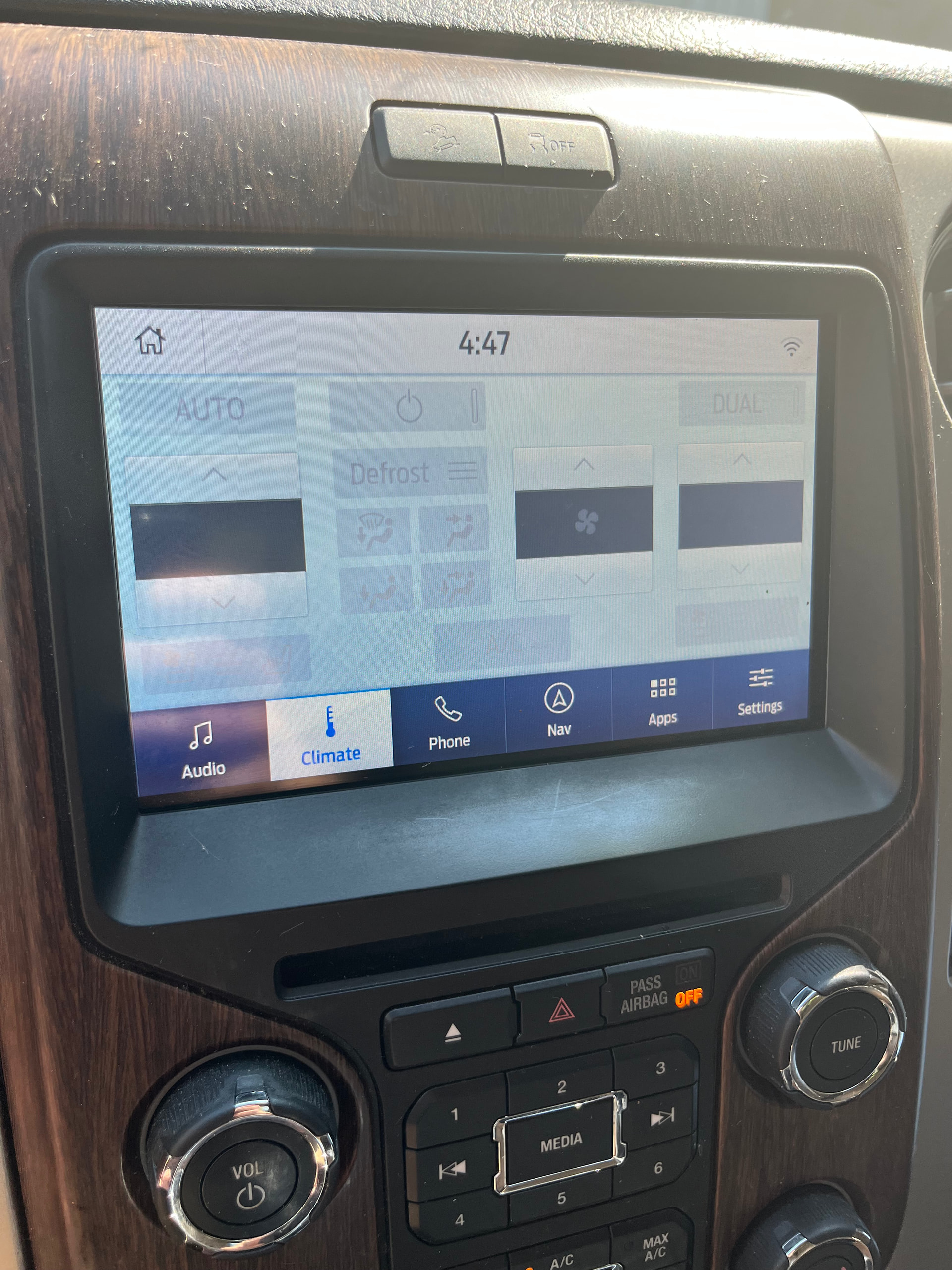
Did you master reset after upgrading ?
Anyways, since you have a retrofitted unit, I do not think this build feedback is the best way to post in…
U can just modify reformat file deleting a line pointing to gracenote package.
The truck is a 2016 F150 XTR. It came with the small non-touch screen (sync 1?). I upgraded to sync 3 through an upgrade kit. The kit gave me factory GPS and Maps along with car play. I’ve never had Sirius icons on this setup.