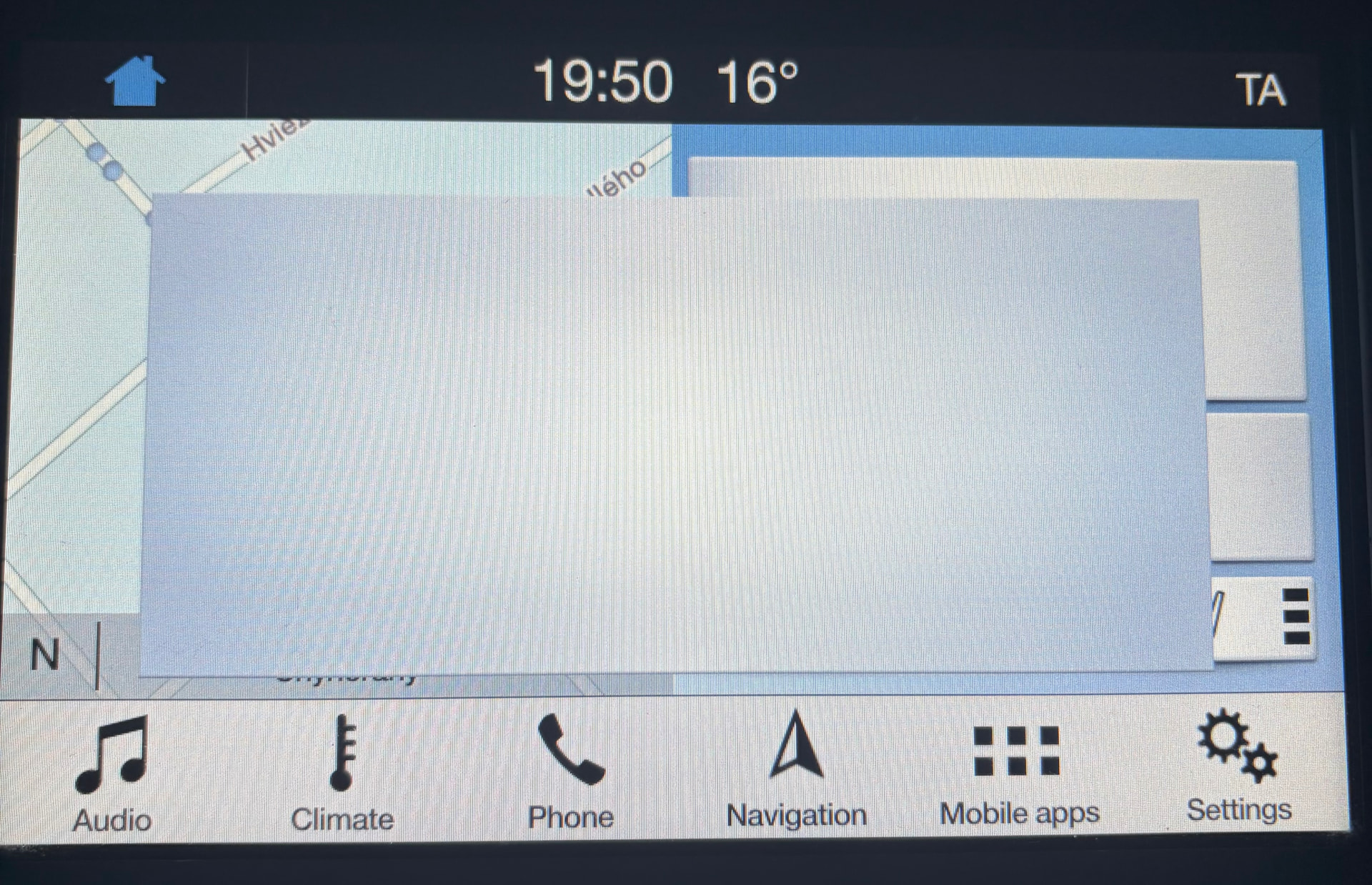
I bought a used Ford Galaxy 2016 in Europe. When ever I start the car and the Sync3 screen comes onto the Home Screen I get a blank pop up message. Looks like there should be text but there isn’t any. I can recreate it also by going into Reverse and then either to Park (it’s an Automatic) or from R to Neutral or Drive. If I speed through R before the camera has a chance to come on then the blank message doesn’t pop up. But the reversing camera image looks fine with everything where it should be. And I mentioned the blank message pops up when starting when no camera image was displayed. Using Forscan I have checked and there aren’t any DTCs.
As this is my first Sync3 car I’m not sure what messages might pop up when starting. Or after shifting out of R with a camera.
I do sometimes get a pop up when starting about driving carefully. Or when my phone connects via Bluetooth or Car Play. I’ve turned those off, updates off, wifi off, etc. I think I’ve gone through every combination of things to turn on and off, changed languages, master reset, soft reset but nothing has made a difference.
I thought I would find several examples of this but nada, zip. So I was hoping someone here has seen this symptom and can remember why it happens.
F11 maps if that matters.
SYNC Region: EU
Navigation Variant: Nav
Manufacturer Year: Pre MY20
Install Type: OEM
Old SYNC Version: 3.0.23219
New SYNC Version: 3.0.23219
Do you have a error message, if so what is it?
nothing related to an update.
If you have not done so, run the Interrogator Utility and post the XML here.
Maybe perform a Master Reset on the Sync APIM. It’s in the General tab.
Then load your APIM asbuilt again and perform another Master Reset.
I performed a coupl eof Master Resets since buying the car but that didn’t solve the issue but I didn’t reload the As Built in between so I will give that a go.
The APIM looks to be original and has the original firmware. There are no DTC errors. If reloading the asbuilt does not solve the issue then it could be that there is an issue with the firmware, but load the asbuilt first and see if that works.
So I performed the master reset, re-writing the apim as built, then master reset but no change to the pop-up screen.
i had hoped that this was a known issue recognised by somebody/many and didn’t want to make the post overly long. However perhaps I can add the following diagnostic observations:
the popup mainly appears after being in reverse with the camera on and then moving to Park or Drive (or Neutral, basically out of Reverse). Doesn’t matter if camera assist or sensors or camera delay are on or off. doesn’t matter if any of the driver assist features are on or off. Doesn’t matter if updates, wifi, bluetooth, car play are on or off. Whether there’s something in the usb port or not.
It doesn’t pop up if I move so quickly through Reverse that the camera doesn’t pop up
But…..the strange non-camera related behaviour is that the pop up comes on also when I first start the car (start fully, straight away). However strangely, it doesn’t pop up if I turn on the car, and then start the car. Not sure what that initial popup could be or what other Sync owners have pop up after moving from reverse to any other gear.
You might want to reload your Sync 3 asbuilt from the OEM Ford asbuilt. It seems it is different than what is loaded in the APIM now.
The XML file you posted above indicates the following asbuilt settings:
<d2p1:DID didType=“Direct Configuraation DID DE00” didValue=“DE00”> d2p1:Response0a2a05921f02ce4206c2</d2p1:Response>
<d2p1:DID didType=“Direct Configuraation DID DE01” didValue=“DE01”> d2p1:Response4c4f0104c00b488000040000</d2p1:Response>
<d2p1:DID didType=“Direct Configuraation DID DE02” didValue=“DE02”> d2p1:Response0200000200</d2p1:Response>
<d2p1:DID didType=“Direct Configuraation DID DE03” didValue=“DE03”> d2p1:Response01001b00270107</d2p1:Response>
<d2p1:DID didType=“Direct Configuraation DID DE04” didValue=“DE04”> d2p1:Response186a18b02bd0</d2p1:Response>
<d2p1:DID didType=“Direct Configuraation DID DE05” didValue=“DE05”> d2p1:Response80</d2p1:Response>
<d2p1:DID didType=“Direct Configuraation DID DE06” didValue=“DE06”> d2p1:Response07003300000000171c0000565675006a</d2p1:Response>
This is from the Ford Service website:
7D0-01-01 0A6A 0592 1F03
7D0-01-02 02CE 4206 C2B4
7D0-02-01 4C4F 0104 C03A
7D0-02-02 0B48 8000 04B2
7D0-02-03 0000 DC
7D0-03-01 0200 0002 00DF
7D0-04-01 0100 1B00 271F
7D0-04-02 0107 E5
7D0-05-01 186A 18B0 2B52
7D0-05-02 D0AE
7D0-06-01 805E
7D0-07-01 0700 3300 0019
7D0-07-02 0000 171C 0013
7D0-07-03 0056 5675 0002
7D0-07-04 6A4C
You can see that there may be an issue with the firmware above, particularly due to the HB5T-14G374-CA file, possibly. This is a known issue but repairable with a file revision.
This is your OEM asbuilt for the vehicle. You should load this into FORScan and use it. There is a folder on your computer under My Documents that is named Asbuilt, drop it in there. It will be accessible from FORScan.
thanks for taking a look further and for the factory As Built. I wasn’t able to get to this yet but before I do I have a few questions. I’m not as comfortable replacing As Builts as the more experienced of you. Won’t the factory As Built overwrite everything even the dynamic adjustments over the last 10 years?
Won’t it also overwrite any purposely changed items - there must be a reason for the differences right? It’s a used car that seems to have had the major services at Ford but still, I don’t know its full history.
Can I use the full factory As Built to update module by module rather than everything? Is it that simple to revert back to current (if I have taken a copy)? No side effects.
The factory asbuilt will change the APIM back to original programming. And yes, it overwrites everything for the APIM, but that is why you save your asbuilt changes along the way.
Sorry for seeming like a ghost but I had thought I had posted an update. I did as you suggested and wrote the factory ford ab. No change. I followed up with master resets. switch off, opening and closing doors, switch on, soft resets and combinations of these but no positive changes.
I had been reading on f150 about pop ups at start being incomplete or seemingly incomplete updates even if afterwards there are no more updates to be had. various suggestions on how to handle this and I’ve tried them all except a manual update (because there’s no Ford manual update for me).
The diagnostics don’t make sense for me: a blank pop-up nearly always at start but not always. Why? Always 100% blank pop up after leaving reverse. But blank popups at start and when leaving reverse - why?!
I’m struggling to live with the blank popup because it doesn’t self clear. But I’m concerned about doing a Sync 3.4 upgrade because I don’t want to lose what I have and I guess I’m not so familiar with potential issues post update. Touch wood I’m not expect it to be bricked since it’s pre-2020 and there seems to be plenty of free space based on the Interrogator tool.
Seems to be finally fixed: I decided to update to the latest Sync 3.4, maps and everything. Luckily I decided not to leave the car half way through as my car would have shut off if I didn’t press ok within a few seconds! Dodged a bullet. The Cyanlabs Updater instructions were clear but perhaps this is a good warning to add as I didn’t even know I had this feature. The 2nd heart stopping moment was when it said it finished and to remove the USB which I did. It then rebooted and on start up it said that some things will continue to install and to leave the USB in the port!! That wasn’t in any info I read so I just left it out and all finished ok. Now the blank pop up no longer appears on start up and not after moving from reverse (tested a lot of times because I couldn’t believe it).
Thank you @F150Chief for just being on the other side, appreciate it.
That is particular to EU map updates. In the reformat mode it doesn’t matter, but if you installed maps in autoinstall mode the APIM might need to access the USB for additional files. In reformat the files are already loaded but the scripts don’t know that, hench the message. I would bet that is what the mysterious message was…