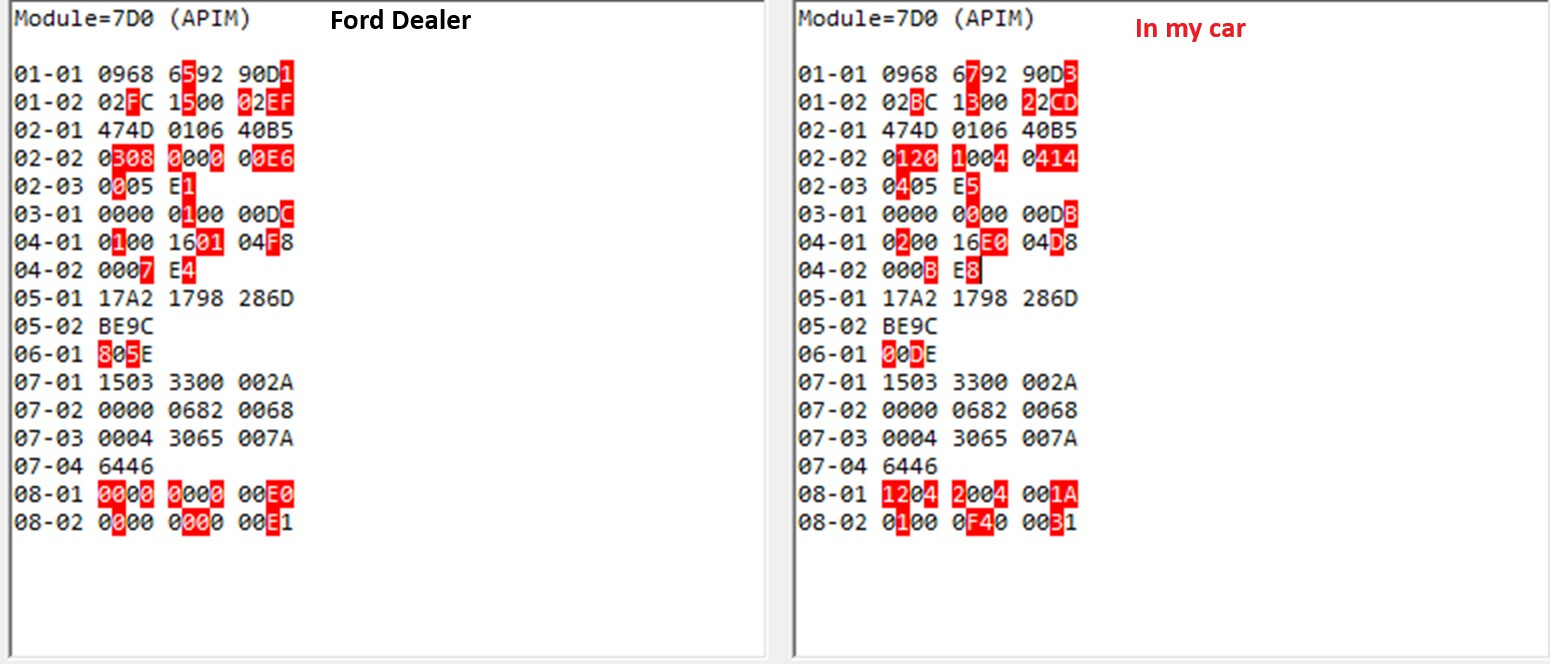
I recently updated my Sync 2 to a Sync 3 by way of a Chinese kit now running Sync v3.4. No issues with the audio system so I thought. I decided to run a scan using ForScan and said software shows the following error:
APIM U2101:00-0B
Code: U2101 - Control Module Configuration Incompatible
Status: (-0B)
-DTC Present at Time of Request
-Malfunction Indicator Lamp is Off for this DTC
Module: Accessory Protocol Interface Module
Since I’m new to the Ford world I will be the first to say I have no clue how to go about fixing this error. My car is a 2013 Ford C-Max Hybrid SEL
I contacted the Chinese seller about the error I was getting on ForScan. They replied:
“U2101 can be ignored. After upgrading from SYNC 2 to SYNC 3, the system recognized that the hardware was different, resulting in an error. It will not affect the use of any functions. All SYNC 2 upgrades to SYNC 3 will have this fault code due to the hardware changes made.”
I can confirm that there are no problems with the operation or function of the equipment in regards to that error code.
I confirm this is nonsense. Until you fix this error,
“Code: U2101 - Control Module Configuration Incompatible”
Sync will work, but not as it should. I’ve experienced this firsthand.
It was easier for me because the previous owner only corrupted AsBuild (updating the factory version fixed the problem).
You’re changing from Sync2 to Sync3. I don’t know if the Sync2 configuration matches Sync3, but download the original AsBuilt: https://www.motorcraftservice.com/AsBuilt
Compare the dependencies with the Sync3 version using this database:
I can confirm as stated by bill32399 that it works without any issues. The only aggravation is knowing that Forscan shows that error on the APIM module. On the other hand, I don’t want to risk bricking this thing while attempting to clear the error.
Yes, it will work. But, for example, how will it know if you have front, rear, and side parking sensors, and how many of them? Until you enter this information, these systems won’t work in APIM. And until you correct this data you will have an error U2101
Read Notes:
My sync worked great—except for the error U2101 and the parking system not displaying any information on the screen. That’s all I had to adjust in APIM.
But I could be wrong. I don’t know if AsBuilt is physically stored in Sync or in the body. If it’s not in Sync, it doesn’t really matter when upgrading the Sync version, as these settings should still be available.
In my case, the previous owner completely corrupted AsBuilt from APIM, and that’s why it kept throwing errors until I flashed the factory version.
Any time you use a donor APIM from another vehicle you will likely end up with a 2101 code. Always start with flashing your original asbuilt unless it is known not to be compatible, like Sync 2 and 3 asbuilts. In this case look for a vehicle that is as close as you can find and get the VIN of that to start with for your custom asbuilt. Most of the time you can get very close and have to make only minor changes.
So the first part of the APIM asbuilt is taken directly from Sync 2, which is likely why you have the U2101 error. From 7D0-01-01 thru 7D0-04-01. Some of this is correct but mostly needs to be adjusted.
This is an APIM asbuilt from a 2018 C-Max Titanium Hybrid NA model. This should give you a guide of what needs to be changed.
F150Chief I appreciate your help but I’m a complete novice when it comes to Ford products. I have no idea what to do with the info you posted so please give me instructions or guidance like you are dealing with a 5 year old. I can actually follow directions and procedures if given proper instructions. Thanks again.
How do/did you compare the as built files? I could not find any utility to do so.
Is there a way to view & edit the as built info using forscan without being connected to the vehicle?
Actually doing forscan stuff u need to do homework b4 actions. Read forscan forums, truck aka F150 forums, any other ford forums and cyanlab asbuilt database have very good info and explanation, what is behind every number or numbers (sometimes X sometimes XX). Rite now, take cyanlab SYNC2 as built and Sync3 asbuilt tables and then you can check what was earlier and try to figure out how it is on sync3. Basically line by line number by number you need to find same explanation. For the beginner maybe it is not easy, but at the end of the day u gonna understand the logic behind those numbers and actions.