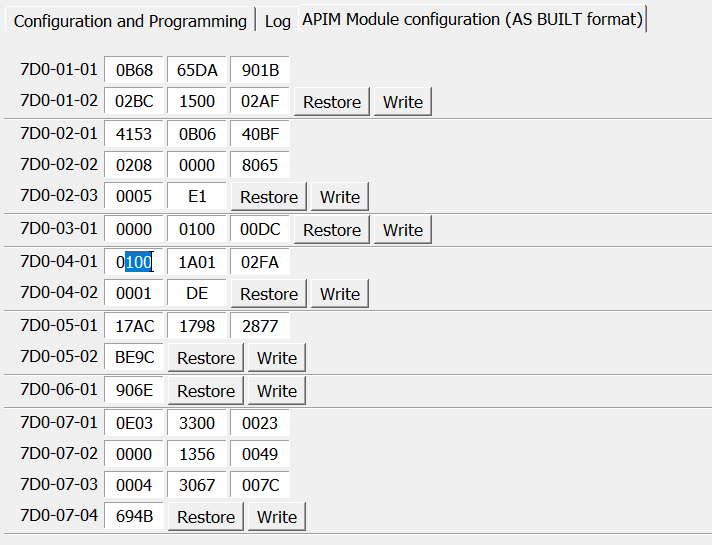
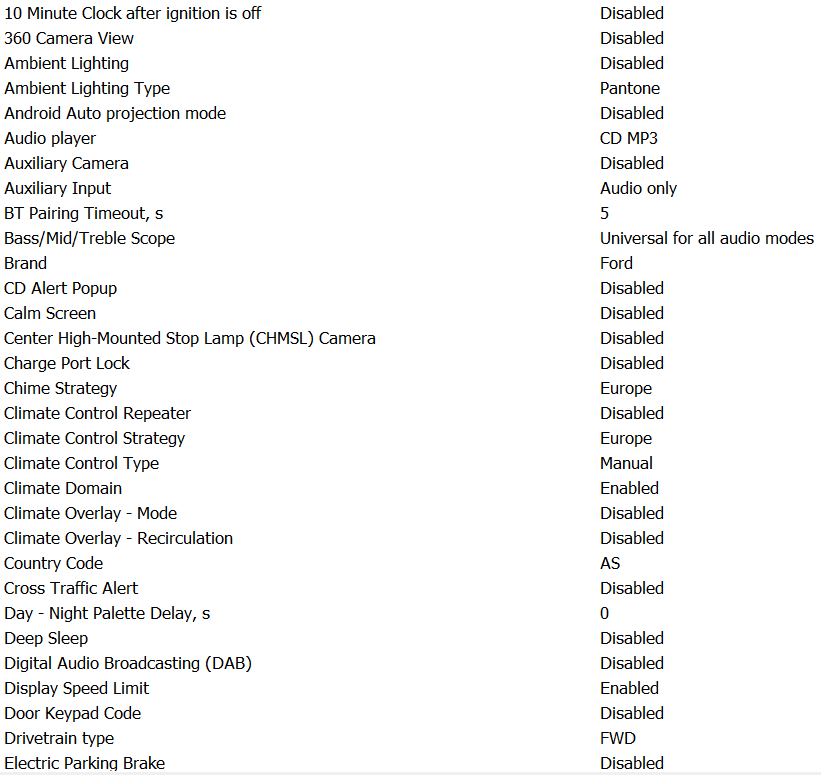
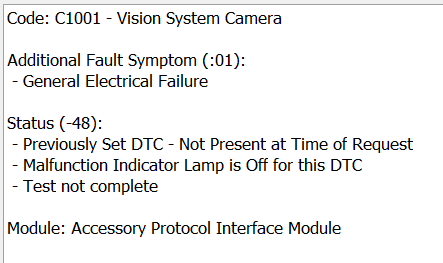
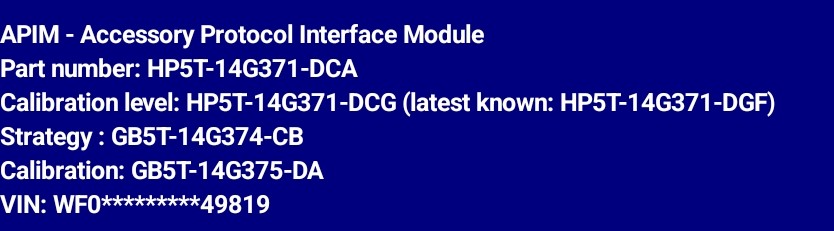
I have a ANZ 2012 Focus ST and upgraded from Sync 1 to Sync 3 with an aftermarket harness. Everything seems to work correctly except for the reversing camera. When putting the vehicle into reverse, the screen turns blue (massage at bottom saying to check your surroundings)then black and then get a meesage stating camera unavailable please contact your dealership. My setting for the reversing camera are -
The apim is running 3.4.23188
I was told I may need to run a LIN Calibration from the tools section in Forscan. But when I go there, there is no LIN Calibration setting.
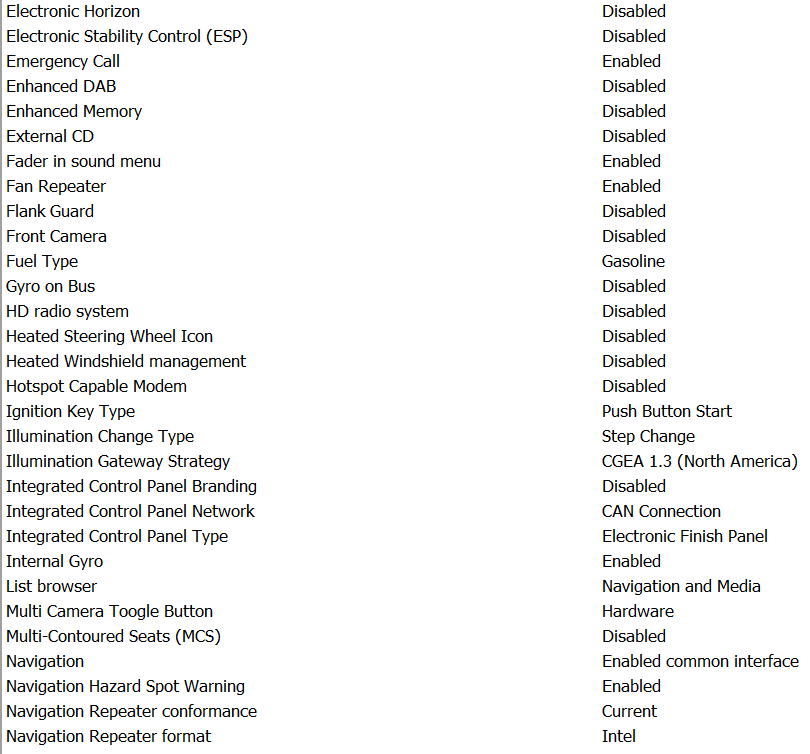
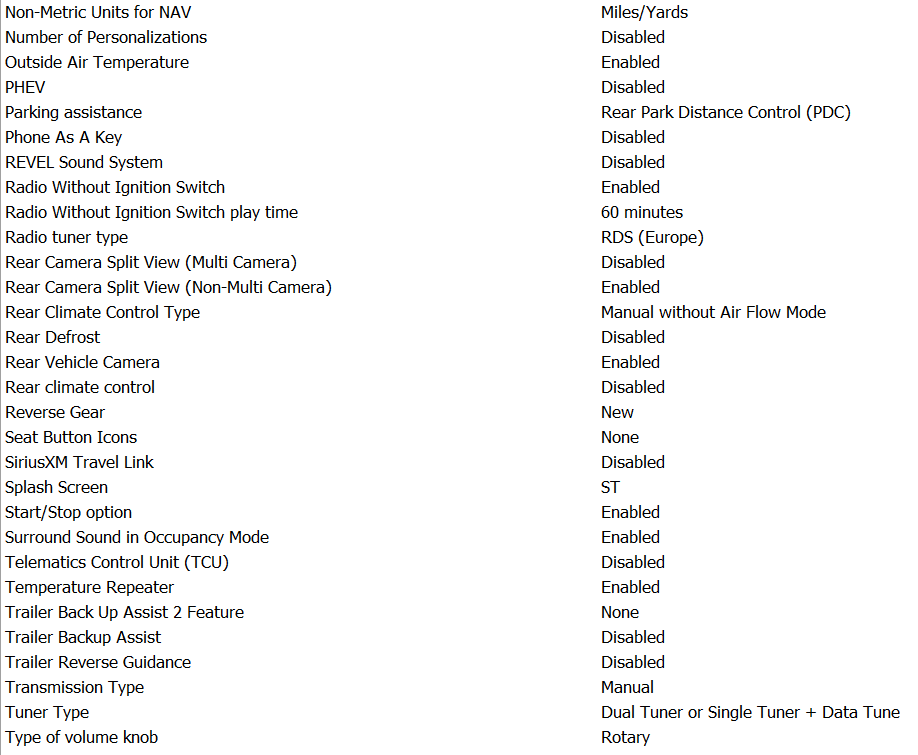
Below is all the other settings that might be needed for any hep
Can anyone suggest a fix. I tried the EU and NA setting for the camera, but they didn’t work. The rear sensors beep when nearing objects, but no camera. It is an oem camera. I know this is long, but I wanted to add all that I have.
Thanks for your reply. I notice that the settings for my reversing camera ends at 7d0-07-04 I do not have 7d0-08-xx can I update something to get it? (Firmware?)
2012 Focus ST. For reference, your vehicle is C1CMA based, so settings in the APIM and other modules need to be set accordingly. Various settings refer to CGEA 1.2/C1CMA and CGEA 1.3. Where applicable you will use CGEA 1.2/C1CMA.
That’s a 2017 APIM. I would make sure the wiring is solid first before updating the APIM.
Blue screen is no video, camera is not turning on, or there is no physical connection from the camera to the APIM.
Has anyone on this forum installed the conversion harness shown in picture below. It was purchased from AliExpress. If someone has, did you have to install the GPS connector on the harness. I know sync 3 uses it’s own gps antenna, but am wondering if the connector on the harness needs to be plugged in for everything to work correctly?
Everything works for me except oem reversing camera ( I also did not use the yellow rca plug)
That is likely your issue. If the APIM video input location only has the wires from the yellow plug going to those pins, then you need to add those wires yourself making sure you keep the polarity intact.
Well trust but verify. Physically inspect the connector to make sure wires other than ones belonging to the yellow plug are connected there.
The harness I bought only had the wires from the yellow plug attached there and I had to remove the wires from the yellow plug and add the wires to connect the OEM camera.