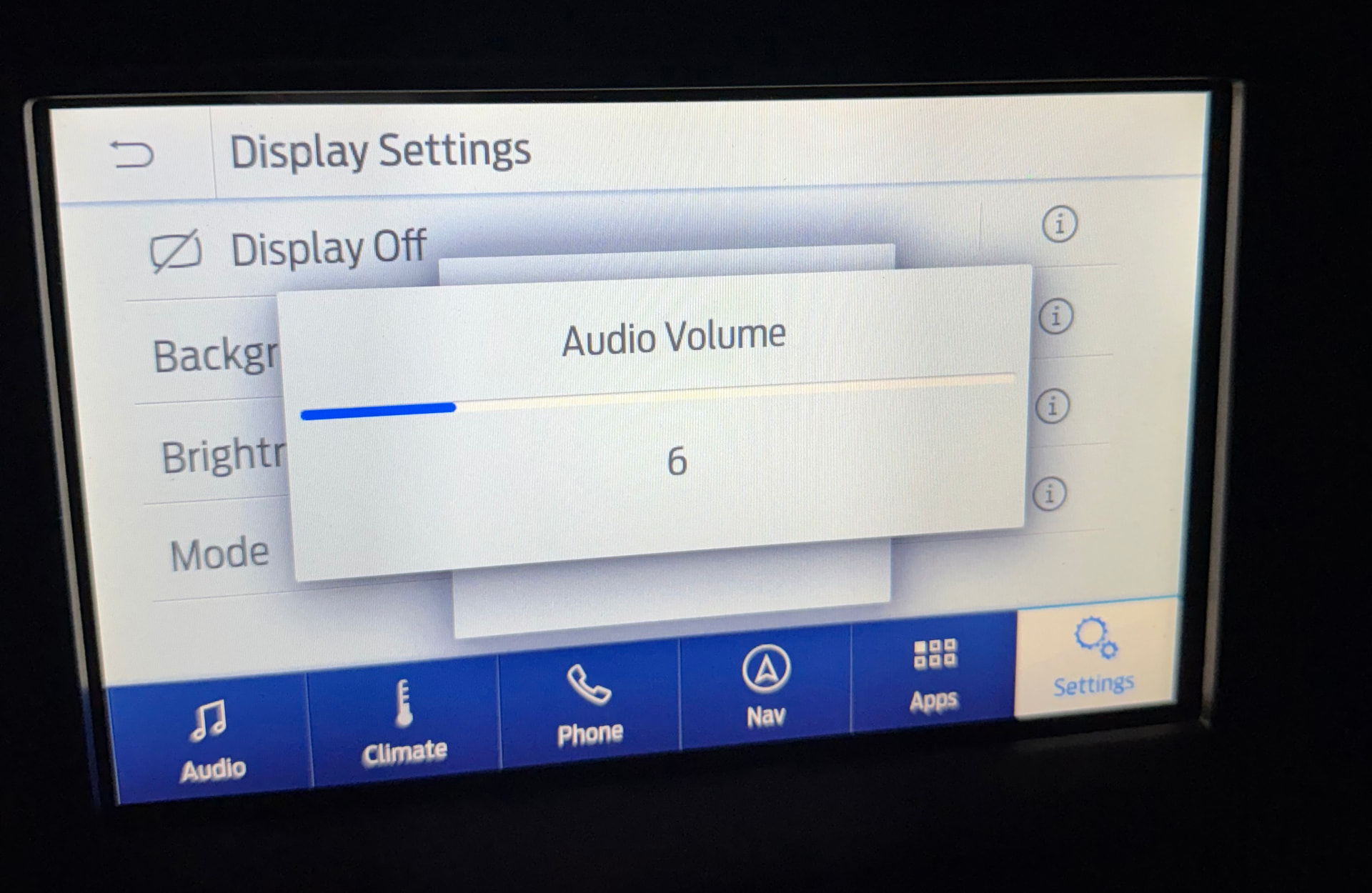
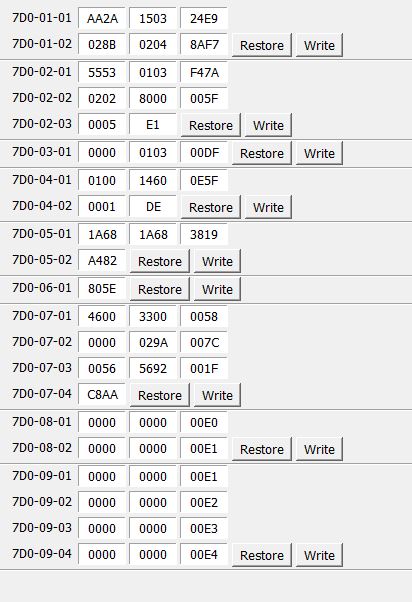
Enabled the horizontal volume repeater on my Sync 3.4 build 24188 APIM by changing 7D0-01-01: xxxx-*****xxx-xxxx to a 1. Setting took but I am getting what appears to be the “old” square box behind the new horizontal box when the volume is changed. Have tried doing a master reset, soft reset, and reset via forscan with the same results. Is this normal or is there another value in the as built that also needs to be changed? TIA!
You need to update your firmware to a minimum of 1U5T-14G374-EK or above for the newer full-page look. This will resolve the issue. I ran across the same issue a few years ago. 1U5T-14G374-EK had quite a few feature additions and changes.
3.4 APIM NAV & NON-NAV Unit Firmware (Production Release, 2020 L Series)
Secondary Boot Loader: GB5T-14G376-AA
Strategy (F188): 1U5T-14G374-EK (6/13/2020)
Calibration (F124): 1U5T-14G375-DA (NAV) / 1U5T-14G375-CA (NON-NAV)
ECU Configuration/Sound Profiles (F10A): GB5T-14G379-AA
ECU Configuration/Illumination Strategy (F16B): 5U5T-14G379-BC (6/16/2020)
APIM Firmware Production Releases - Ford / Information - CyanLabs Official Community
Also, at 7D0-08-01 xxxx xxXX xx-- you can enabled the new icons/graphics after you update the firmware.
Awesome, will take a look! Any benefit (or risk) to update past 1U5T-14G374-EK or would it be best to just stick with that?
Thanks again!
You could go to -EM without issues. I’m running that on the same APIM in my 2015 F-150 Platinum…