TCU update take 45-75 minutes
If you’re doing it with ForScan you need to have a really good adapter like and OBDLink EX instead of a VLinker or a cheaper unit.
TCU update take 45-75 minutes
If you’re doing it with ForScan you need to have a really good adapter like and OBDLink EX instead of a VLinker or a cheaper unit.
Yep! I purchased this one: Amazon.com
I may take a chance and do it. I also have ordered a Sync3 upgrade kit that is also coming on Friday. I had hoped by now I would have been able to get the app functionality with my Sync 2 system before I did the Sync 3 upgrade. If I can’t manage to get my TCU communicating before Friday then I’ll hopefully be able to get the dealership to get me straightened out and communicating before I then do the Sync 3 upgrade.
Doubtful the dealer will be able to do anything for you.
When they order a TCU is comes in pre-configured and authorized for the specific VIN, a used TCU is only going to come back as authorized for the donor VIN.
Odd are that if they contact the Ford hotline the answer from Ford is going to be that this is an unsupported mod.
Where in the TCU is the VIN stored? I don’t see where that would be in the AB. I thought it communicated with the APIM for that information?
VIN isn’t stored in the TCU.
The TCU IMEI is stored in Ford’s backend as belonging to the VIN it was shipped with.
This only updates when there’s a successful factory reset followed by a an succesful auth.
Confirmed my APIM 7D0-02-02 is set correctly with the 1 in position xxxx 1xxx xxxx.
Thanks again for the effort. Sure wish I could crack this nut.
Just a note: VIN is not stored in the J and early K series TCU but is stored (asbuilt) in the later units and is required for the Sync 4 system. These units are VIN / modem serial number matched, so it is much more difficult to add a TCU in Sync 4.
@Retrofit2026 this should not affect what you are doing. You do not need to worry about a VIN in the TCU.
The purpose of the authorization process where you change the as-built to ‘not configured’ is to break the TCU to VIN association for the donor vehicle to assign it to yours. Sometimes this takes a day to complete thru Ford servers, etc., so patience is a virtue.
Perform a master reset of the APIM and then try the authorization process again.
I appreciate it.. Though, I’m afraid I may have fat fingered something as I’m no longer able to save changes to the AB. I get an error saying “writing block 1 failed on tcu; vehicle conditions are incorrect”. I even tried re-loading the AB I saved (donor settings) when I received the donor unit and it won’t write that even. Not sure what “vehicle conditions are incorrect”. I had engine off, ignition on. Not aware of any other conditions I could control. I don’t know… I shut it all down and am hoping overnight there’s a reset except it’s probably more of a wish and a prayer. Thankfully I only paid like $30 bucks for it off ebay. I may have to find myself another unit. Meanwhile I’m expecting to do a Sync3 update later on this week so hopefully that kit comes ready to plug and play.
Disconnect the battery cable for 15-30 minutes, reconnect and start the vehicle for a couple of minutes. Then connect using FORScan and see if the condition is corrected.
Another small victory! I was able to get the vehicle added to the Ford app and it is waiting on the confirmation on the vehicle! I’m getting closer. It’s been about 2 hours though and I haven’t gotten the prompt on the vehicle. After the first 15 minutes I shut the car down and walked away for about an hour. After returning and firing up the car I still didn’t get the prompt. I’m going to do some research to see if anyone else has encountered this. I can almost taste it now!
That can take 24 hours…and the vehicle needs to be running to activate the TCU.
Checked it this morning and I still didn’t see the prompt. However, yesterday I got my Sync3 upgrade kit so I decided to go ahead and install it. As soon as I got the new APIM installed and turned it all on I immediately got the prompt on screen to authorize. So, I’m afraid this thread is not going to be super helpful to anyone that is looking to get their Sync2 over the finish line to play nicely with the Ford app. I didn’t want to go another day without CarPlay.
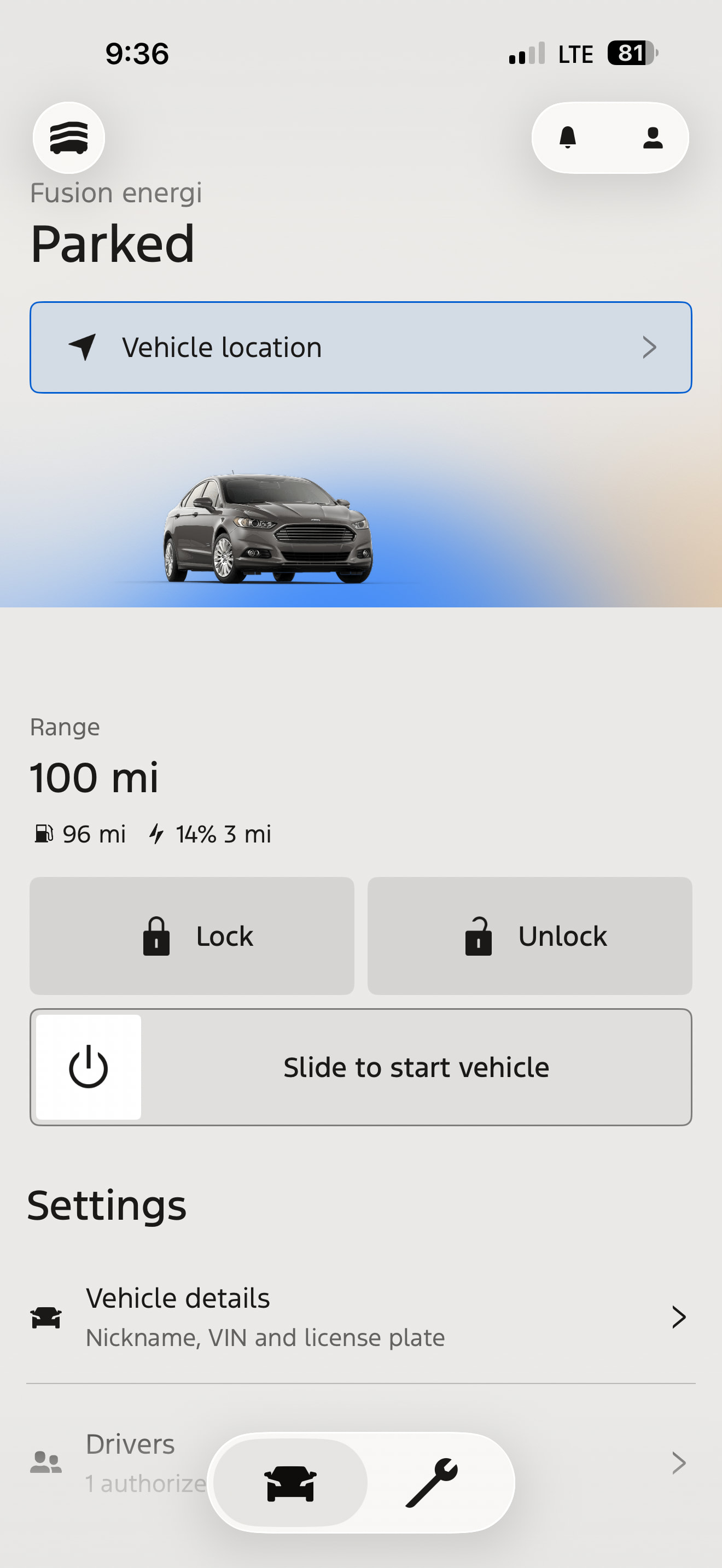
Now that I am able to see and access certain features I’m hoping I can figure out if it’s possible to see more information about charge status of my energi model.
Right now there’s not a lot of info:
One of the early questions probably should have been what build of Sync2/MFT you were on.
It wouldn’t surprise me if 3.10.0 (the last released build) was a pre-req.
That is true.
Ok. I have been following along and attempting to do the same thing with my 2013 Fusion Energi. I have an H series TCU installed and worked through the instructions above. My modem is showing waiting for auth. I also cannot get the car installed in the Ford App with the same message that RetroFit is getting “Mobile features unavailable”.
Second, I have the TCU installed with the UM firmware. Forscan tells me that there is an upgrade to UP available, but I can’t seem to figure out how to buy the extended license. I have the trial license, but cannot download the firmware updates. Is there a way around this? It seems you can no longer purchase the extended license.
Thanks for the help!
I’ll work backwards from your post. You need to download the 2.4.3 version of Forscan first (no longer supported, but the latest version that allows for firmware updating). You can find it off their webpage, but you’ll have to scroll to find it. Once you have it installed it will work off the same 2-month free access.
I’m assuming you’re still using a Sync2 system? If so, I can only tell you what I did to a point. I never actually was able to complete the update and get the prompt on the APIM on my Sync2 system. I didn’t bother to try to figure out why as it took me days and days just to get the Ford app to scan the VIN without telling me the car wasn’t compatible. There was still an unresolved issue that I believe was keeping me from seeing the prompt on my vehicle’s screen because the second I powered up my Sync3 APIM I got the prompt to authorize. So with that disclosure…
I really struggled with figuring out the right combination of things to finally get the TCU to send whatever was needed for the Ford servers to know that my vehicle was different. In the end, I think this is what did it:
I believe this is what I did when I was finally surprised to see my Ford app accept the VIN scan and not tell me my vehicle wasn’t supported. If it doesn’t work then I’m afraid I may have mis-remembered something specific. I tried so many different things so many different times for the last 2 weeks it’s difficult to say. And, as I said before, that only got me half-way. I never did actually get the Sync2 to prompt me. It could be that the APIM was an older version.
I hope that helps. Everyone helped me so here’s my feeble attempt at paying it forward.
@Retrofit2026 Super helpful! Thanks.
I was able to get the modem to factory mode and reset waiting for authorization. The changing B832 to A832 is something I missed. A833 set it to factory mode in case someone else is following along.
Still struggling to get the prompt from Ford on my system, but I will keep at it. Your input was perfect and helped me past a least one hurdle. It looks like everything is ready on the car end, so maybe something needs time to cycle through the ford systems.
Here is an update. I was finally able to update the firmware by purchasing an extended license. Not sure how legit it is, but you can purchase a license from AKM Software.
With this license, I was able to update the firmware on the TCU. I am now running the H series TCU with the -UP firmware. I have double checked all the settings and everything looks good.
I also checked my SYNC 2 software version and it is currently at V 3.6.1. I wonder if it just may take a little bit of time for the Ford system to recognize the TCU upgrade and make the mobile features available. I will keep researching and give it a day or two to see if the system recognizes the modem upgrade.
You more than likely need to go to owner.ford.com and download the Sync/MFT update to go from 3.6.x to 3.10.x to get this working.