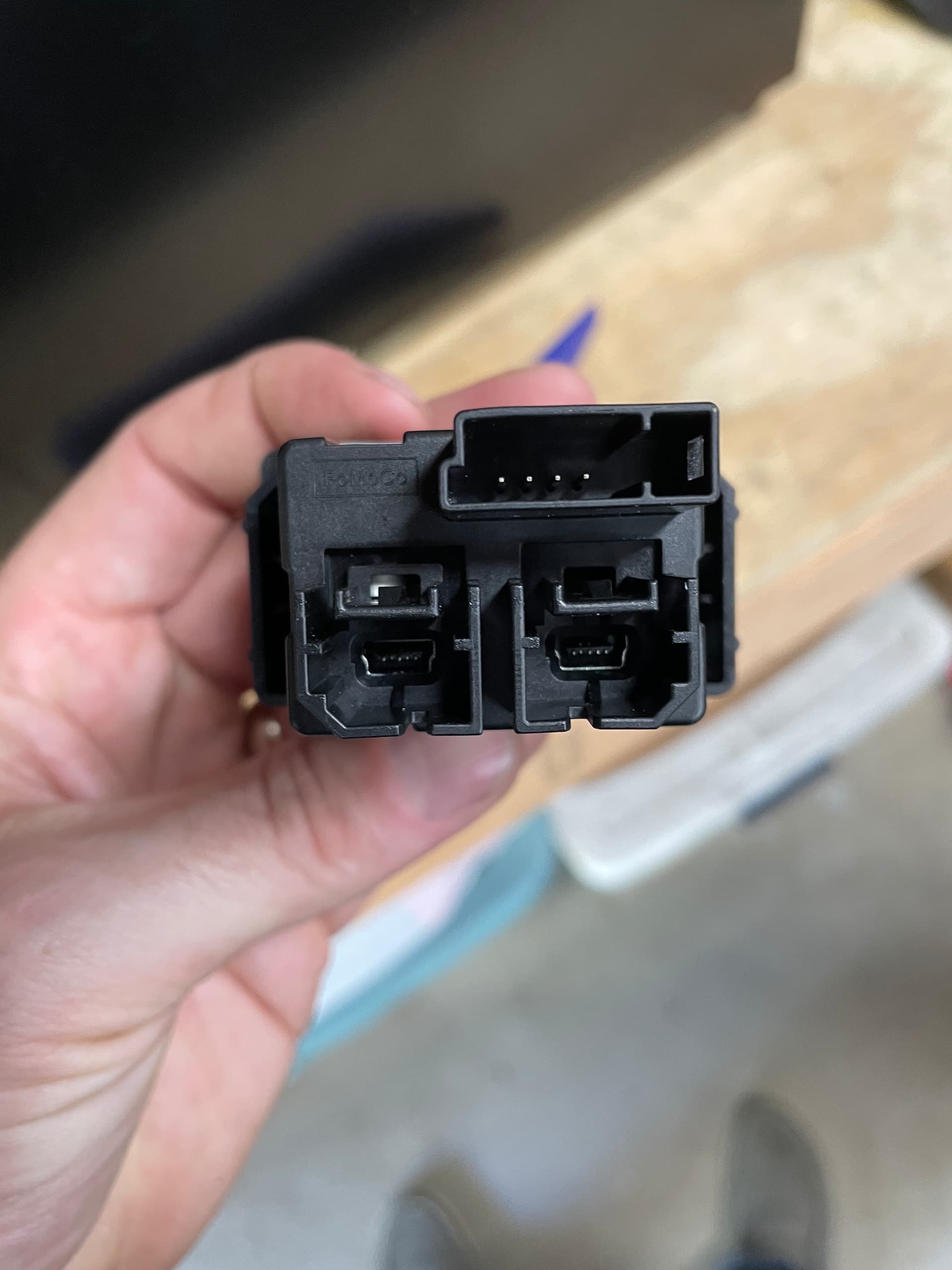
Purchased vehicle used. Non Nav. Sync 3 with 3.0 software. I purchased a Genuine Ford CarPlay enabled USB module hoping that’s all I would need for CarPlay to work.
No dice. I saw a few threads that mentioned 2.2 needs to be flashed and then upgrade back to 3.0 for CarPlay to work.
No dice. What am I doing wrong? Everything I’ve researched shows that going back to 2.2 and then 3.0 or newer SHOULD fix the issue but it’s not
SYNC Region: NA
Navigation Variant: Non Nav
Manufacturer Year: Pre MY20
Install Type: OEM
Old SYNC Version: 3.0
New SYNC Version: 3.0
Do you have a error message, if so what is it?
No
Update Method: CyanLabs Syn3 Updater
Syn3 Updater Version: Whatever the current version is
Use a certified cable. Also, try with an Android phone if you can.
Apple is complicated, as all Apple things are. If an Android phone works, you are then sure the issue is not with the car (if you have the correct USB hub, of course).
Ok, Just wanted to make sure it was not one of the Chinese knock off’s. It is a real one and should work fine. I have an -AB variant here and it worked fine with CP so the -AD one would be fine.
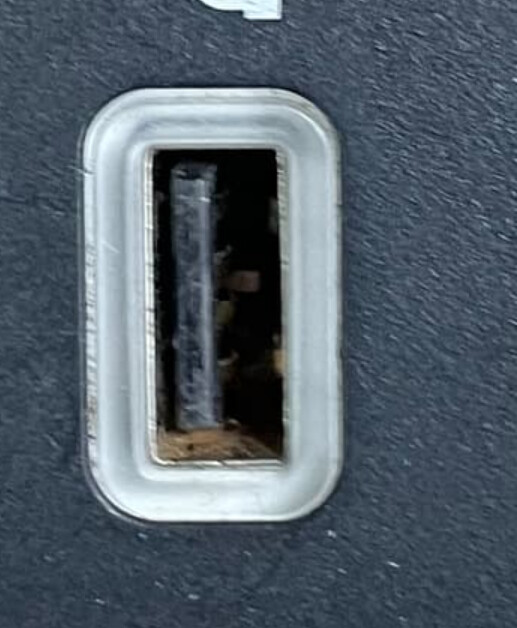
You say thats a new hub? When I look at the pic of the front I see rust in there and it’s all scratched in the center of the USB port. It also has a bent pin inside of it. That does not look like a new hub. Seems that dealer sold you crap. Based on this pic it will never work.
Oh wow. I didn’t look at it that closely. I wonder if someone swapped out their bad unit at a dealer and the parts guy didn’t look closely enough to catch it.
Lol, not even my 2017 USB ports look like that!, that is not new… unless you spilled something over it… Good catch by Bill…
The phone being detected is not enough, in order for CP or AA to work there has to have power and data transfer capabilities… So just charging the phone does not count as “detecting” the phone… So, what do you mean by “recognize”?..
Also, if Android Auto does not work either then I would rule the phones and cables out for the time being…
The hub is basically a hub, so I wonder if there’s a way for you to connect the phone directly to the main cable, not the hub… Maybe that’s not possible, of course…
But without knowing if the HUB is really good, it’s hard to move forward… One thing that you may try is going back to the “activation” 2.2.17xxx build and see how things go…
I returned that hub and had them replace it with an actual new one. The replacement worked and CP started right up as soon as connected my phone to the hub via the USB.
 .
.