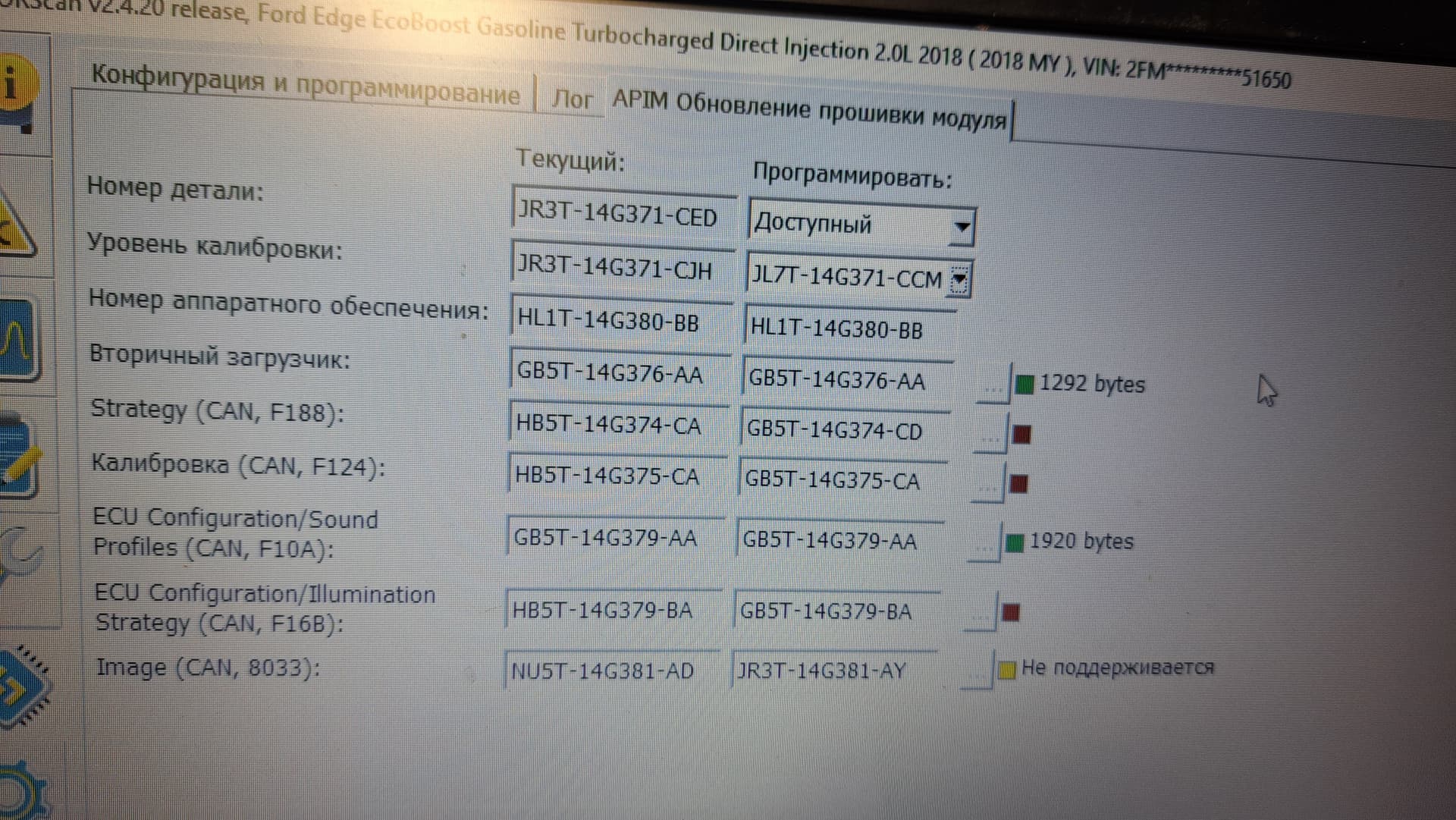
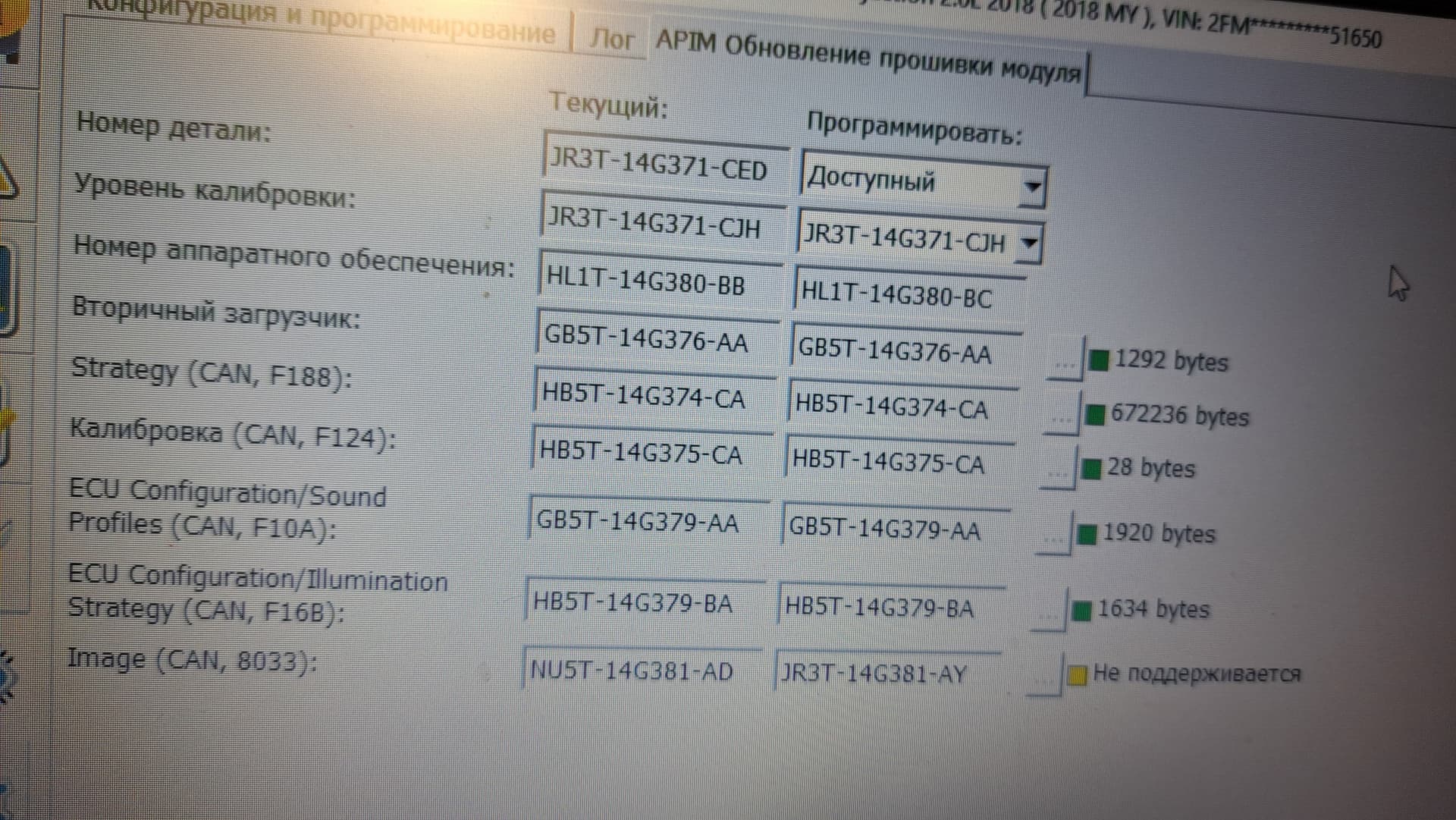
Hello everyone. Ford Edge 2.0 petrol, 2018, titanium. Let me start by saying that a while ago I started noticing low battery voltage after overnight use. I charged it and ran it for desulfation. While not in the car, the battery holds a charge. But as soon as I put it in the car, after a while the battery voltage drops to 12.3 - 12.4 V. Around the same time, I started having problems with the multimedia monitor display going dark. It started turning on randomly. I suspected a leak, so I double-checked it, fixed the source of the leak (the proximity lock sensor), and thought everything should be back to normal. But no. While the problems initially occurred, the screen would occasionally turn on and work until I turned off the car, now when I start the car, the FORD logo appears, takes a long time to load, and then the screen goes black for a while, then the Ford logo appears again. This repeats several times and then turns off. The rearview camera, even in reverse mode, turns on and works, so there are no complaints about the monitor itself. The radio works, although it sometimes turns on slowly. The navigation system detects the location and displays street names on the instrument panel, and it correctly identifies them, but the monitor screen is black. Voice search doesn’t work. Media control is only possible using the volume buttons—both volume controls work. After disconnecting the monitor, the ignition and USB remain powered, but they don’t fully sleep for a while. I updated the firmware of the APIM module using Forscan, removed the APIM module, checked the electrolytes, and cleaned the connectors. So far, no results. Everything started once, worked until the engine stalled, and then the same thing happened again.
What is the root cause, and what is the consequence? First, the battery sags when starting the engine, preventing the APIM module from activating properly; second, the APIM module itself is worn out and malfunctioning. But first, the question arises: why doesn’t the screen turn on after recharging the alternator while driving? Has anyone encountered this? There are many refurbished APIM modules available on eBAY. Perhaps there’s information on how they were installed: a video or description, which radio components need to be replaced or the EEPROM needs to be reprogrammed.
The APIM takes 15-30 minutes to go to sleep after the ignition is turned off and the driver’s door open/closed just like the BCM.
Your voltage is going to drop as there are modules in the car that never really go to sleep completely (eg the TCU).
How old is the battery?
Was the BMS reset when it was replaced?
If you get in the car and just hit the radio power button without turning on the ignition or putting the car in accessory how long does it play? Anything less than 10 minutes would indicate the BMS sees a potential issue with the battery.
I know about sleep mode. The battery is 2.5 years old, a Topla 65/650, with EFB. When I replaced it, I reset the BMS and recorded a 70 Ah battery in the BCM module. When I press the radio button without turning on the ignition, nothing happens for 20-30 seconds, then the radio turns on. The radio starts and runs its course. The radio doesn’t respond to the off button when the car is running.
What does FORScan or a good code scanner say for DTC’s? You likely have plenty of them.
Clear them all out, charge the battery fully, let it sit overnight installed in the vehicle. Check the car for DTC’s once you start it in the morning. This will give you a clearer picture of what is going on with the vehicle. The APIM and screen could have seperate issues not even related to the battery.
I checked the errors with Forscan, as you mentioned, before and after charging. There were no errors. The APIM module is inactive, as detected by Forscan monitoring. Today, the module doesn’t seem to be working even in a limited version, although it was detecting its location this morning. The USB ports aren’t working. I don’t think the battery is the cause anymore. Question: How can I test the APIM module and determine if it’s a software or hardware issue?
The J2534 adapter is working properly. I don’t enable the saved profile. I have two errors that I’m aware of and haven’t fixed yet. One is a front camera error and the other is an active grille error (there’s no grille). I installed a new battery today, a properly charged one, and the result is the same. When the module is inactive, it doesn’t work. The APIM module activates some time after starting the engine. Specifically, the compass starts working, the location is determined, and street names are displayed on the instrument cluster. However, the multimedia screen is black, and the USB ports aren’t working. I have an annual Forscan license, so I’ll try reprogramming the APIM module again.
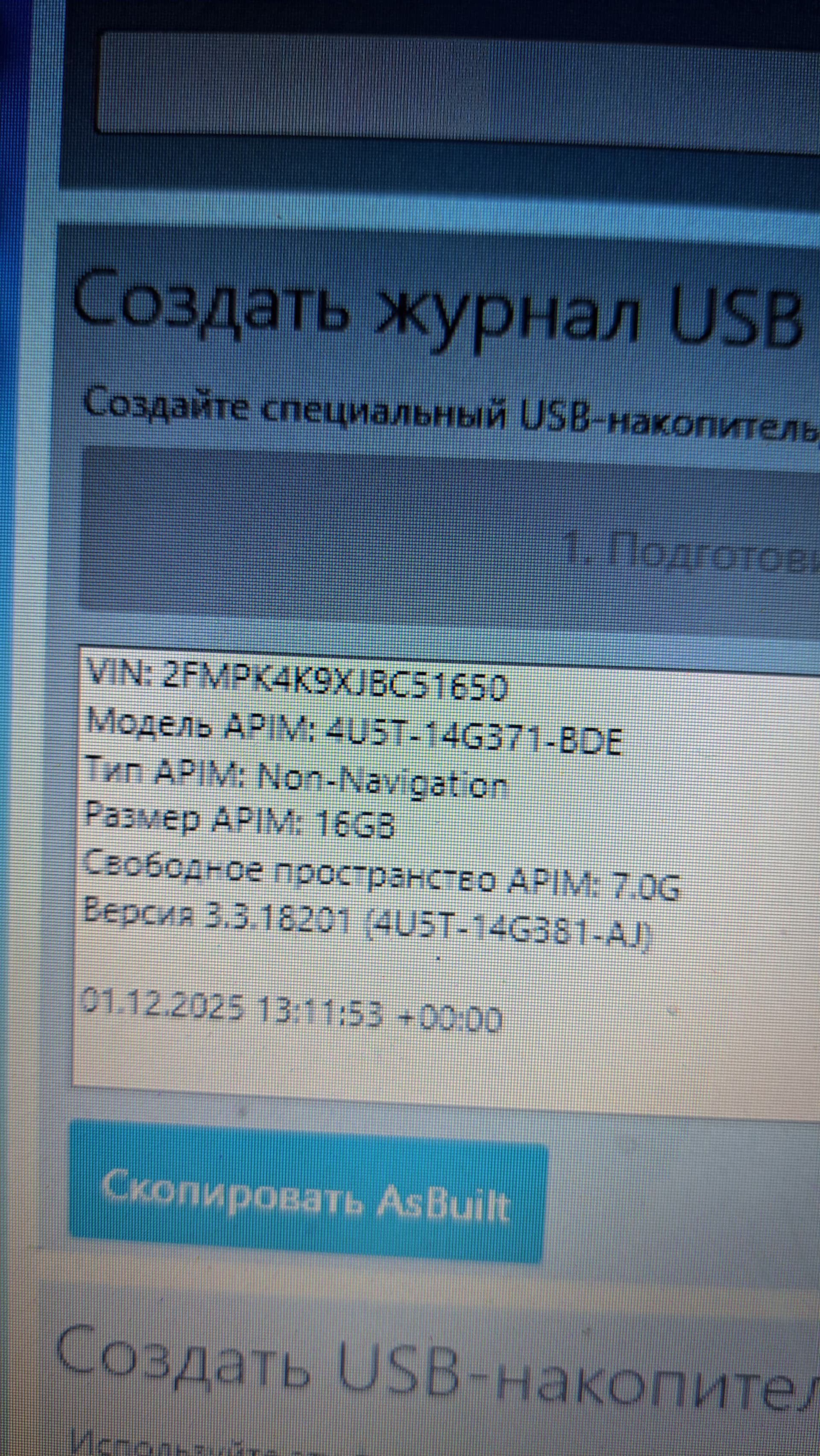
Today I installed a different APIM module, and everything worked except for the navigation. It turned out to be a 16GB module, without navigation. I’ll have to return it to the seller. The conclusion is clear: my APIM module is malfunctioning. The only question is, is this a purely hardware or software issue?
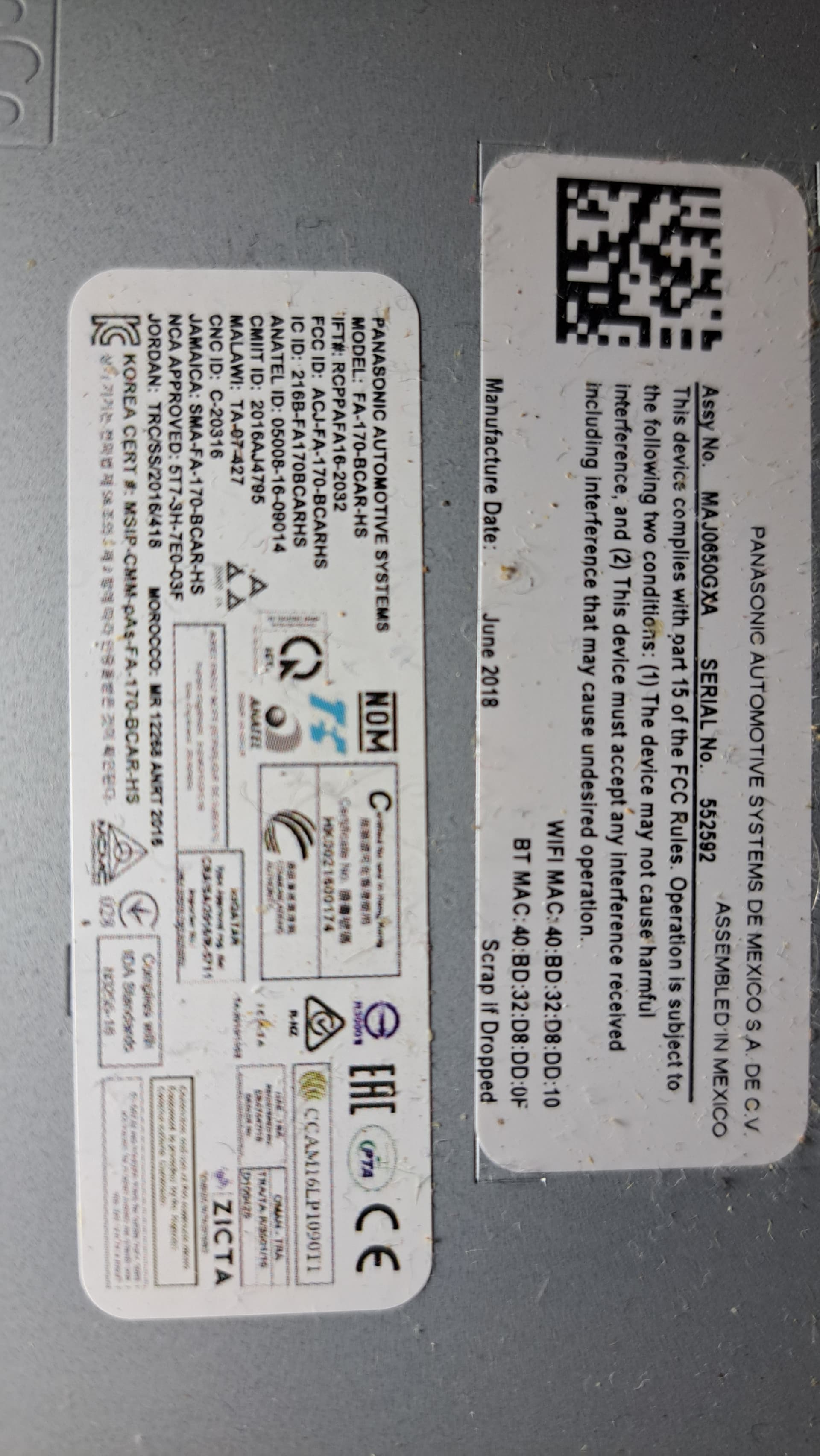
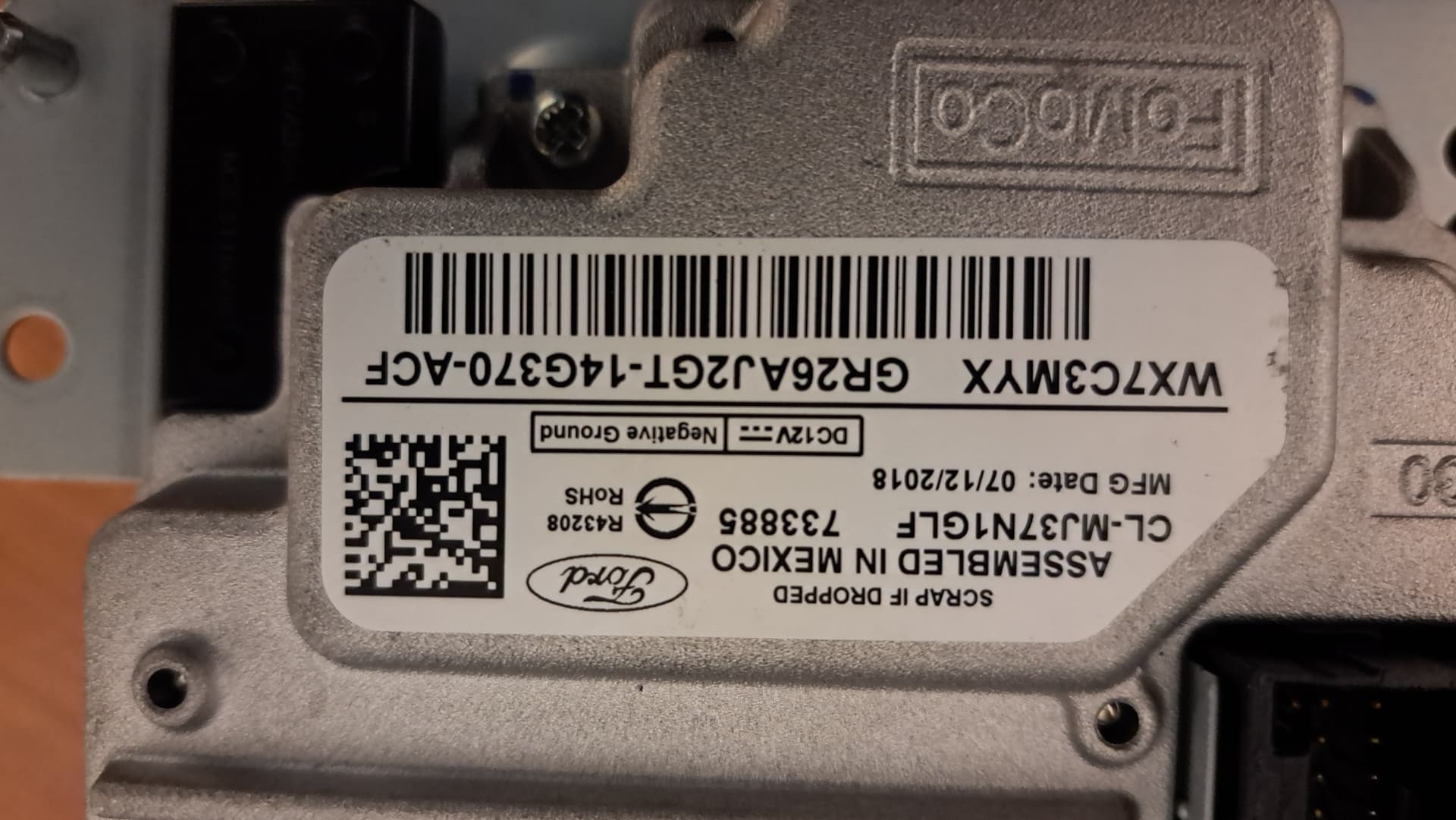
What APIM is in the pictures?
If this is the original you could try to upgrade the firmware to the latest revision for the unit, -CCM, or you could update it to the MY18.5+ version.
Does anyone know where I can find the APIM module markings and their specifications? How can I determine the capacity (8, 16, 32, or 64 GB) and whether the module has navigation or not, based on the APIM number?
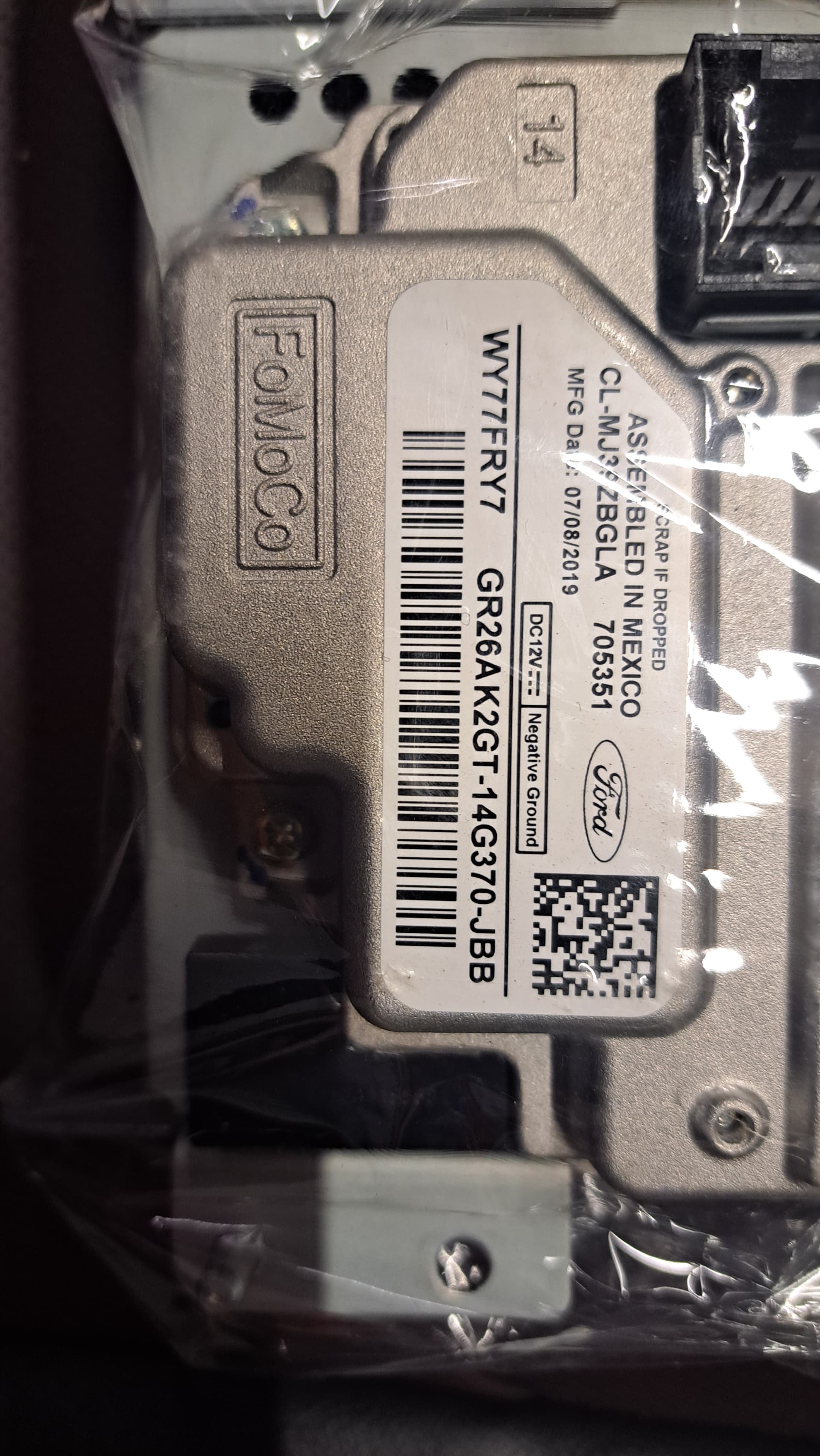
My APIM is a J2GT-14G370-ACF, and it has navigation and 32 GB of memory. The module they’re currently offering is the K2GT-14G370-JBB. Everything is in the photo. Both modules, mine and the one they’re offering, were manufactured in 2018 and 2019. I couldn’t find any information on the labels indicating whether the unit has navigation or not, and I can’t see the unit’s capacity. Thanks for the link, but they only have APIMs from 2021 onwards. If the unit was manufactured later, will I be able to program it on a 2018 car without any problems?
The 32Gb unit isn’t an EU NAV APIM, best you could do is use the cut down map installer.
You can more than likely use a J/K/L without any real problem, APIMs are pretty agnostic and do not have to come from the same model of car. eg you can put one from a Mondeo in a Kuga, its all about what is in the AB config.
Does not have NAV, -JBB. JCB version would have NAV if there is one.
The -BDE module is a ROW unit (maybe used in EU) but does not have NAV.
If you want to place a EU NAV unit in the Edge then purchasing a 64GB EU APIM is the recommended way to do this, otherwise you will need to install a cut down version of EU maps and voice commands using the 32GB NA units. If you want to go that way, this will tell you how…
I currently have the J2GT-14G370-ACF module installed, and it’s the one that doesn’t work as expected. I’ve installed stripped-down maps, installed a few mods, and everything worked fine. I know that. Thanks for the information about the JBB. I don’t really care whether the module has 64 or 32 GB of storage; I’ll install the stripped-down maps, just like I did. The only question now is how to avoid getting a different module (to replace mine) that doesn’t have navigation. Yes, and I read that the data transfer bus can be LIN or CAN. Which one do I have, and how can I determine it? Does the APIM module with navigation use both of these buses?
With your help, I identified the APIM module models. At least it became clear that the first letter is the encrypted year of manufacture. The SYNC 3 APIM Hardware Database by CyanLabs provides valuable information. A second part of this table, with APIM years 2020, 2019, 2018, and 2017, would be wonderful.
Not really encrypted, nor is the 1st letter the year of manufacture.
With Ford parts the 1st letter is the year the part was introduced. D=2013, E=2014, J=2018. K=2019, L=2020, etc on the 2018/2019 Edge for example the door modules start with D.
The next 3 characters are the vehicle model (2GT=Edge, L3T=F150, S7T=Fusion, etc) that doesn’t mean the part is limited to that model (the same door module part number used in the 2013-2016 Edge is used on the Fusion/Mondeo), the next 2 (14 in this case identify the part family) next 3 are vendor (G370) characters after that are feature (eg NAV in this case) and sometimes firmware level.
J2GT-14G370-ACF is really the part number the factory orders for the assembly line, a replacement ordered by a dealer could have an entirely different label on it and be different internally (eg the J series APIMs which are dealer replacement parts but are MY2020 hardware).
So, the solution: I bought and replaced the APIM module with the same one I have, part number J2GT-14G370-ACF. I copied my module’s configuration to the replacement module. Everything worked. I had to update SYNC to version 3.4.23188. Then I updated the firmware of the APIM module itself. I updated it twice: the first time using the available firmware version suggested by Forscan, the second time I manually selected from the available ones. After the first update, everything went fine, but after the second, I got the U2100 error. I didn’t roll back, I want to try to fix the problem with this version, and if that doesn’t work, I’ll go back to the first version. I didn’t stop there. The APIM module, when opened, has two boards. I was curious to check which of the two boards in the APIM module was faulty. By swapping the boards of the donor and mine together, I determined that the smaller board (the lower one) was the culprit. So, I’ll try to fix the lower board to restore the unit. Looks like I’ll have to desolder the memory chips and reflash them. Has anyone done this?