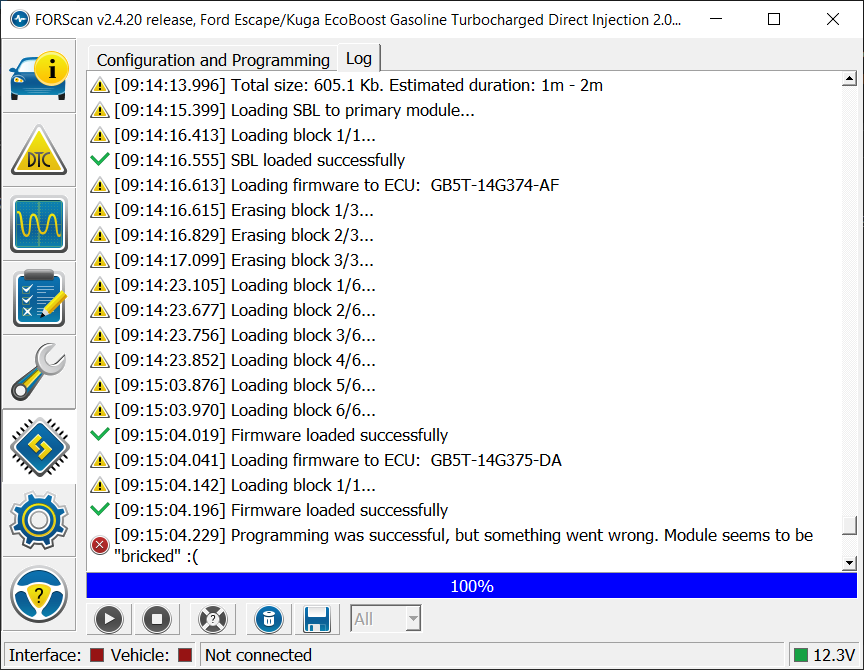
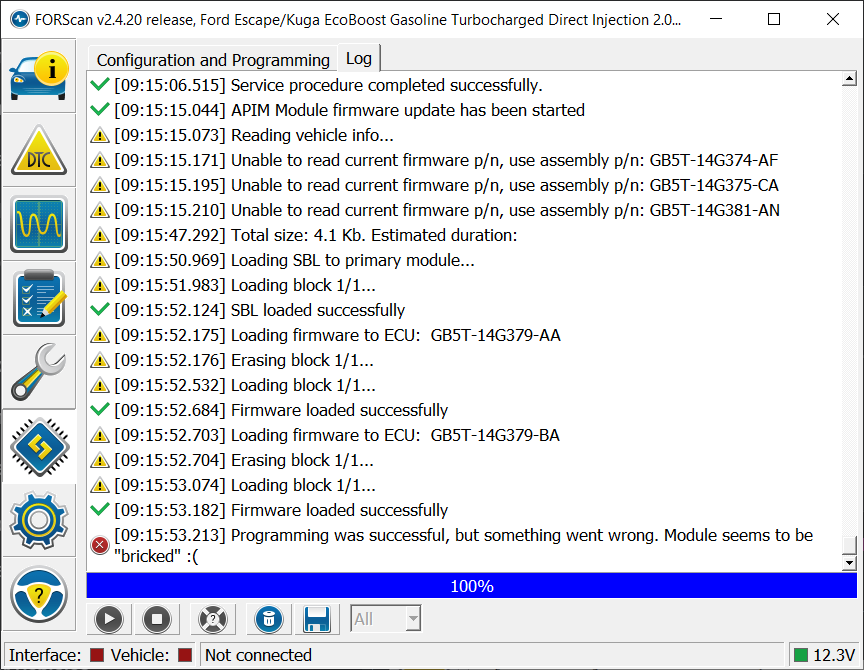
I have an APIM from a 2016 Ford Escape NA with NAV, model GB5T-14G371-CFC. I’m trying to update firmware to enable CarPlay. The new USB hub is already installed. I attempted to use the firmware upgrade steps for G units and assumed the FORScan downloaded GB5T-14G374-AF file was fixed, but it appears to have bricked the unit. I’m trying to find GB5T-14G374-CA or CD to follow the firmware recovery steps, but I’m unable to find it.
SYNC Region: NA
Navigation Variant: Nav
Manufacturer Year: Pre MY20
Install Type: OEM Replacement
Old SYNC Version: 3.0.20204
New SYNC Version: 3.0.20204
Do you have a error message, if so what is it?
black screen
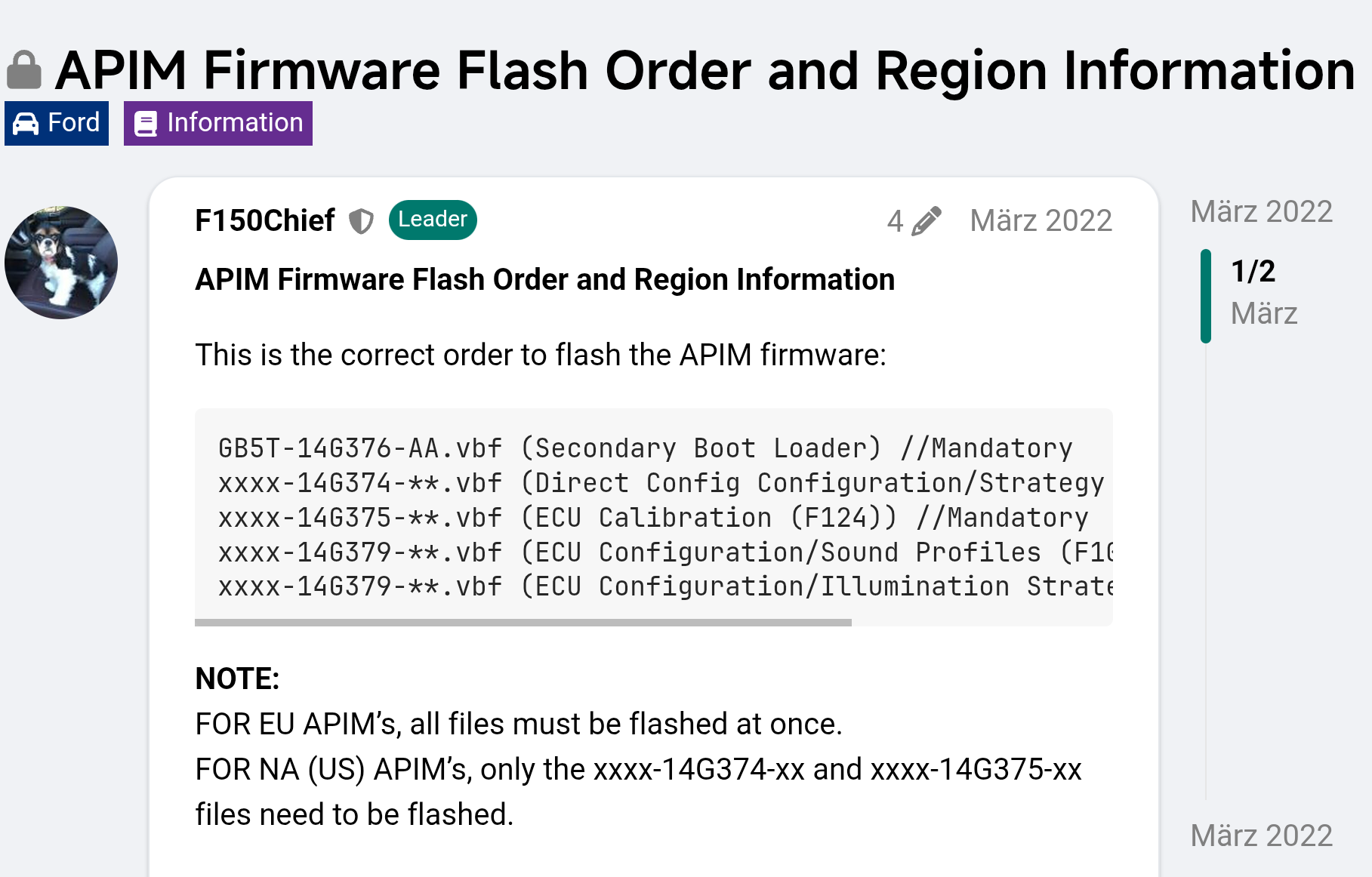
For EU you can flash Strategy and Calibration files separately from the rest, but you need to match the versioning on the files and keep them in the fileset Ford released in production. For NA files you need to load all the files at once, and again, keep the fileset.
Keep in mind the Calibration file will be dependent on region and nav equipped or not.
This also holds true for the APIM software files. Although the files can be loaded separately, it is important to keep the filesets as released for production as this is how they are validated. Mixing older and newer files, especially files for nav, can cause issues with the performance of the APIM, especially so with the older Sync 3.0 versions. Sync 3.2+ seem to be more forgiving in this regard.
If all you need is 1U5T-14G374-EH you can do that individually. You will or should anyways need to load your asbuilt after that once the APIM reboots. This is to ensure the correct settings for the asbuilt. Once you do that perform a master reset to clear all user settings and flush any cache. You should end up with an updated Sync with no user settings or phones, etc.
If after flashing the single file you get a message about the APIM being bricked, load the asbuilt files and reboot. If there is still an issue, load all the files at once. It’s not normal to have issues but occasionally it happens. Don’t panic, the APIM is nearly always recoverable in this process by loading the original files.
Download all the original files first before you do any firmware programming. See your PM…