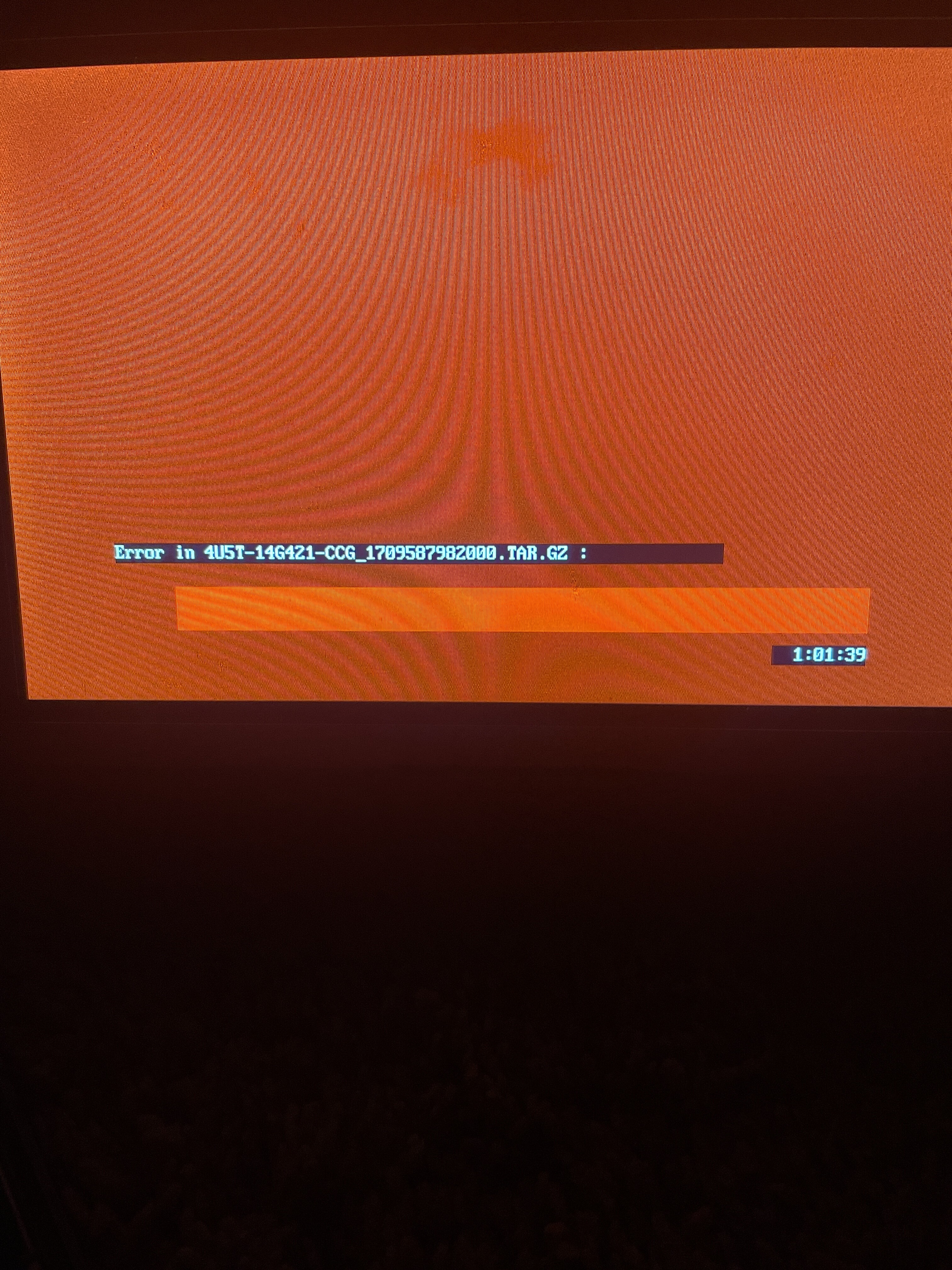
I have an Mi-20 APIMP. I did a reformat, and now it’s at the screen asking for a USB to be inserted. When I insert a USB, I get a red screen. I understand this could be due to corruption, wrong/format, or a defective USB, but I already tried three different USBs and get the same error. I don’t know which version it had before the reformat. After a while i Iit goes to the red screen error"Error in 4U5T-14G421-CCG_1709587982000. TAR.G2 : "when I try the update and won’t let me finish. My question: is there a way to know what version it had before, or how can I fix this? Apim gr26a-5u5t-14g371-lpa
SYNC Region: NA
Navigation Variant: Nav
Manufacturer Year: MY20
Install Type: OEM
Old SYNC Version: 3.4.1900
New SYNC Version: 3.4.19000
Do you have a error message, if so what is it?
Error in 4U5T-14G421-CCG_1709587982000. TAR.G2
2/3rd of the requested information is missing, but a red screen at 1 hour tells me that your issue may be (all or a combination of):
using a potato as an USB device, use a decent Sandisk pendrive
your USB HUB is dying / toasted
your wiring is bad
If none of those are the real issue, then the APIM is just bad and can’t handle proper package processing. Full NA packages with NAV should take about 20-30 minutes in reformat, EU less than 60 minutes…
I use the 2020 maps, but when I tried the 2024 version it gave me an error. After trying for a while, I just decided to turn off the navigation and use it as a GPS module instead