Hello everyone,
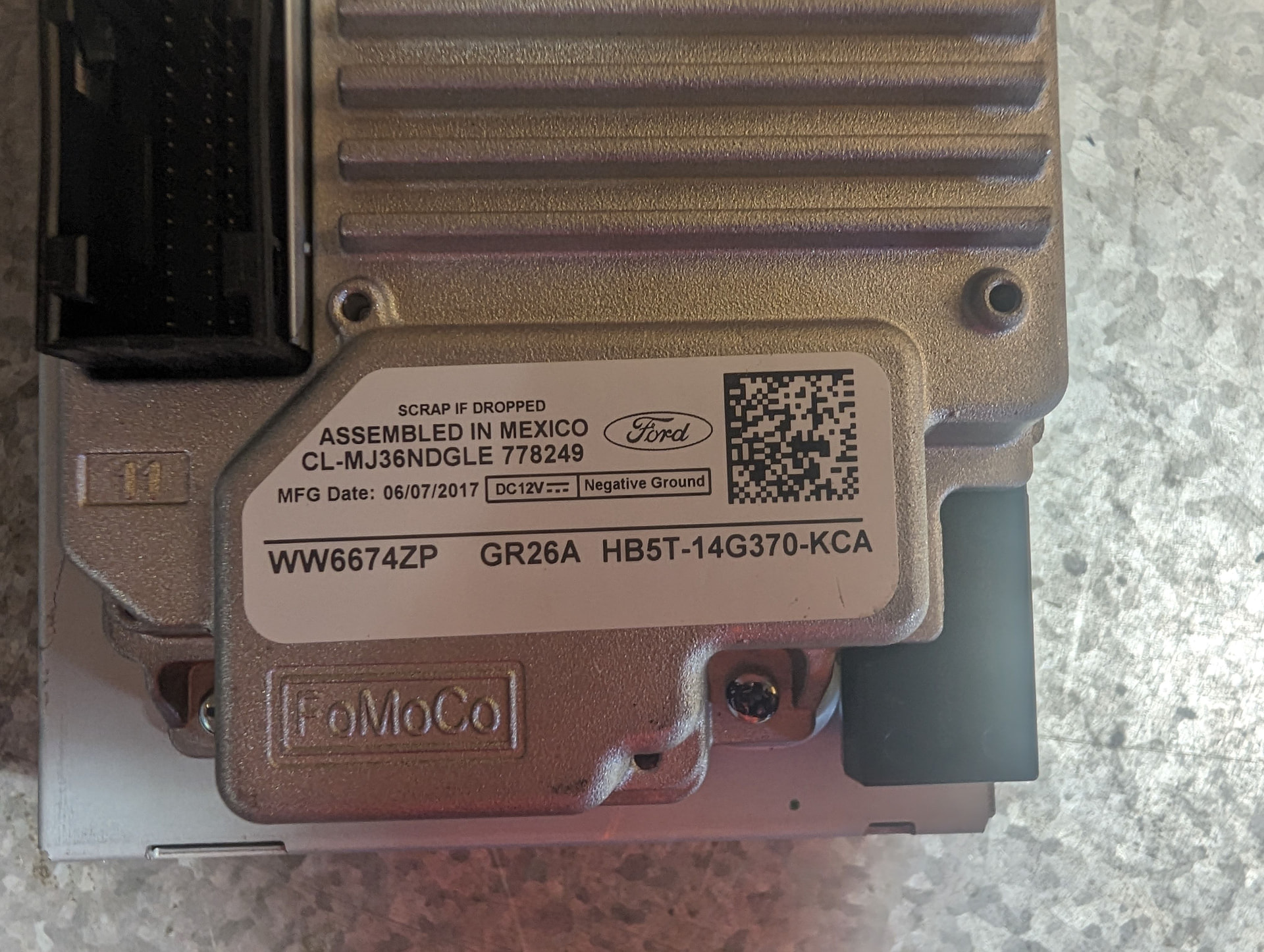
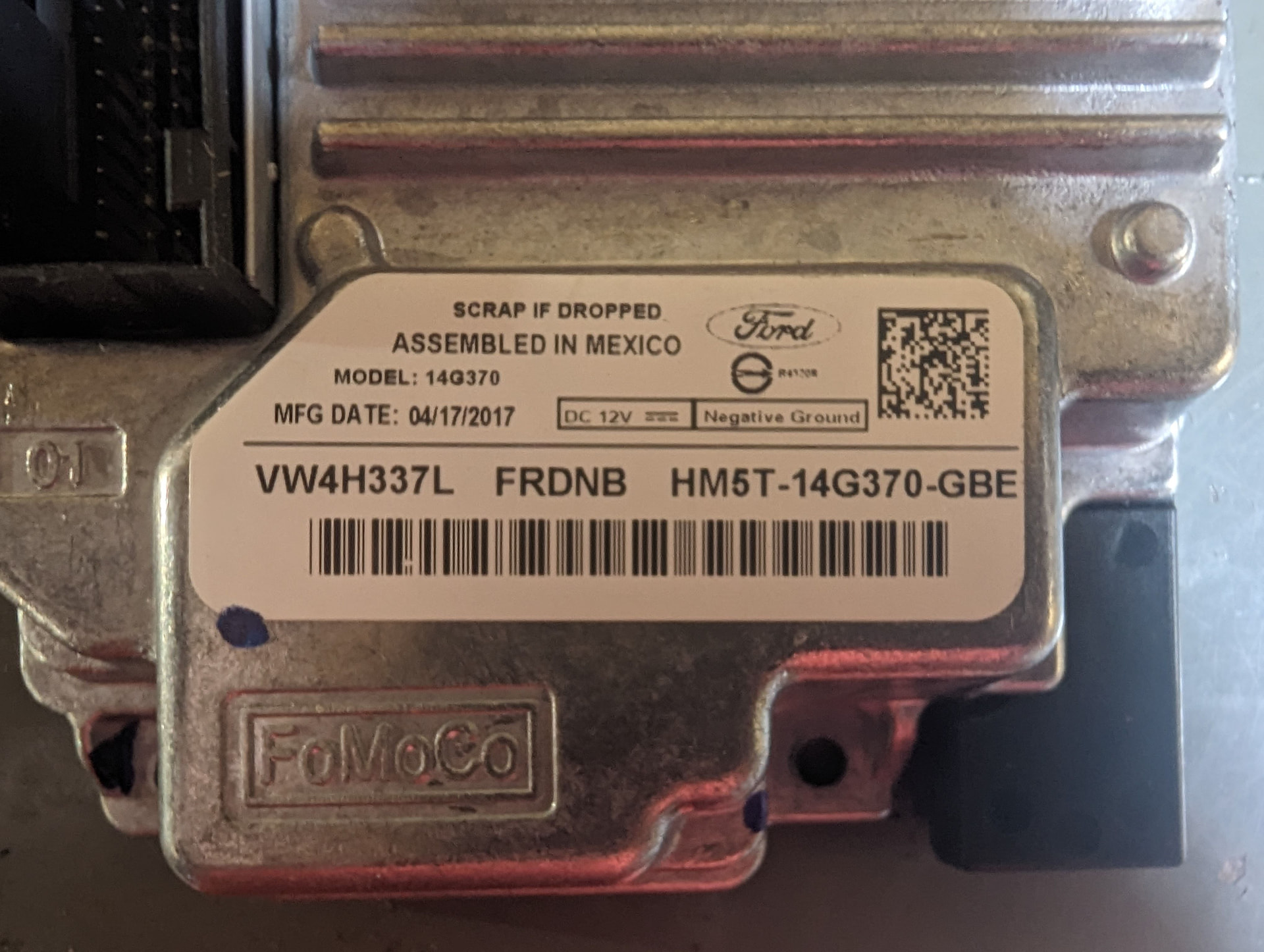
I’m in the process of updating my 2019 Ford Police Interceptor Utility from the OEM Sync 1.1 to Sync 3. So far, I’ve purchased and installed the screen and APIM from a 2017 Explorer, the face plate from a 2016 XLT Explorer, and the necessary wiring harness. I am waiting on a GPS antenna and the USB hub to arrive.
Most things work so far, but I am having issues with the following:
-
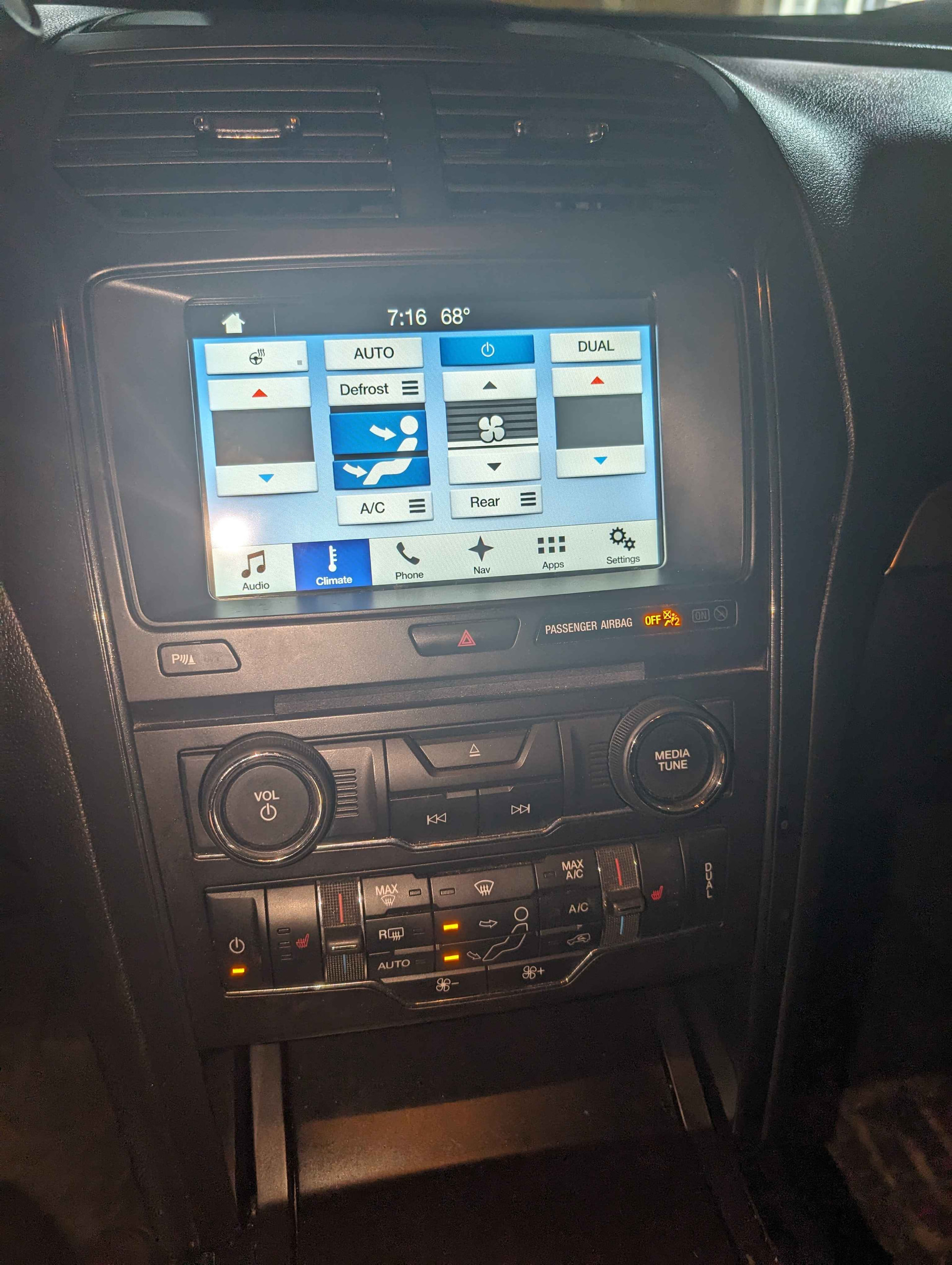
The fan controls work, but the temperature controls do not. At first I thought the temperature was just not displaying on the dash, but after checking I cannot change the temperature at all. I have attached a picture of the climate control screen. This is hopefully an APIM programming issue. I tried using the AsBuilt data from a 2017 Explorer with the same face plate and HVAC controls but that did not work. Do I have to program the HVAC module too?
-
When making phone calls, the call audio does not work through the car and the audio output changes to the radio. I suspect this might be due to the outdated Sync version, but I cannot update until I get the USB hub installed.
Could the HVAC issue be related to the fact that I got the face plate with the physical controls out of a 2016? I looked and I believe the 2016 XLT uses CGEA 1.3 so it should be fine, and most functions do still work.
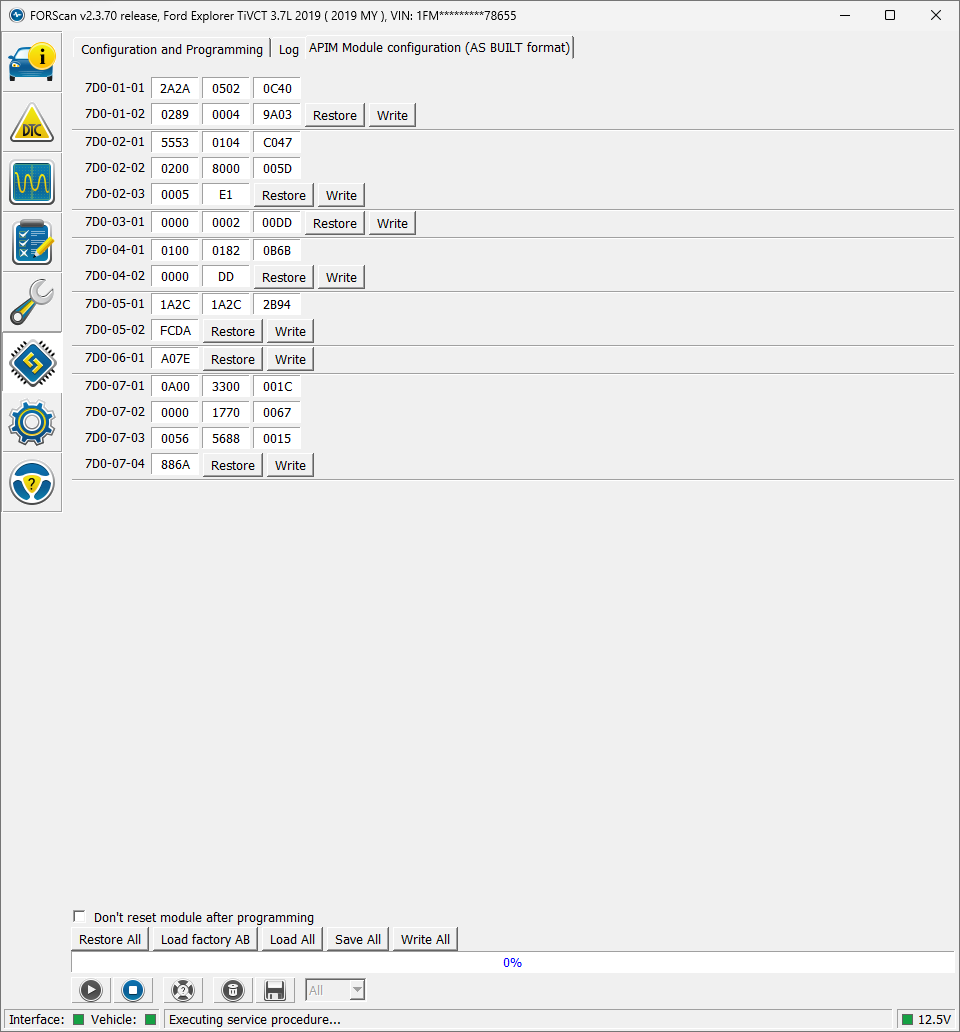
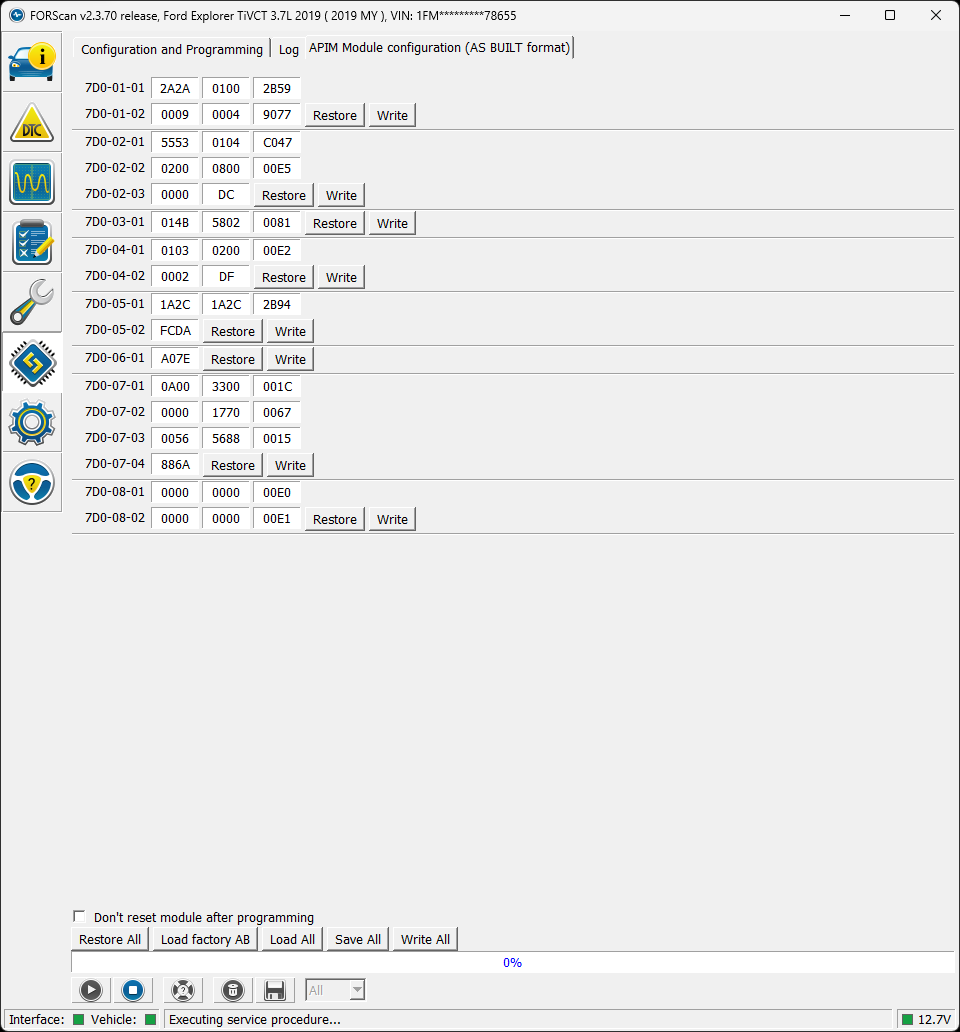
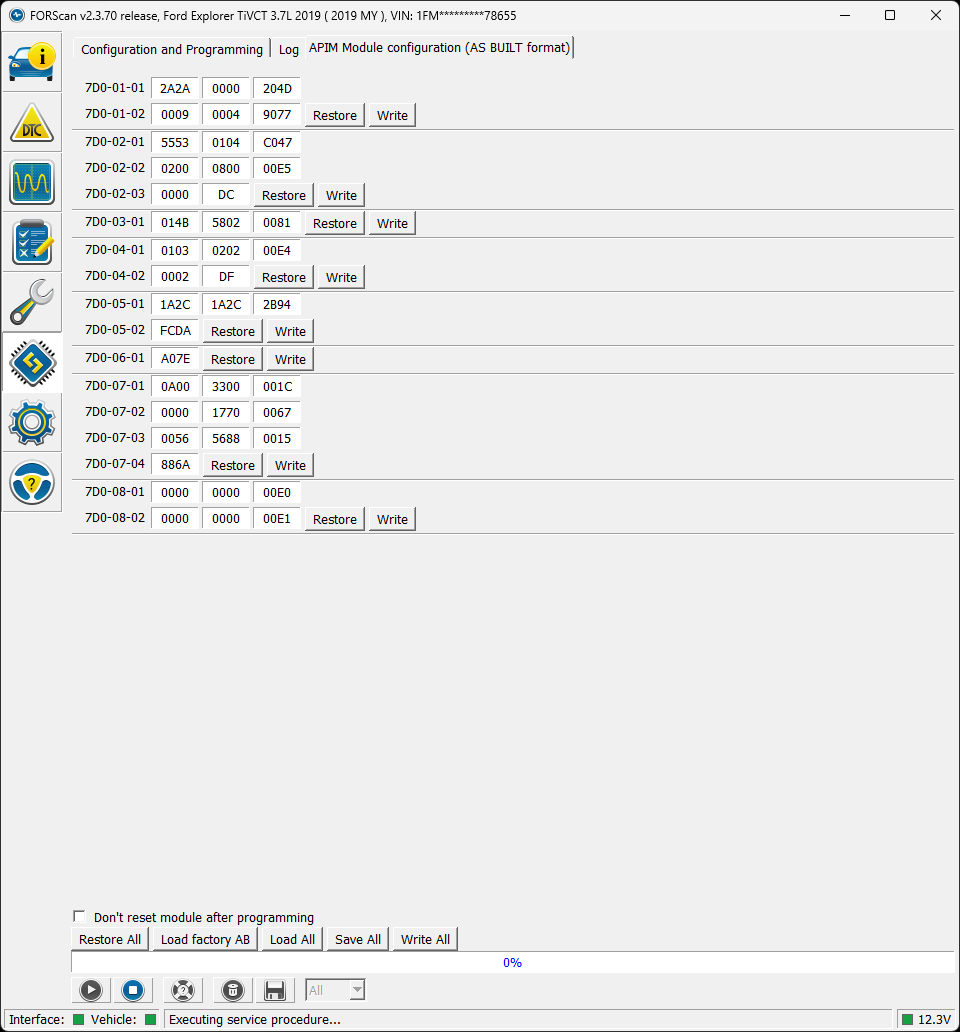
I’ve attached an image of the current APIM AsBuilt data. Can someone tell me what values I need to change to fix the climate control issues?
SYNC Region: NA
Navigation Variant: Nav
Manufacturer Year: Pre MY20
Install Type: Retrofit
SYNC Version: 2.2.16280
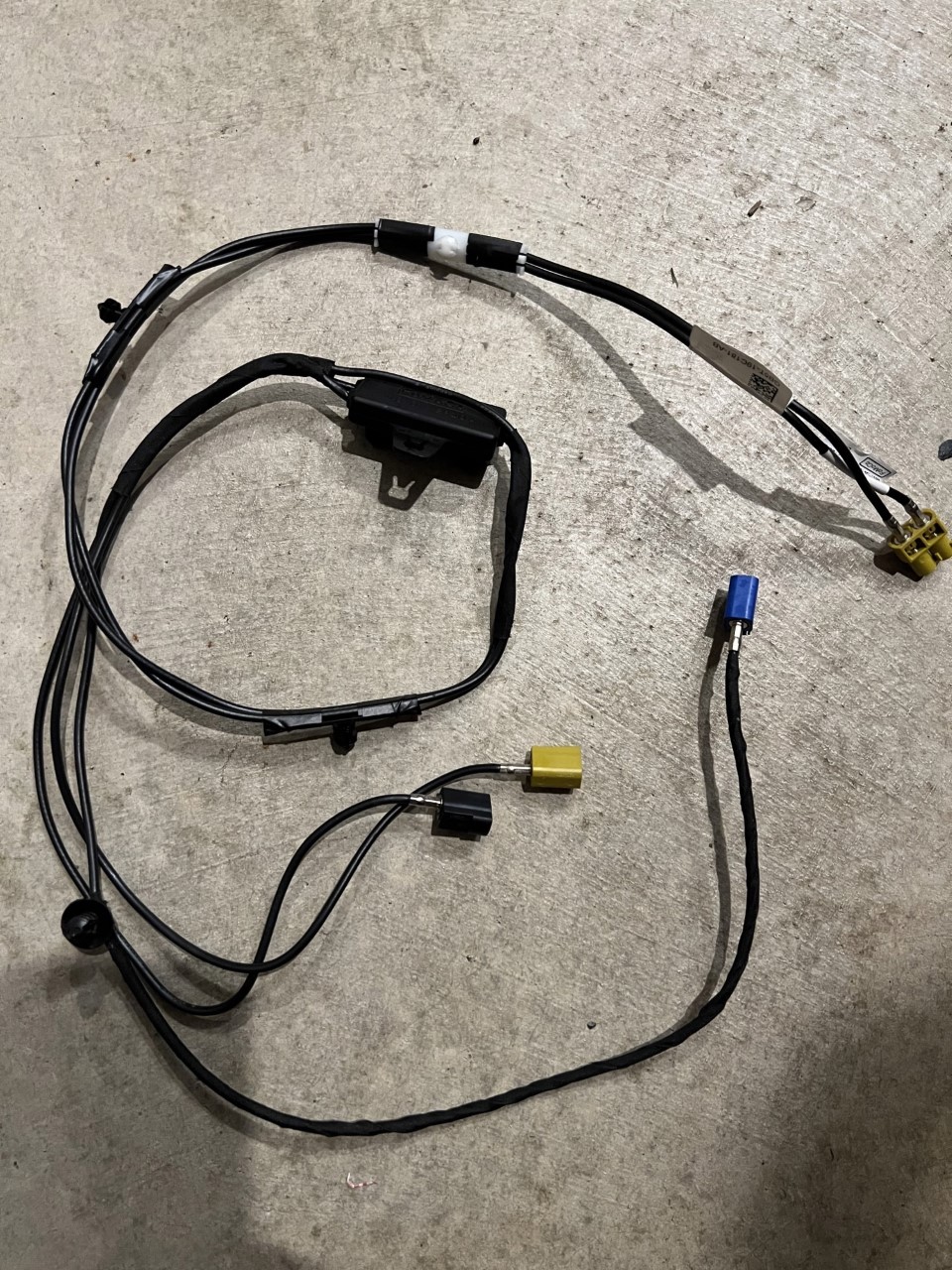
Also, what parts do I need for the USB hub? At first I thought I just needed the actual hub (HC3Z-19A387-F) but I realized that the 4-pin cable on the wiring harness only actually has two wires running to it, so I think I need the cable as well.
You just need the hub. For the 4 pin plug there are only 2 wires that go to it. That is the power to the hub from ther APIM. Than you have the USB wire from the APIM to the USB hub.
I would go the OEM GPS antenna route. All you have to do is get a splitter that goes along the bottom of the glove box and you will get far better GPS signal than the Chinese crap.
Hi Bill,
I don’t have the USB wire, for whatever reason my FPIU uses a cable that doesn’t fit into either APIM USB port, and the hub end of the cable is just a USB port, not a plug for the hub. I think I need the cable out of a civilian model.
I’m giving the cheap GPS antenna a try, mainly because it’s $8 vs the splitter cable being $80. I’m not planning on using the OEM navigation, just Android Auto.
From reading other threads, it looks like you have an FPIU too. Do you know what AsBuilt settings I need to change to fix the HVAC controls, or is something else at play here?
Thanks.
Easy to get from a U-pull it lot if you have one around.
Also an easy pull from a yard. I used to have several of these laying around. Ebay has them for cheap also.
I do have an PIU but for 2015 it was a CEGA 1.2 vehicle and yours is a CEGA 1.3 network. The settings will be slightly different. Does yours have the rear HVAC?
I do plan on going to my local junkyard tomorrow. Are there specific part numbers I have to look for or should any cable work?
I do not have rear HVAC. What’s weird is that Sync recognizes when the HVAC is on or off and recognizes the fan speed, it just doesn’t show or let me control the temperature.
Also, I just realized that the APIM settings I sent in the original reply were before I changed some things to make the climate icon appear. I edited that post and have attached them here, these are my current settings.
I will take a look in a bit. I am in the middle of changing a fuel injector.
Fun times. I just picked up a slightly newer 2019 Gen 3 APIM unit so I will see if that helps.
Edit: nothing changed with the same configuration, as is expected I guess. Is there some additional piece of hardware I need since this was originally a FPIU that didn’t have any of the fancier climate features? I’m wondering if it needs a thermometer or something along those lines.
Use the K series APIM. Thats the one you want. I will look at your AB here soon.
Just HVAC issues right?
You know about the database right?
Sync 3 APIM Database - CyanLabs
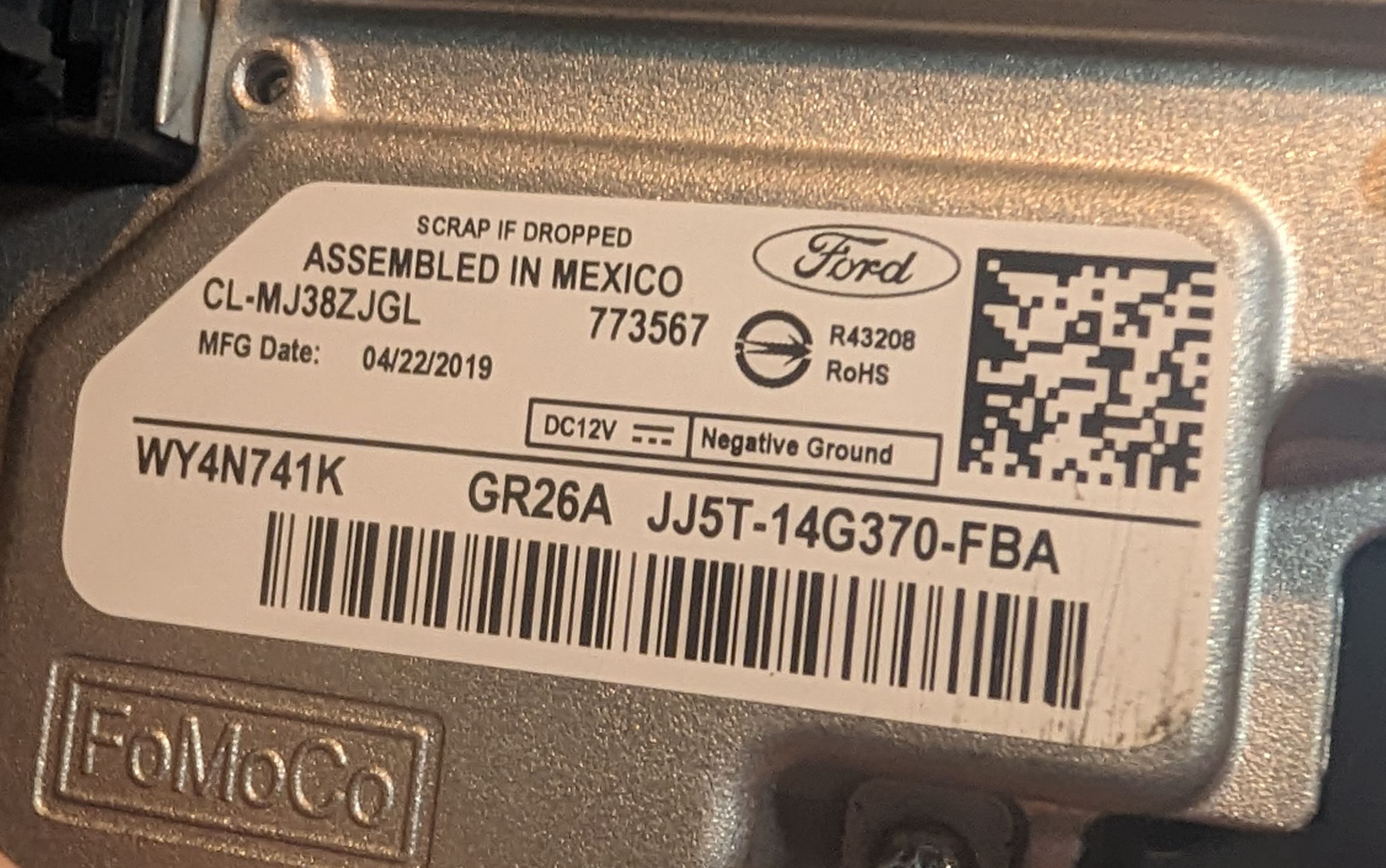
These are the APIMs I have lying around. First one is the one installed right now but I can change it if a different one is better.
Just the HVAC issues, and phone calls don’t route through the system. I have tried the database but none of the changes I have tried have fixed anything.
Yup, Keep the J series one. Get rid of the H series as they are old, slow and first to have problems.
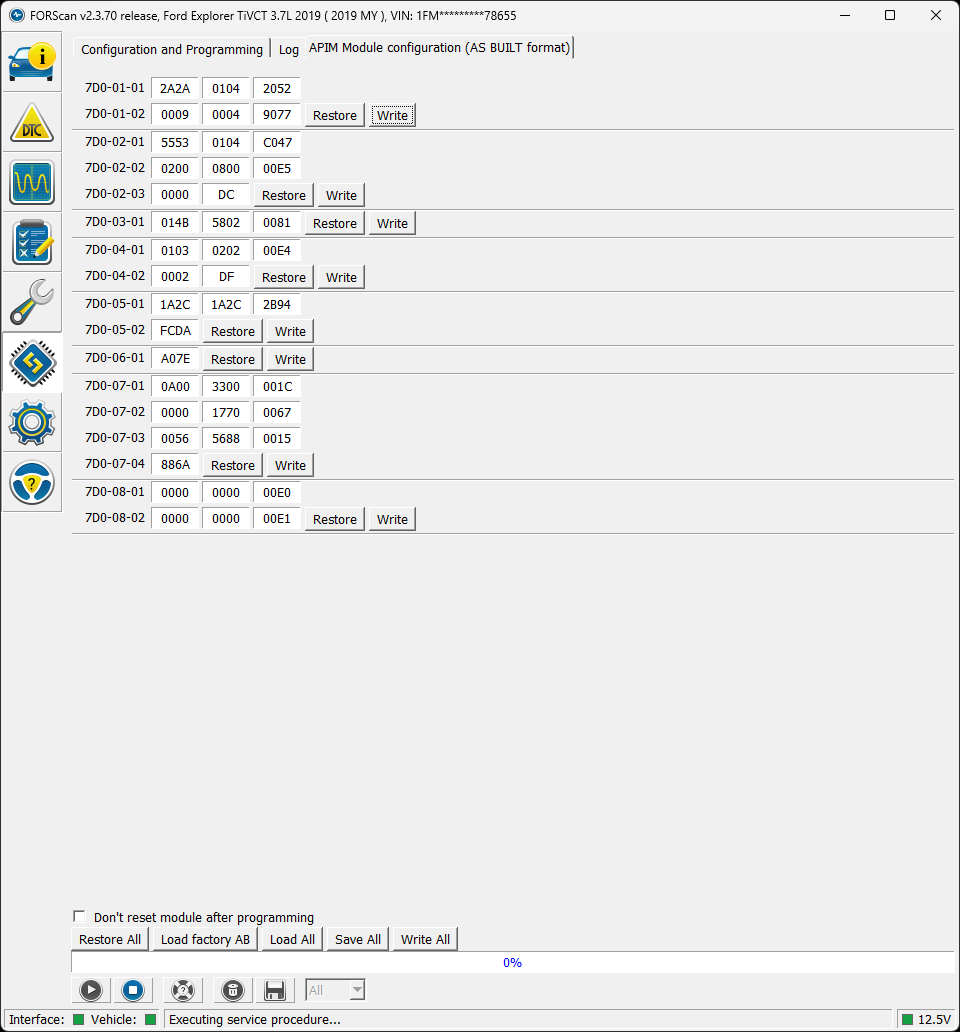
That’s what I was thinking. Given that it’s a different unit, these are my current settings:
This has heated seats and steering wheel enabled which I will disable later, but still has the issue where the temperature does not work. Given that I’m moving from a system that just blew hot or cold to one that actually tries to reach a target temperature, do I need some hardware to enable the temperature control?
Change this to a “4”
7D0-01-01: xxxx-xxx*-xxxx
Change this to a “0”
7D0-01-01: xxxx-xxxx-x*xx
Change this to a “2”
7D0-04-01: xxxx-xxx*-xxxx
Didn’t fix it. Current configuration:
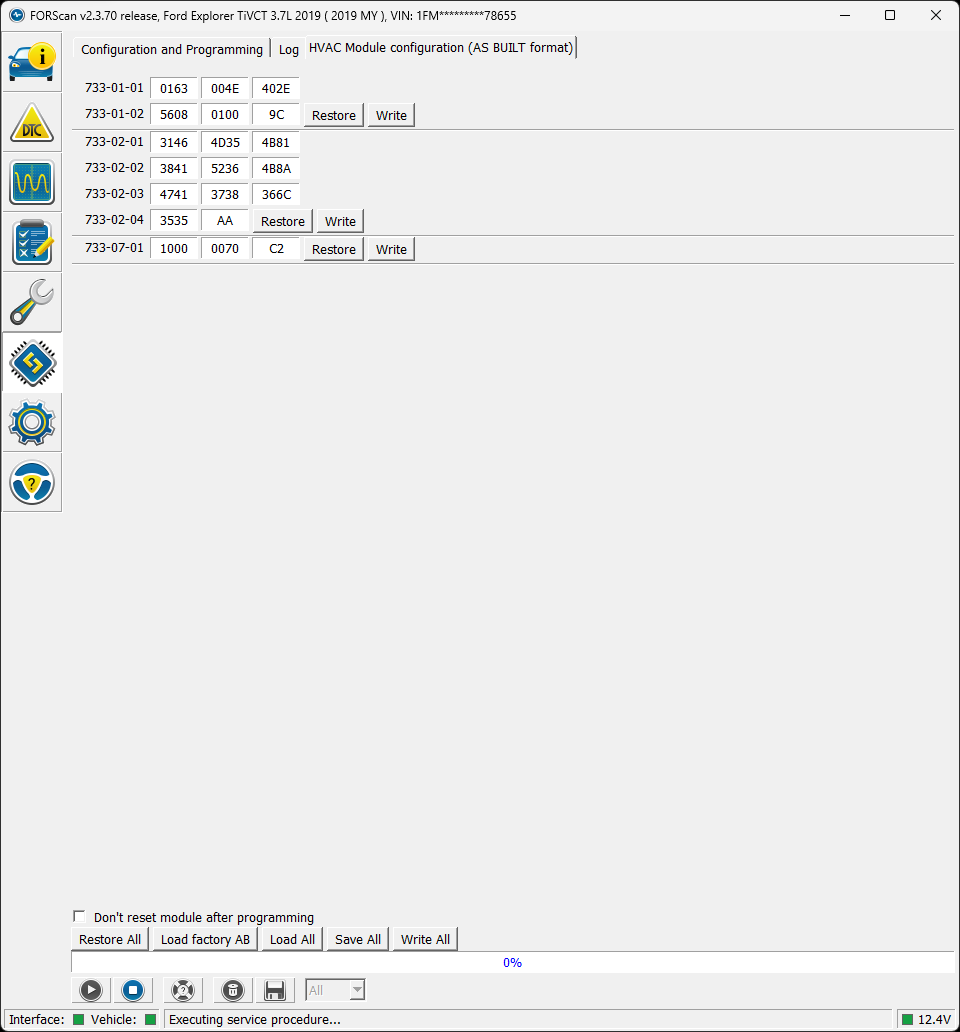
Whats your HVAC AB look like?
This should also be a “0” unless you have Inteligent Access.
7D0-01-01: xxxx-x*xx-xxxx
Going through the whole AB for now.
For whatever reason, changing 7D0-01-01: xxxx-xxx*-xxxx from 0 to 4 causes the climate icon to disappear entirely. Reverting this brings it back. Current config: