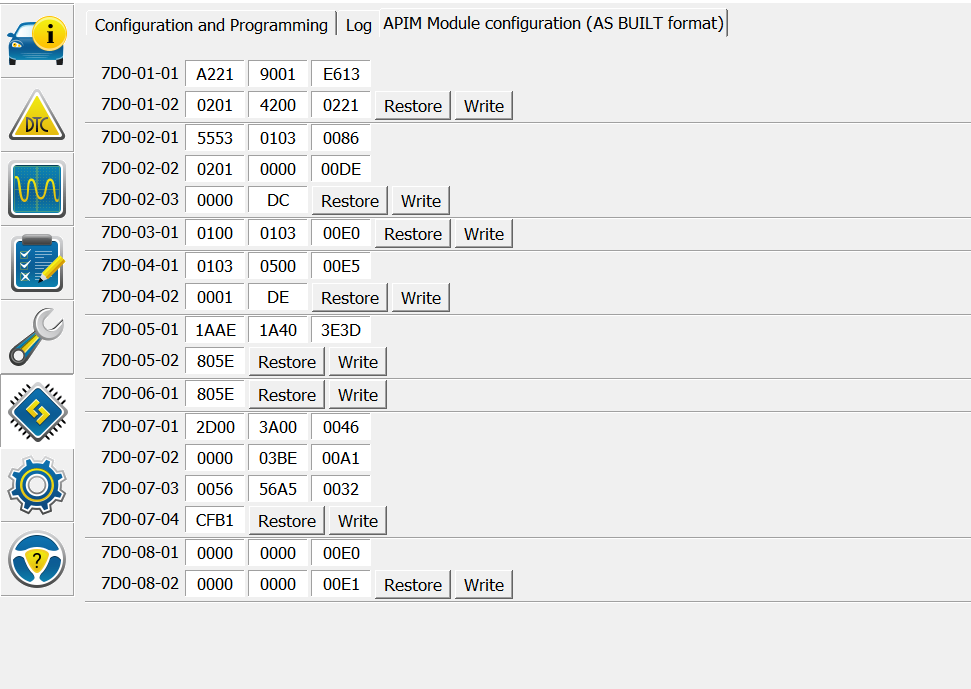
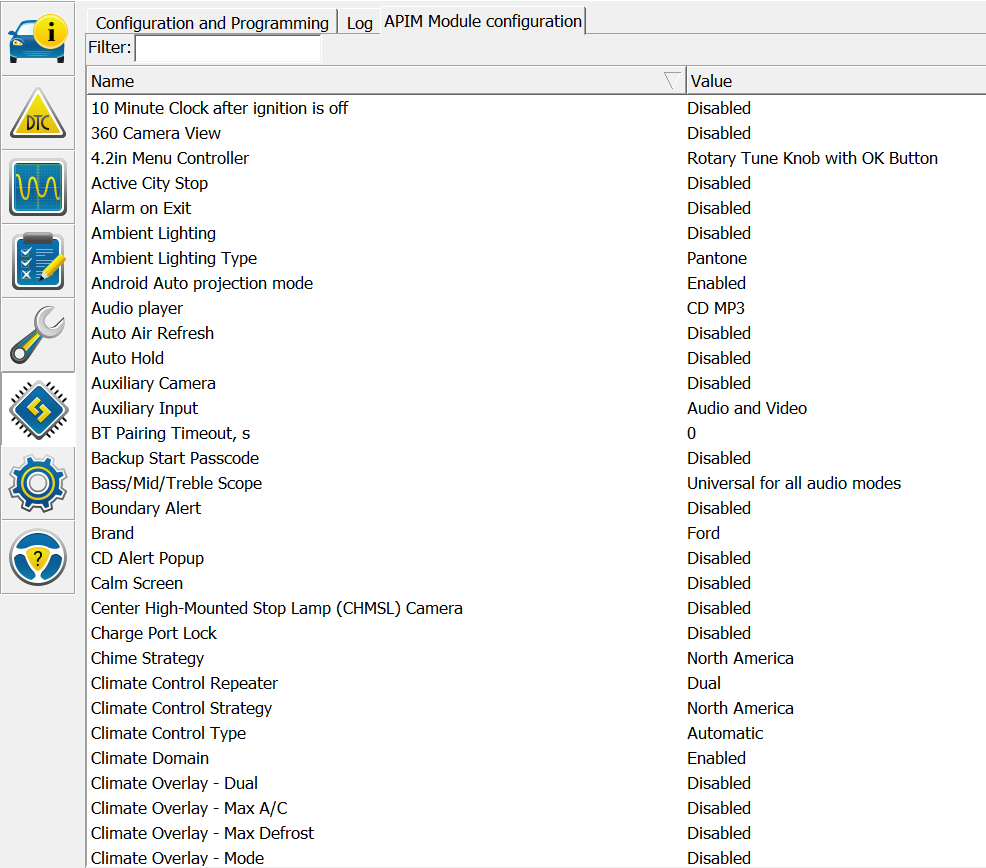
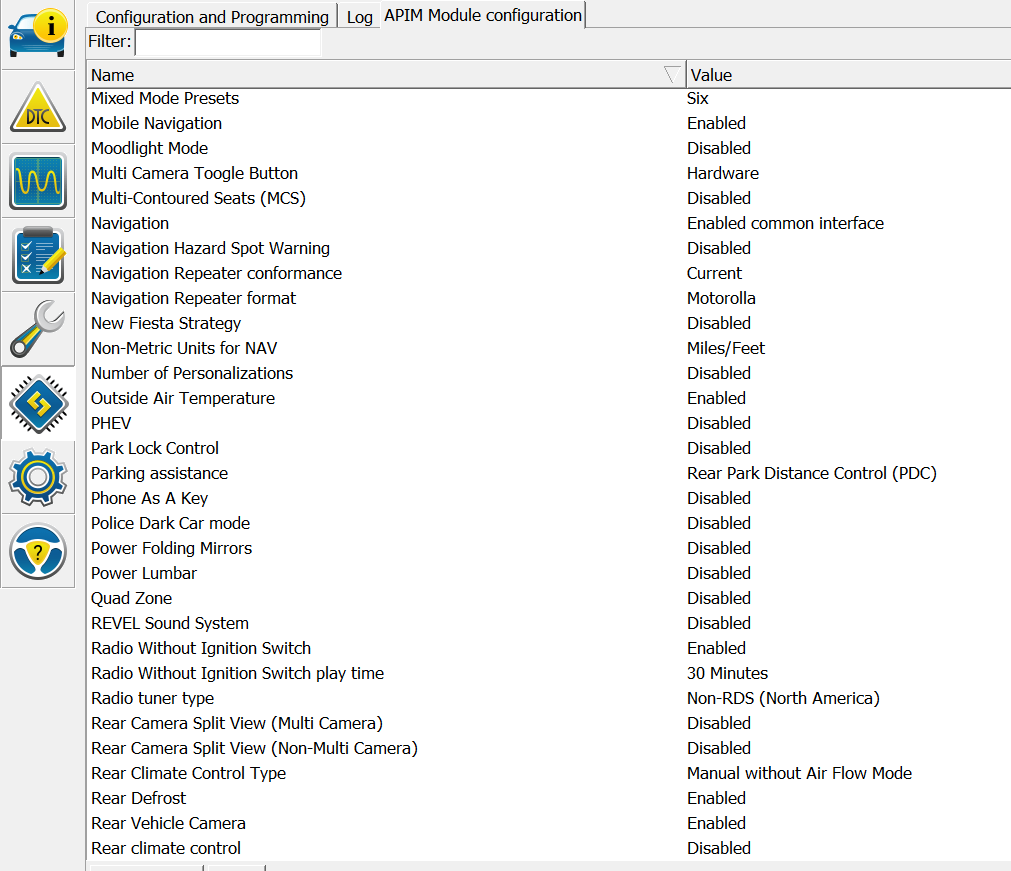
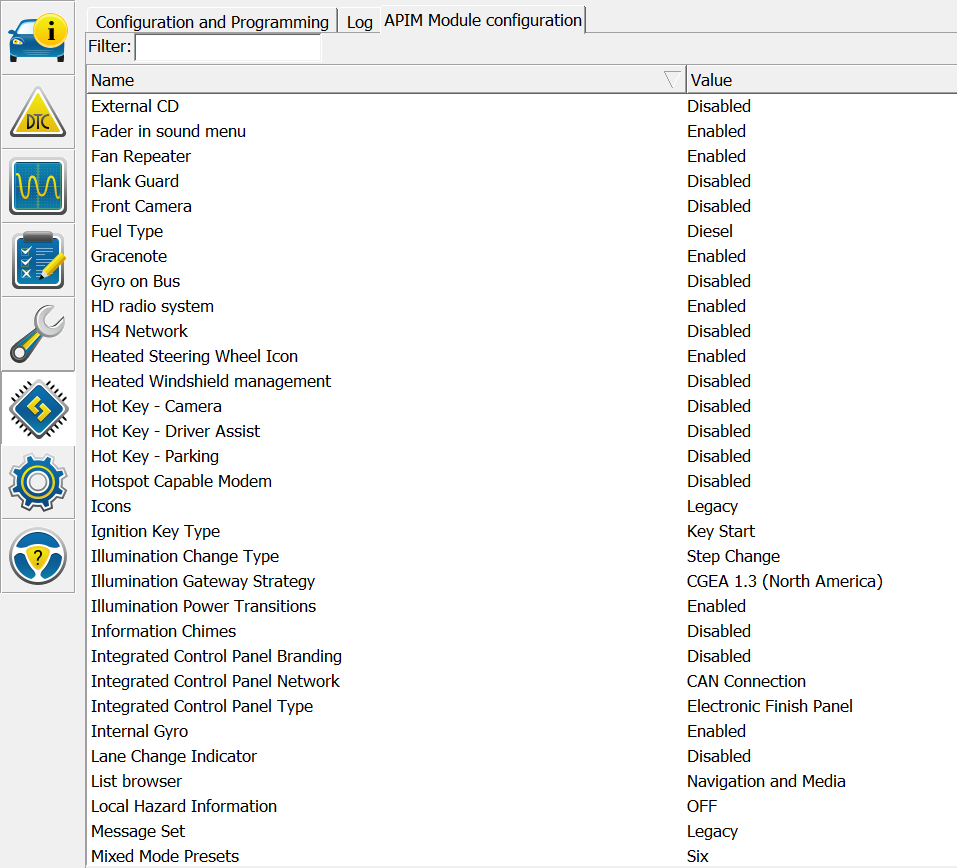
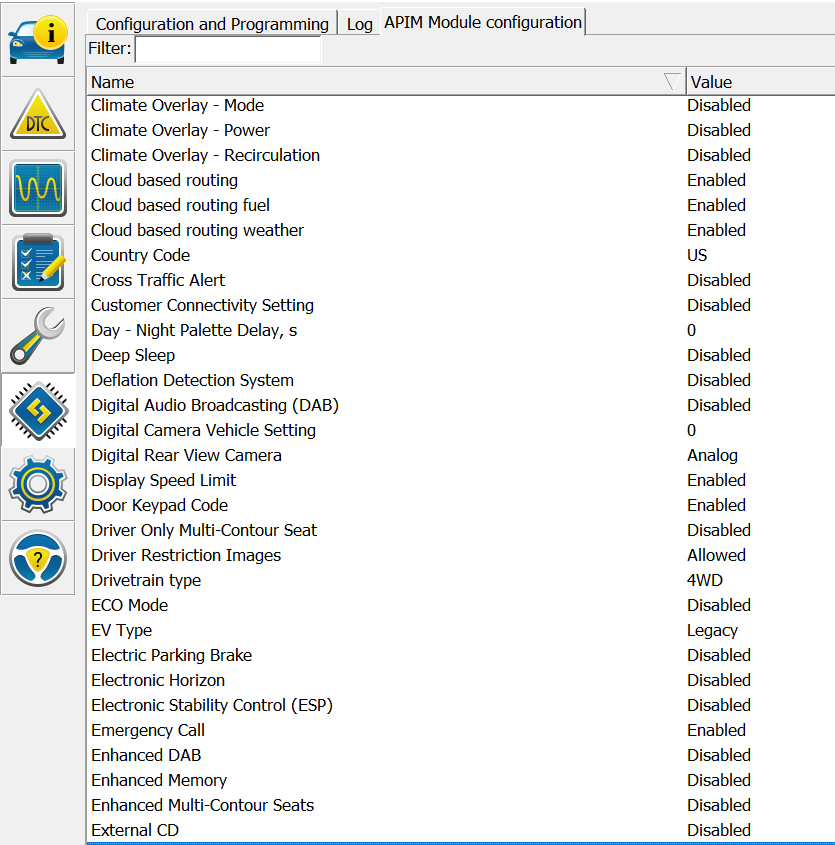
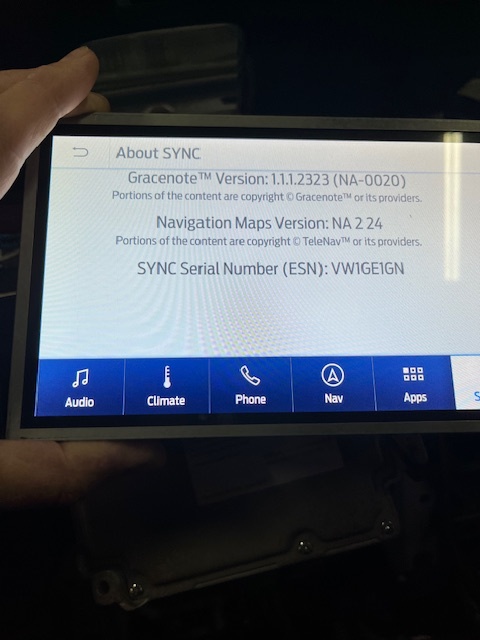
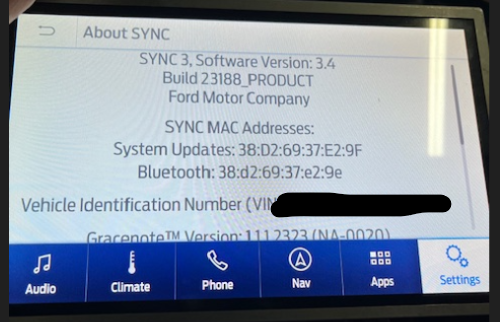
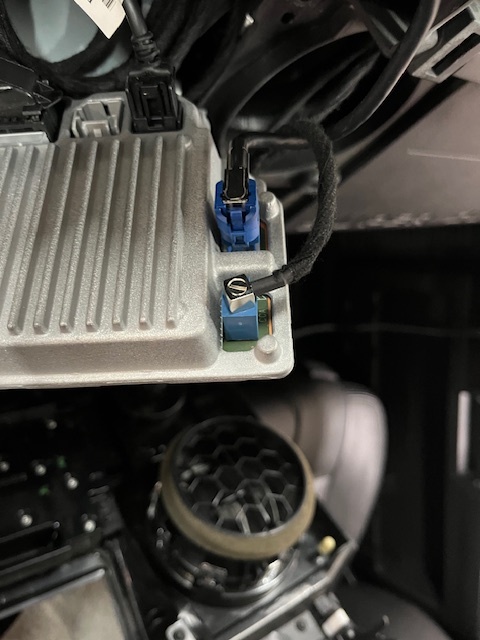
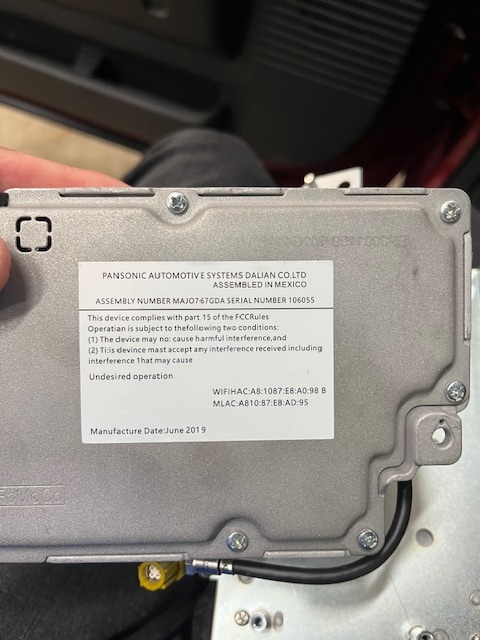
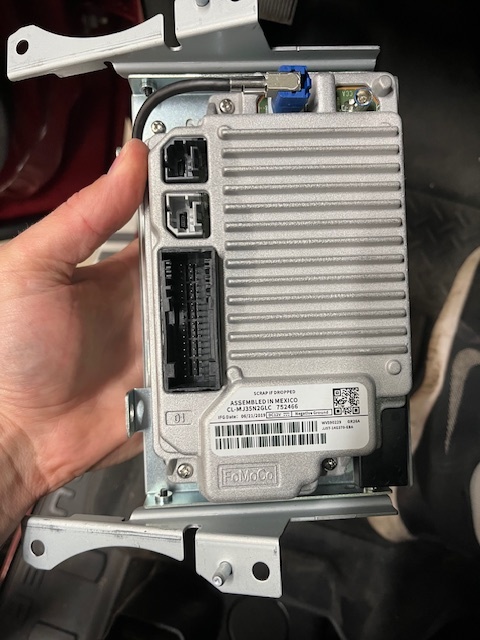
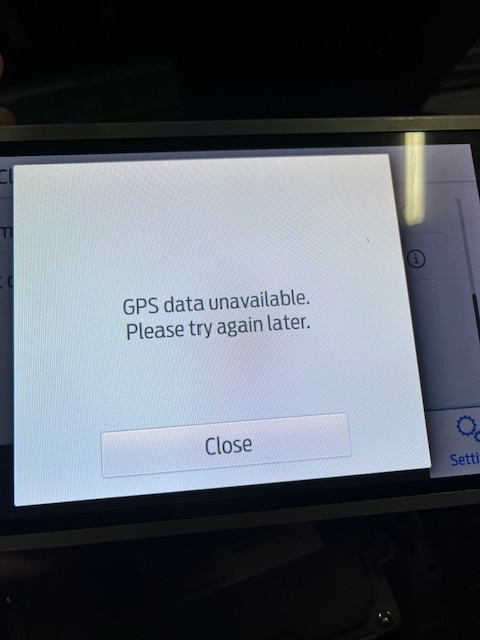
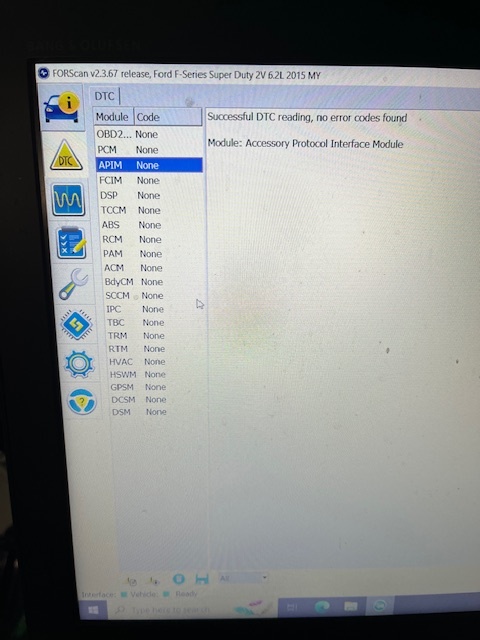
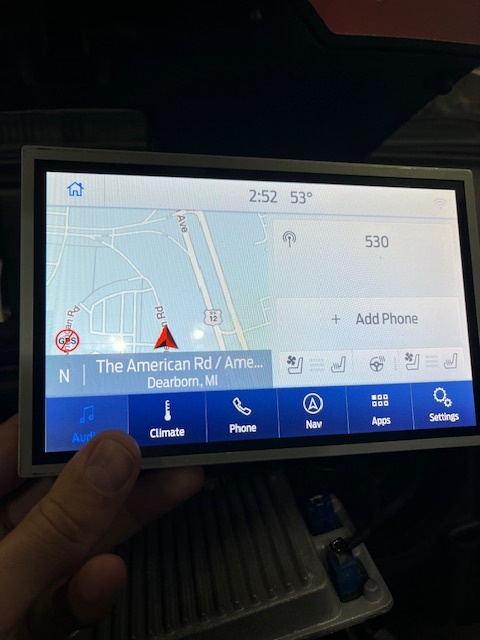
I have a recently purchased 2015 F250 with a retrofitted Sync 3 APIM (older than 2020) and K series screen (newer than 2020). This Sync3 system was in the truck when I bought it so I don’t have history on the retrofit. The GPS and Clock Sync are both not working correctly. I’ve attempted to manually set the clock, but it will then revert back within a few seconds to a random time. I’ve tried toggling/untoggling the timezone settings. There is a GPS antenna connected via blue jack and an aftermarket antenna is taped underneath the dash a few inches behind the APIM location. When I first bought the truck the GPS was showing a location in Florida, which is where it was purchased from, but never updated to the new location (Idaho). I assume since the GPS was showing Florida, at some point it would have been working correctly. After update the GPS shows current location as the Ford plant in Dearborn Michigan. In attempt to fix the issue, yesterday I updated from sync 3.4.23088 to 3.4.23188, but that didn’t correct anything. I also did a master reset after the update. The update was successful with no issues. Keep in mind the GPS & Clock problems were already there prior to my update yesterday so this isn’t related to an update issue. When I checked the diag menu a couple weeks ago zero satellites were showing up, but I haven’t checked it after the update as I assume it hasn’t changed. No errors show within DTC scans. I’ll upload pictures of the settings for reference. Thanks
SYNC Region: NA
Navigation Variant: Nav
Manufacturer Year: Pre MY20
Install Type: Retrofit
Old SYNC Version: 3.4.23088
New SYNC Version: 3.4.23188
Do you have a error message, if so what is it?
GPS disabled on navigation screen (red circle with line thorugh it)
Update Method: CyanLabs Syn3 Updater
Syn3 Updater Version: Syn3 Updater 3.0
Syn3 Updater Documentation Read: yes
Syn3 Updater Log File
This XML file does not appear to have any style information associated with it. The document tree is shown below.
<p:OTAModuleSnapShot xmlns:d2p1="urn:ford/Vehicle/Module/Information/v3.0" xmlns:xsi="http://www.w3.org/2001/XMLSchema-instance" xmlns:p="urn:ford/com/productdesign/ipp/ModuleSnapshot/v2.0" version="2014-01-01" xsi:schemaLocation="urn:ford/Vehicle/Module/Information/v3.0 ModuleSnapshot.xsd">
<p:VIN></p:VIN>
<p:ModuleName>ECU</p:ModuleName>
<p:RequestRole>
<d2p1:Role>CONSUMER</d2p1:Role>
<d2p1:RoleSource>OTA</d2p1:RoleSource>
<d2p1:RoleDesc>SYNCGEN3</d2p1:RoleDesc>
<d2p1:RoleID>OTA</d2p1:RoleID>
</p:RequestRole>
<p:BroadcastDTCType/>
<p:Node isFlashed="false" specificationCategory="GGDS">
<d2p1:Address>7D0</d2p1:Address>
<d2p1:ECUAcronym name="APIM">
<d2p1:State>
<d2p1:Gateway gatewayType="NONE">
<d2p1:DID didFormat="ASCII" didType="Embedded Consumer Operating System Part Number" didValue="8033" responseLength="24">
<d2p1:Response>NU5T-14G381-AD</d2p1:Response>
<d2p1:IsConfig>false</d2p1:IsConfig>
</d2p1:DID>
<d2p1:DID didFormat="Packeted" didType="Embedded Consumer Applications Part Numbers 1" didValue="8060" responseLength="384">
<d2p1:Response>345535542d3134473432312d434148000000000000000000345535542d3134473432312d434248000000000000000000345535542d3134473432312d434348000000000000000000345535542d3134473432312d434448000000000000000000345535542d3134473432312d434548000000000000000000345535542d3134473432312d434648000000000000000000345535542d3134473432312d434748000000000000000000345535542d3134473432312d434a48000000000000000000345535542d3134473432312d434848000000000000000000355535542d3134473339312d435300000000000000000000345535542d3134473432322d434150000000000000000000345535542d3134473432322d434250000000000000000000345535542d3134473432322d434350000000000000000000345535542d3134473432332d434300000000000000000000000000000000000000000000000000000000000000000000000000000000000000000000000000000000000000000000</d2p1:Response>
<d2p1:IsConfig>false</d2p1:IsConfig>
</d2p1:DID>
<d2p1:DID didFormat="Packeted" didType="Embedded Consumer Applications Part Numbers 1" didValue="8061" responseLength="384">
<d2p1:Response>000000000000000000000000000000000000000000000000000000000000000000000000000000000000000000000000000000000000000000000000000000000000000000000000000000000000000000000000000000000000000000000000000000000000000000000000000000000000000000000000000000000000000000000000000000000000000000000000000000000000000000000000000000000000000000000000000000000000000000000000000000000000000000000000000000000000000000000000000000000000000000000000000000000000000000000000000000000000000000000000000000000000000000000000000000000000000000000000000000000000000000000000000000000000000000000000000000000000000000000000000000000000000000000000000000000000000000000000000000000000000000000000000000000000000000000000000000000000000000000000000000000000000000000000000000000000000000000000</d2p1:Response>
<d2p1:IsConfig>false</d2p1:IsConfig>
</d2p1:DID>
<d2p1:DID didFormat="HEX" didType="ECU Checksum 1" didValue="D704" responseLength="4">
<d2p1:Response>f2069179</d2p1:Response>
<d2p1:IsConfig>false</d2p1:IsConfig>
</d2p1:DID>
<d2p1:DID didFormat="HEX" didType="ECU Checksum 2" didValue="D705" responseLength="4">
<d2p1:Response>75465ee5</d2p1:Response>
<d2p1:IsConfig>false</d2p1:IsConfig>
</d2p1:DID>
<d2p1:DID didType="Direct Configuraation DID DE00" didValue="DE00">
<d2p1:Response>a2219001e60201420002</d2p1:Response>
<d2p1:IsConfig>true</d2p1:IsConfig>
</d2p1:DID>
<d2p1:DID didType="Direct Configuraation DID DE01" didValue="DE01">
<d2p1:Response>555301030002010000000000</d2p1:Response>
<d2p1:IsConfig>true</d2p1:IsConfig>
</d2p1:DID>
<d2p1:DID didType="Direct Configuraation DID DE02" didValue="DE02">
<d2p1:Response>0100010300</d2p1:Response>
<d2p1:IsConfig>true</d2p1:IsConfig>
</d2p1:DID>
<d2p1:DID didType="Direct Configuraation DID DE03" didValue="DE03">
<d2p1:Response>01030500000001</d2p1:Response>
<d2p1:IsConfig>true</d2p1:IsConfig>
</d2p1:DID>
<d2p1:DID didType="Direct Configuraation DID DE04" didValue="DE04">
<d2p1:Response>1aae1a403e80</d2p1:Response>
<d2p1:IsConfig>true</d2p1:IsConfig>
</d2p1:DID>
<d2p1:DID didType="Direct Configuraation DID DE05" didValue="DE05">
<d2p1:Response>80</d2p1:Response>
<d2p1:IsConfig>true</d2p1:IsConfig>
</d2p1:DID>
<d2p1:DID didType="Direct Configuraation DID DE06" didValue="DE06">
<d2p1:Response>2d003a0000000003be00005656a500cf</d2p1:Response>
<d2p1:IsConfig>true</d2p1:IsConfig>
</d2p1:DID>
<d2p1:DID didFormat="ASCII" didType="On-line Diagnostic Database Reference Number" didValue="F110" responseLength="24">
<d2p1:Response>DS-HB5T-14G371-CA</d2p1:Response>
<d2p1:IsConfig>false</d2p1:IsConfig>
</d2p1:DID>
<d2p1:DID didFormat="ASCII" didType="ECU Core Assembly Number" didValue="F111" responseLength="24">
<d2p1:Response>HP5T-14G380-BA</d2p1:Response>
<d2p1:IsConfig>false</d2p1:IsConfig>
</d2p1:DID>
<d2p1:DID didFormat="ASCII" didType="ECU Delivery Assembly Number" didValue="F113" responseLength="24">
<d2p1:Response>HP5T-14G371-CCA</d2p1:Response>
<d2p1:IsConfig>false</d2p1:IsConfig>
</d2p1:DID>
<d2p1:DID didFormat="ASCII" didType="ECU Calibration Data #1 Number" didValue="F124" responseLength="24">
<d2p1:Response>HB5T-14G375-CA</d2p1:Response>
<d2p1:IsConfig>false</d2p1:IsConfig>
</d2p1:DID>
<d2p1:DID didFormat="ASCII" didType="Private Sub Node #1 Serial Number" didValue="F141" responseLength="16">
<d2p1:Response>VW1GE1GN</d2p1:Response>
<d2p1:IsConfig>false</d2p1:IsConfig>
</d2p1:DID>
<d2p1:DID didFormat="State Encoded" didType="Software Download Specification Version" didValue="F162" responseLength="1">
<d2p1:Response>Blank</d2p1:Response>
<d2p1:IsConfig>false</d2p1:IsConfig>
</d2p1:DID>
<d2p1:DID didFormat="State Encoded" didType="Diagnostic Specification Version" didValue="F163" responseLength="1">
<d2p1:Response>03</d2p1:Response>
<d2p1:IsConfig>false</d2p1:IsConfig>
</d2p1:DID>
<d2p1:DID didFormat="ASCII" didType="Vehicle Manufacturer ECU Software Number" didValue="F188" responseLength="24">
<d2p1:Response>HB5T-14G374-CA</d2p1:Response>
<d2p1:IsConfig>false</d2p1:IsConfig>
</d2p1:DID>
<d2p1:DID didFormat="ASCII" didType="ECU Serial Number" didValue="F18C" responseLength="16">
<d2p1:Response/>
<d2p1:IsConfig>false</d2p1:IsConfig>
</d2p1:DID>
<d2p1:DID didFormat="HEX" didType="ECU MAC Address 1" didValue="F1D0" responseLength="6">
<d2p1:Response>38:d2:69:37:e2:9e</d2p1:Response>
<d2p1:IsConfig>false</d2p1:IsConfig>
</d2p1:DID>
<d2p1:DID didFormat="HEX" didType="ECU MAC Address 2" didValue="F1D1" responseLength="6">
<d2p1:Response>38:d2:69:37:e2:9f</d2p1:Response>
<d2p1:IsConfig>false</d2p1:IsConfig>
</d2p1:DID>
</d2p1:Gateway>
</d2p1:State>
</d2p1:ECUAcronym>
<d2p1:ODLNetwork d2p1:NetworkDataRate="500" d2p1:NetworkName="HS-CAN" d2p1:NetworkProtocol="CAN" d2p1:DLCName="SAE J1962" d2p1:Pins="6,14"/>
<d2p1:AdditionalAttributes logGeneratedDateTime="2014-01-01T15:24:53+00:00" RAM="1045508096" vmcuVersion="Vector_VMCU_05.02.08">
<d2p1:PartitionHealth type="/fs/sd/MAP/" total="1.6G" available="12M"/>
<d2p1:PartitionHealth type="/fs/sd/MAP/" total="1.6G" available="13M"/>
<d2p1:PartitionHealth type="/fs/sd/MAP/" total="1.5G" available="12M"/>
<d2p1:PartitionHealth type="/fs/sd/MAP/" total="1.5G" available="10M"/>
<d2p1:PartitionHealth type="/fs/sd/MAP/" total="1.0G" available="3.0M"/>
<d2p1:PartitionHealth type="/fs/sd/MAP/" total="1.3G" available="7.4M"/>
<d2p1:PartitionHealth type="/fs/sd/MAP/" total="1.9G" available="14M"/>
<d2p1:PartitionHealth type="/fs/sd/MAP/" total="1.7G" available="17M"/>
<d2p1:PartitionHealth type="/fs/sd/MAP/" total="1.3G" available="6.4M"/>
<d2p1:PartitionHealth type="/fs/Nuance/" total="1.7G" available="16M"/>
<d2p1:PartitionHealth type="/fs/Nuance/" total="1.1G" available="10M"/>
<d2p1:PartitionHealth type="/fs/Nuance/" total="2.5G" available="23M"/>
<d2p1:PartitionHealth type="/fs/Nuance/" total="465M" available="3.2M"/>
<d2p1:PartitionHealth type="/fs/Nuance/grace" total="775M" available="5.8M"/>
<d2p1:PartitionHealth type="/fs/rwdata/" total="1.2G" available="992M"/>
<d2p1:PartitionHealth type="/fs/rwdata/quip/" total="35M" available="35M"/>
<d2p1:PartitionHealth type="/fs/rwdata/quip/" total="90M" available="90M"/>
<d2p1:PartitionHealth type="/fs/mp/" total="1.4G" available="84M"/>
<d2p1:PartitionHealth type="/fs/images/" total="25G" available="3.4G"/>
<d2p1:InstallationLog/>
<d2p1:SyncData>MIIEtAYJKoZIhvcNAQcDoIIEpTCCBKECAQAxggG4MIIBtAIBADCBmzCBhjEbMBkGA1UEChMSRm9yZCBNb3RvciBDb21wYW55MQswCQYDVQQGEwJVUzERMA8GA1UEBxMIRGVhcmJvcm4xHjAcBgkqhkiG9w0BCQEWD21nbXNlY0Bmb3JkLmNvbTEnMCUGA1UEAxMeU3luYyBNb2R1bGUgRW5jcnlwdGlvbiBHZW4zIEEyAhDfwyMpAoa+v0vYmqleqJR7MA0GCSqGSIb3DQEBAQUABIIBAHAo8oHLzSP/cv1pLqJwlnKlqoa1WQskhfIBhsa6LT2H77Le4jCfxyUHKlEMMOWrspSUnCghv6b4IZiagGvRi+ssVBltHoZm/Rrvxf5sD1J//iY8YlqxrPLWKZI2ZvAtu9BGemxBZValOtqtgD3X+isYRJAeYbfc9+E/d9N+VXh+rU127TFvaBzxxkBmawb1uI53B/9c0DcXpvDmTLHqck8Ue0h7REGgq21BFfBT9pQhrjUB2P/cvQeXS1PNGwm9G5GJUn40kwwLzS48W3WFwD76ywMT4t6KviMmxIHhBnOvvMzWAKueyiwRbSoHyblxcf4dF4gvvMW59a6+Tj+D8agwggLeBgkqhkiG9w0BBwEwHQYJYIZIAWUDBAEqBBBkSzBM1JFgNUNy6L0mxgRhgIICsKuwCGh6wkZJUsmOBaco1Y9OSei2+xuBt2xqi508bYA7cqPpflQ7/1t7OnXvidlEvUmPvKnloTW7uKAUtxXmBsqRvAOLVzAa0qOI/hZdAEVZATdtRDsXz30R56vnaAFLXqvUspWHpHQWjJPyz4jjnvnGIJyxdQwkijlUTl7kJGpkZPbhNyKisPNY0pxH8eRuRq0hO2WkVuwQ4Q9BECaSViaxVQM1480xjf5txLZKDf2MYhDzr5j95WznI9WUrPvERge5eFE6IGgDQ4eGkbV7b4GXynoG9BZm3z8bL6D1VxhDydE8jYDdh1ldxoPCVlTsKgaYgagg0c3MGuWO36PBMYlBdZNmQvLK+NzHuxuSHDGZw4VSITEUOx3owB0cbc0/Ve7kiJSfiz0t9NTNVWw5Zjvth3zkxgy6QiBXhZ4xeGA/CK+pl60ul98Wa/ky2I0SBaayu+MdQU4LhV0+YDvzlUP29s1fyYVLnMPuxuJy+xAyN/vExy2HY+hJtBn7mAqztaC1N4eGDlVC+axoCaQPawpyFp2Nd1uxporwffWQW5tTT4KFUMeRuZofQRqOUz0Kmt81zFLuIa00JGoMj38Y6GMvLZhUl9qpypVr5YxB3OKh4DXqmdNdnrPocOoohKQvhnpNlUI5KFl3uQxCt6WNFU9Hxxe4W6dInlN9Tb5z4iSIbD6pVbb+6vSaOxLfn2kSMOew8VCaYKZFjCbKzN8HgziXnS0Qugq6ZqBuXEiL3g0B2XQZKoqglq7PoOanp1iOMlB76ehCntYpJYUjas0pPzuZJHizhkGzx7spxsyR1w6feAMrEKkHP5jBFefxXhovSXaFKrdzyHU2yPu5JI/5AVmMDD0+6O+sKUr5spSY9jPZy4BXAn3V+dBqBj0e81eSy0/OvhOUi7QOGXHrSYzuG7c=</d2p1:SyncData>
</d2p1:AdditionalAttributes>
</p:Node>
</p:OTAModuleSnapShot>