Hi all,
I have a 2016 Ford Flex sel that originally came with an older SYNC system. I retrofitted a newer SYNC 3 APIM into it “old one died”
On the screen, About SYNC shows:
SYNC 3, Software Version: 3.0
Build: 19205_PRODUCT
VIN: 2FMHK6C87GBA08280
Gracenote: 1.1.1.1139 (NA‑0010)
Navigation Maps Version: NA 1 14
I installed Syn3 Updater on my Windows PC and set:
Current version: 3.0.x, Region: NA, Navigation: Yes
New version: 3.4.23188 (NA maps)
When I try to proceed, I get the red error saying:
You have specified that you have a MY20 (Manufacture Year 2020+) SYNC 3 unit
You can not do the following:
– Upgrade from 3.0 or below to 3.2 or above if applicable
– Install ESN locked map releases
– Change region
My situation:
Car is a 2016 Flex sel, but the APIM is newer than the car (likely a MY20‑style unit).
I do not want to brick this APIM.
I’d like to get to SYNC 3.4 with North America maps if it’s safe for this hardware.
Questions:
With this MY20 APIM in a 2016 Flex, is there a safe path using Syn3 Updater to go from 3.0.19205 → 3.4.x?
If yes, what exact settings should I use (install mode, version, map package, and whether to keep MY20 protection enabled)?
If no, is my only safe option to have a dealer or FDRS update this APIM instead?
I’ve attached a screenshot of the MY20 error and can also provide the APIM part number if needed.
Thanks in advance for any guidance
SYNC Region: NA
Navigation Variant: Nav
Manufacturer Year: Unknown
Install Type: Retrofit
Old SYNC Version: 3.0.19205
New SYNC Version: 3.4.23188
Do you have a error message, if so what is it?
You have specified that you have a MY20 (Manufacture Year 2020+) SYNC 3 unit
You can not do the following:
– Upgrade from 3.0 or below to 3.2 or above if applicable
– Install ESN locked map releases
– Change region
Update Method: CyanLabs Syn3 Updater
Syn3 Updater Version: 2.12.2.0
Syn3 Updater Documentation Read: yes
Syn3 Updater Log File
didnt get one due to the error message stopping me from proceeding,
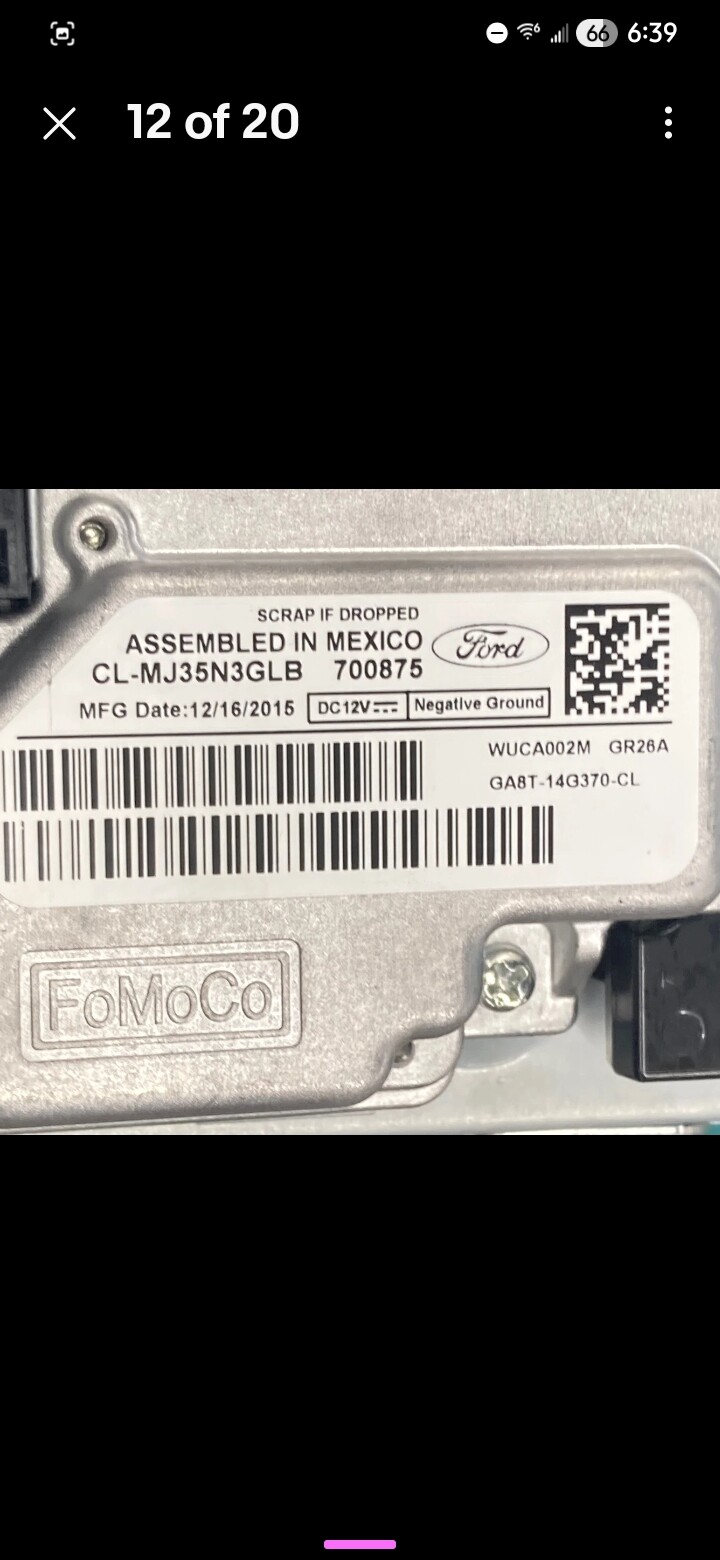
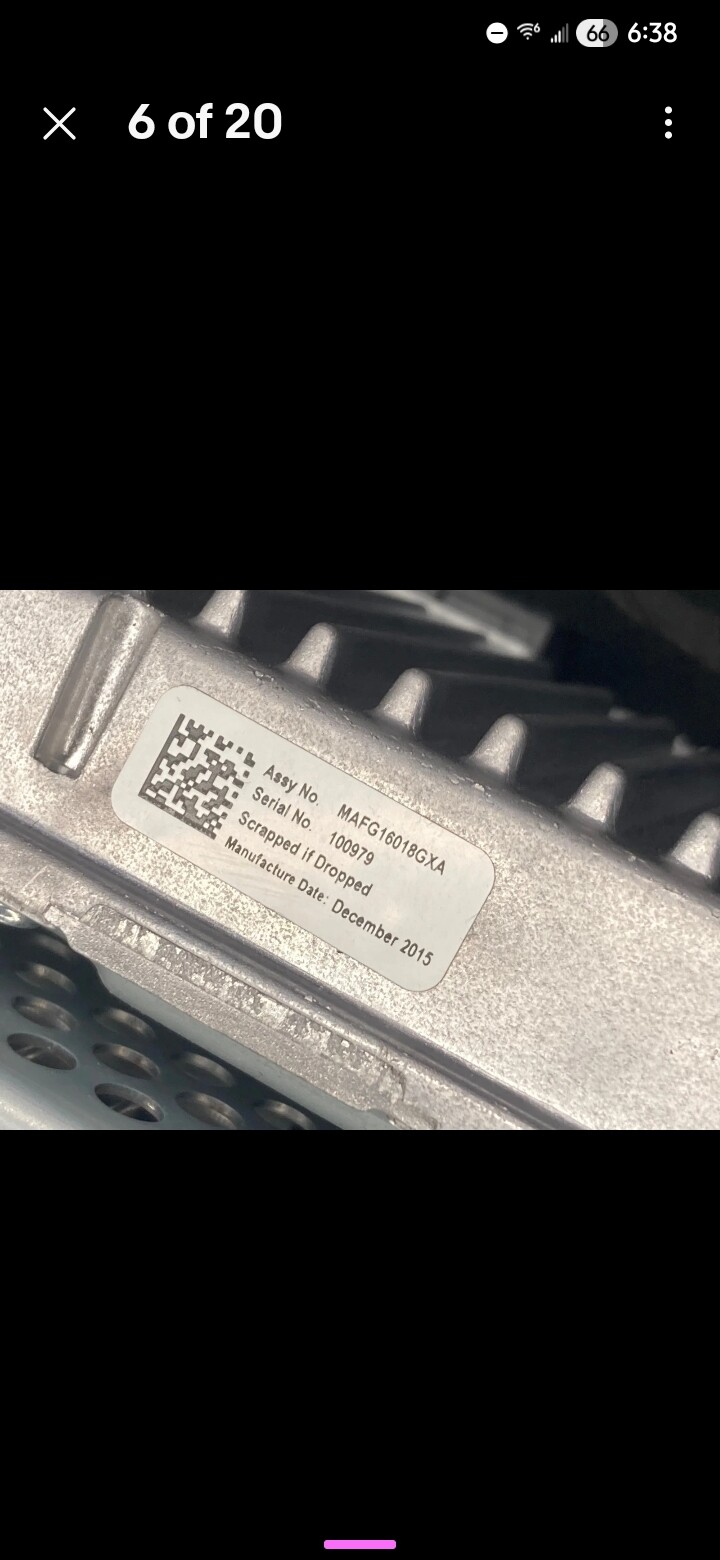
The APIM label shows part number GA8T‑14G370‑CL and MFG Date 12/16/2015, so it is not a MY20+ unit.
I am very new to this world and pre apologize for any ignorance.
I’m doing all this for my disabled veteran father, for his Flex. His oem unit died, found affordable replacements, and installed them. They work ok with minor nav bugs etc. Good enough. But would love to upgrade to 3.4.
I attached some pics from the unit. Thank you so much.
You are correct sir, It is not a 2020+ so you can configure the updater as such. I would caution you though, A G series APIM is rather old but it will work. It will not be the fastest but it can run the 3.4 versions. If you need good AB settings than pull them off a 2017 Flex with close options.
As far as maps, If you goto 3.4 you will be doing a reformat so choose the latest maps.
All good, we all started somewhere with this stuff.
Everything got updated and worked great. Definitely stressing during the process. Especially being a salvage unit.
So… I noticed before and after my update, “was not my primary concern before the update”. My audio fade and balance stays slammed into the top right corner, my bass, treble and mid stay maxed and my stereo option stays on surround.
I highly assume this is based on it being a salvage unit, but is this correctable threw forscan options? “Again very ignorant to all this but trying my best”.
Also, completely livable but I also get a navigation fault pop up when the unit is booted and after being cleared, it doesn’t seem to have any issues but always repeats. I’ve cleared all dtc codes etc. Also confirmed signal from gps in forscan confirming it’s software, not hardware.
I can live with both issues, just those little annoyances that drive the us crazy.
Thanks in advance and thanks for the courage to proceed with the update in the first place.