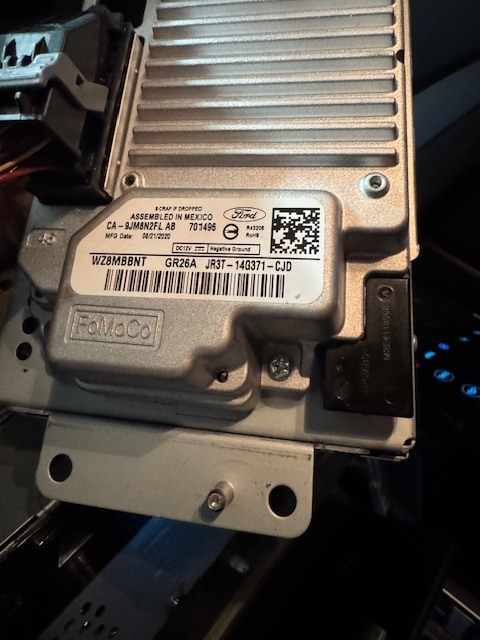
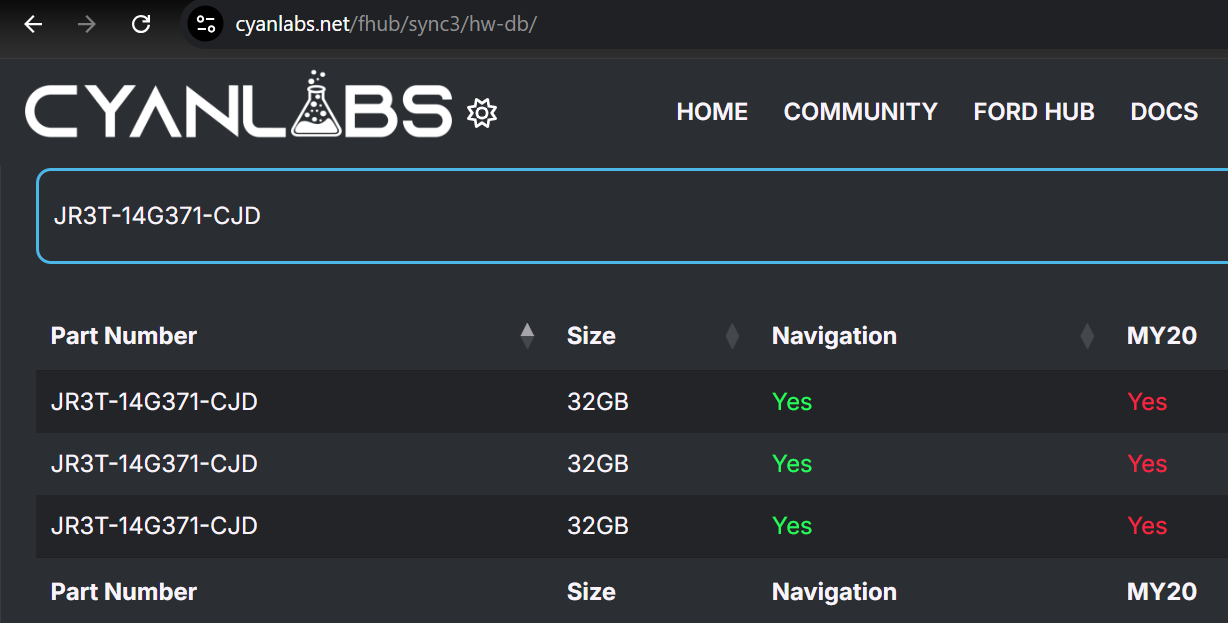
Hi All, I am updating to sync 3 on my 2014 Ford Explorer. I installed the new screen and APIM and I want to make sure that I know if it is a MY20 or not. The only reason I am confused is because I did the Syn3 Updater check and it showed that I do not have a MY20 APIM, but checking on the APIM it shows a manufacturing date of 08/21/2020. The vehicle I pulled the APIM and screen from is a 2017 Explorer. I would ideally like to update to Sync 3 3.4, but if it is a MY20 APIM I don’t think that is possible and I don’t want to brick my APIM. Thanks!
I would need to see a pic of the sticker on the APIM but I would assume it is a 2020+ APIM right now. Their is a chance that the 2017 Explorer owner bought it aftermarket or had it replaced by Ford.
makes me believe you just opened the XML file and read it instead of having syn3updater process it.
The log does not show any APIM model, in fact there’s a lot of BLANK information on it. You are running an old Sync3 3.0 build, you may consider going to the latest one available.
Sorry, still learning this software. I used syn3updater to process it twice and both times it told me that it is not a MY20+ APIM. Of course, it has a warning attached saying that it isn’t a foolproof method of checking, so I created this post and checked the manufacture date on the back of the APIM. After researching the limitations of a MY20+ APIM I’m just going to try and get a different one so I can update to 3.4 and the most recent maps. Thanks for your help!
That’s impossible with the XML file you sent since the XML file has no APIM listed there, so there’s no way for Syn3updater to know if it is or is not MY20.
That’s ok, but you can still update to the latest 3.0 in the meantime… You can do that without issues, since it’s a simple autoinstall.