Yea this is whats making me scratch my head also.
Once you reformat an unit, these things can happen if there’s something else going on. Maybe it could had handled a simple autoinstall…
Once an APIM completes its first reboot after a reformat with a “good” screen model you can swap back and forth between a G & a K series. You can drop a K or a G on any model Sync 3.0/3.4 APIM.
Think of this being like a fresh install of Windows on a PC, the OS comes up looking for hardware it recognizes and if it doesn’t find a driver for the video you wind up with a screen in VGA mode. The problem here is that the K series screen driver board doesn’t support whatever that resolution is the APIM OS is trying to use.
This is one of the items that Ford doesn’t account for with Sync 3.4, they support it running on hardware that they support, when you mix and match things can happen.
I did an image search via AI for that screen and there are certainly some knockoff options that look just like it. There were also some that showed as ‘OEM’, whether true or not that were related to 2021+ Ford F150 & Ranger. I would still assume mine is counterfeit due to the lack of stickers/markings on it.
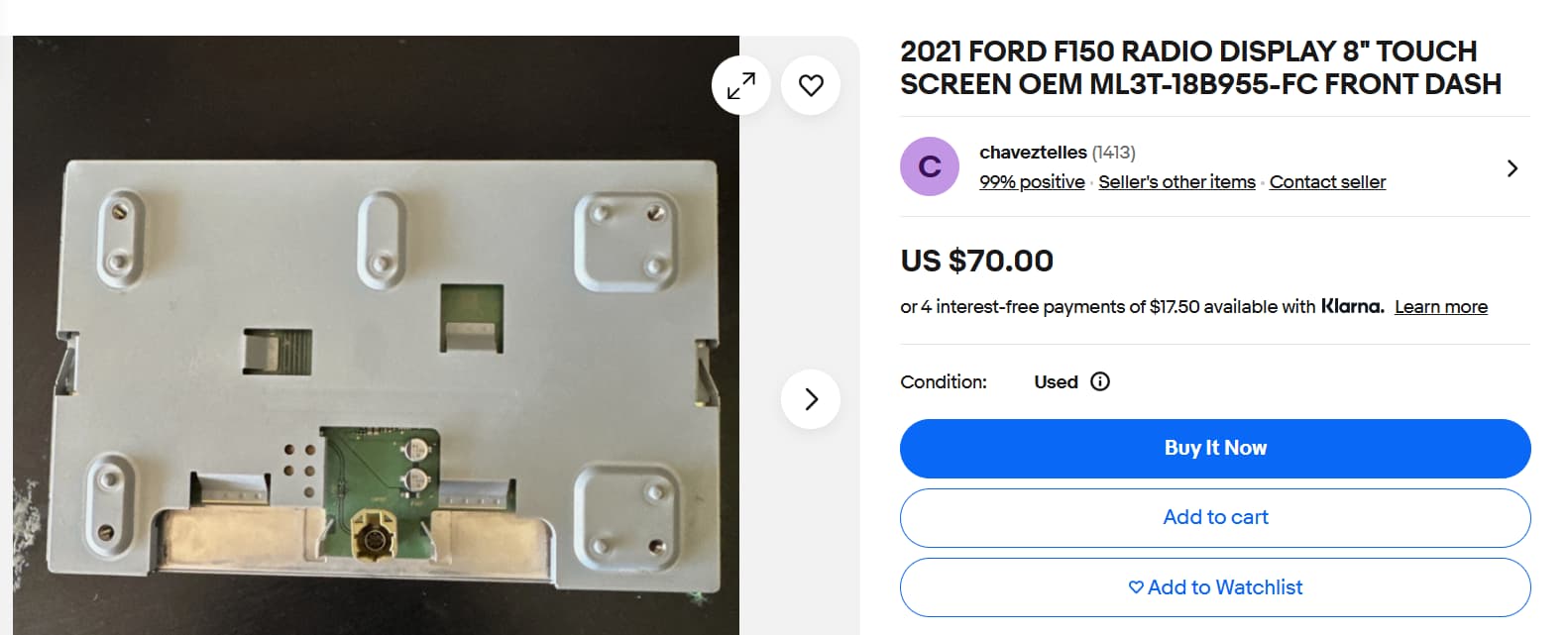
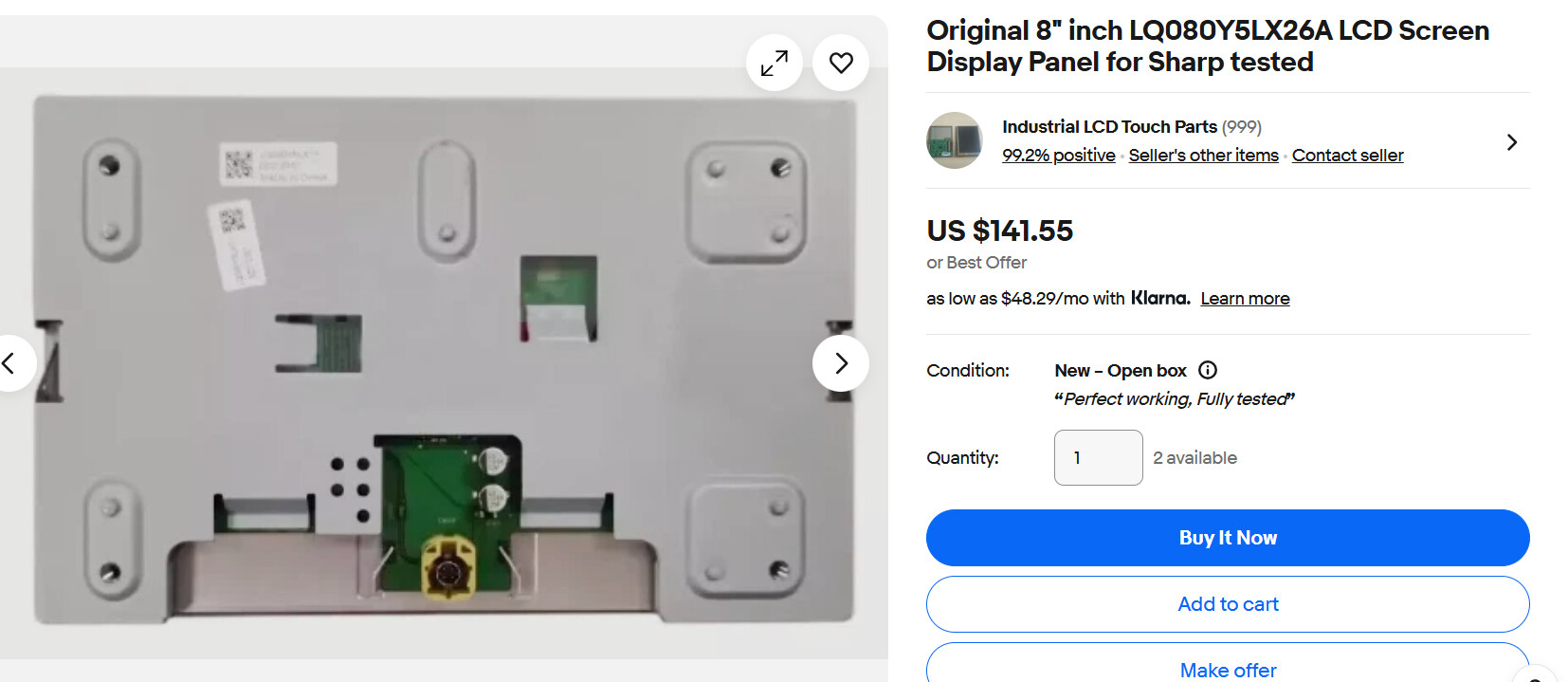
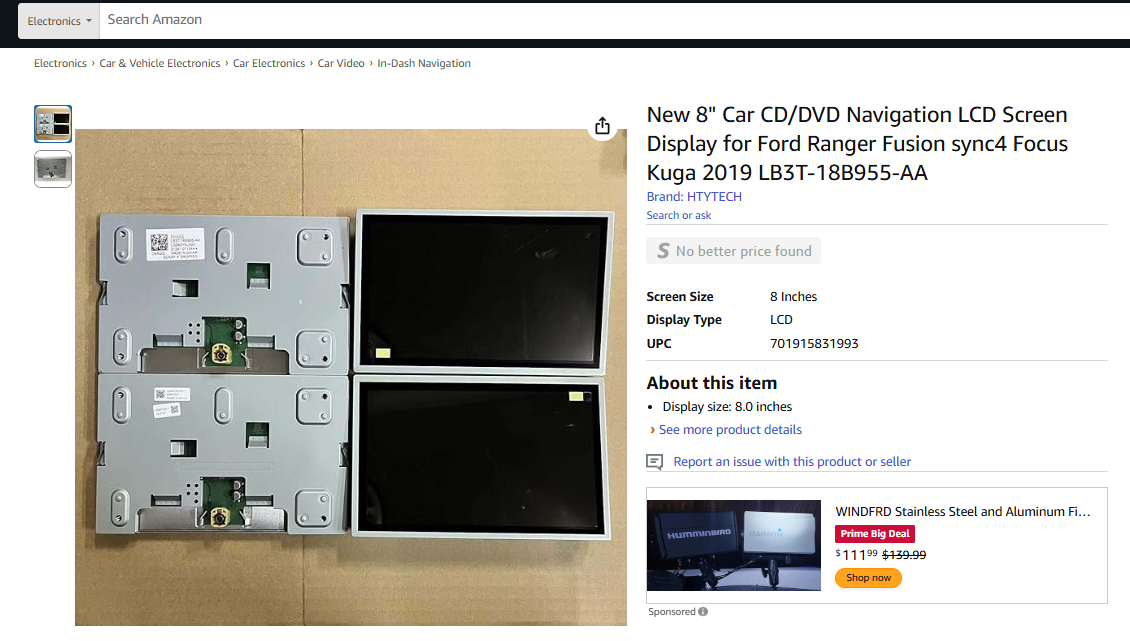
Yeah, I was hoping to get the maps updated which is why I did the reformat option, but do agree that it came with a risk versus simple in-place upgrade.
The the potential for hardware driver incompatibility makes a lot of sense within this scenario so I can certainly see the logic behind it. I’ll test your theory with an older screen once I can source it which hopefully will be over the weekend.
I did some additional digging and it looks like that might be a Sync4 screen based on the size of the bezel around the front when compared to a 3.5mm jack for reference. That would probably align with what I sent through earlier that showed it being listed in later model vehicles.
If it is indeed a Sync4 screen would the thought still be that the 3.4.23188 software update would include the appropriate drivers for it once I install an older display over the weekend to get the software pushed through? Not sure if the Sync 4 screens are still classified as K series like discussed before or they’d be a new series altogether.
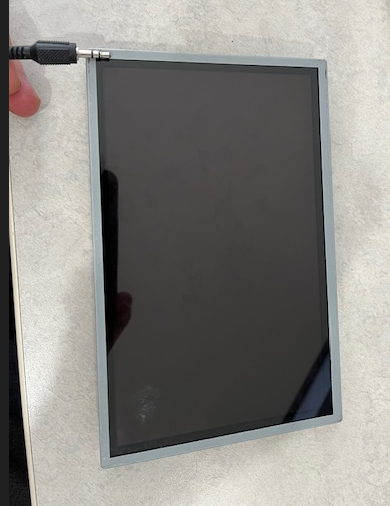
Assuming I can get an older screen hooked up over the weekend to continue with the software
@F150Chief knows all about this screen and he has one. He is out of town right now but should be back in a couple days and can tell you all you want to know about it.
Ok great, thanks!
That is a “Sync 4” screen, however probably not a Ford production unit. These are NOT compatible with the reformat process and will show black because of the driver issues. You will need to replace the screen with an older style screen, as indicated in the pics above. Either will work. Once you have completed the reformat process with the older style screen you can use the Sync 4 style screen as long as you are running Sync 3.4. Sync 3.3 and lower will not drive that screen.
The OEM Ford screens will have the Ford production sticker on them.
Ok thanks for the confirmation. I will indeed try the update process with older screen as soon as it shows up.
1 Like
I took action on the advice provided by swapping in an older screen version. It worked exactly as suggested and I was able to finish the update successfully. Thank you all for the quick and knowledge responses to correct my black screen issue…I greatly appreciate it!
Unfortunately my original GPS and clock time sync are still not working even on the latest software version and map so I’ll open a new community thread specific to that issue.
There is a list of GPS antennas that are “known” good, I’d start with one of those as the clock time sync is via the GPS antenna.
You also might want to try downgrading the version of Sync3 to 3.4.21265 (doesn’t require a reformat), non-NAV older APIMs are known to have a GPS/clock issue with 3.4.23188. It could very well be that your APIM is a non-NAV board that was modified by changing the chip size.
See your other thread…
Ok thank you both for the input on this.
1 Like
This topic was automatically closed 2 days after the last reply. New replies are no longer allowed.