Rear power windows working stop as one touch

After update firmware rear windows opening inch by inch when try to open them. and now showing DTC errors.


SYNC Region: EU

Navigation Variant: Non Nav

Manufacturer Year: Pre MY20

Install Type: OEM

Old SYNC Version: 3.4.23188

New SYNC Version: 3.4.21165

Do you have a error message, if so what is it?
===APIM DTC B119F:13-08===
Code: B119F - GPS Antenna

Additional Fault Symptom (:13):

  • Circuit Open

Status (-08):

  • Previously Set DTC - Not Present at Time of Request
  • Malfunction Indicator Lamp is Off for this DTC

Module: Accessory Protocol Interface Module

===END APIM DTC B119F:13-08===

===PDM DTC B12DD:54-2F===
Code: B12DD - Rear Window Motion/Position Sensor

Additional Fault Symptom (:54):

  • Missing Calibration

Status (-2F):

  • DTC Present at Time of Request
  • Malfunction Indicator Lamp is Off for this DTC

Module: Passengers Door Control Unit

===END PDM DTC B12DD:54-2F===

===PDM DTC U2100:00-2F===
Code: U2100 - Initial Configuration Not Complete

Status (-2F):

  • DTC Present at Time of Request
  • Malfunction Indicator Lamp is Off for this DTC

Module: Passengers Door Control Unit

===END PDM DTC U2100:00-2F===

===DDM DTC B12DD:54-2F===
Code: B12DD - Rear Window Motion/Position Sensor

Additional Fault Symptom (:54):

  • Missing Calibration

Status (-2F):

  • DTC Present at Time of Request
  • Malfunction Indicator Lamp is Off for this DTC

Module: Drivers Door Module

===END DDM DTC B12DD:54-2F===

===DDM DTC U2100:00-2F===
Code: U2100 - Initial Configuration Not Complete

Status (-2F):

  • DTC Present at Time of Request
  • Malfunction Indicator Lamp is Off for this DTC

Module: Drivers Door Module

===END DDM DTC U2100:00-2F===

Update Method: CyanLabs Syn3 Updater

Syn3 Updater Version: adadasasa

Syn3 Updater Documentation Read: yes

Syn3 Updater Log File

fasfsafsafasf

If there is any so can you help me with GPS Antenna DTC code also. Thanks in advance…
Assuming you pur the correct firmware in for the car, you need to run the re-calibration routine on the DDM/PDM with Forscan or at each window (window all the way down, press down 3 seconds 3x within 10 seconds, window all the up pull up on the switch after it seats 3x for 3 seconds within 10 seconds).

This HAS to be done at each window switch, you can only do the driver’s window from the switch pack if you don’t use ForScan.

The wrong firmware in the module will also cause issues, like putting the JU5T firmware (MY2018.5+) in a MY2017-2018.5 in a GR2T series module.

1 Like

Hello @warlock12118 ! Thank you for your reply and i have did all the things right now and only rear windows are effected. Do you tell me how to find correct firmware? Can you do it for me if you can? My VIN is WF05XXGCC5GT72107. Thanks in advance.

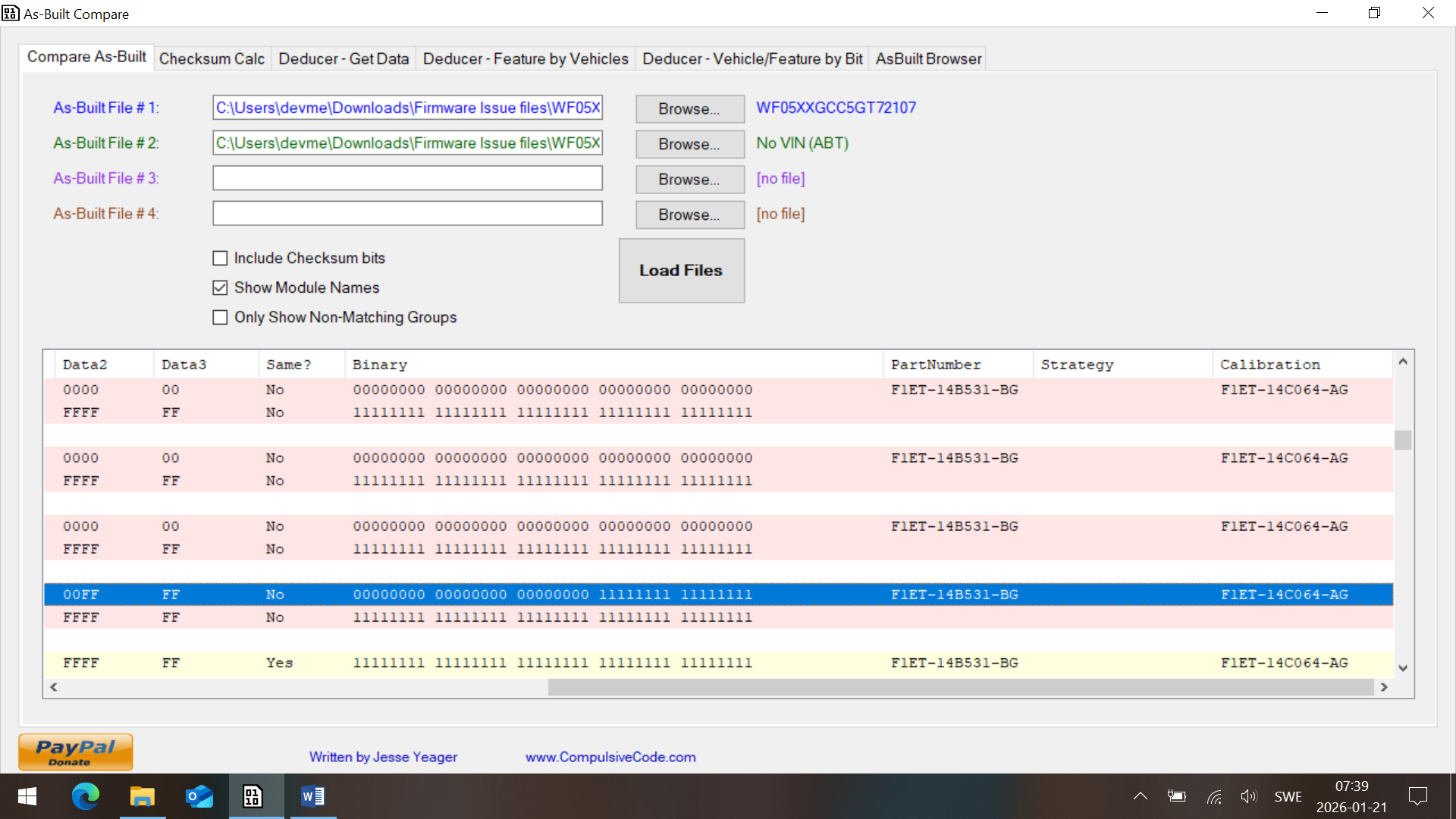
Look at the factory AB with AsBuilt Explorer, to see where the module started at and STAY in that family, it doesn’t matter what ForScan offers (eg and this is a made up number, HHHG-11111-JCX but if your module is FFFF-11111-HCX you use the offering for FFFF-11111- and use both the strategy and the calibration).

You can pull your AB from Ford. https://www.motorcraftservice.com/Asbuilt/

Why are you trying to change firmware versions?

1 Like

Hi, i tried to understand this but it was useless for me. Could you please more explain about these codes and all? There is some data which are not matching but i do not get it, what to do???

WF05XXGCC5GT72107_DDM_20260120_201720.abt (7.8 KB)

WF05XXGCC5GT72107.ab (30.8 KB)

WF05XXGCC5GT72107_PDM_20260120_201622.abt (7.8 KB)

Look at the AB file with ASBuilt explorer, the end of the module line has the strategy and calibration info

1 Like

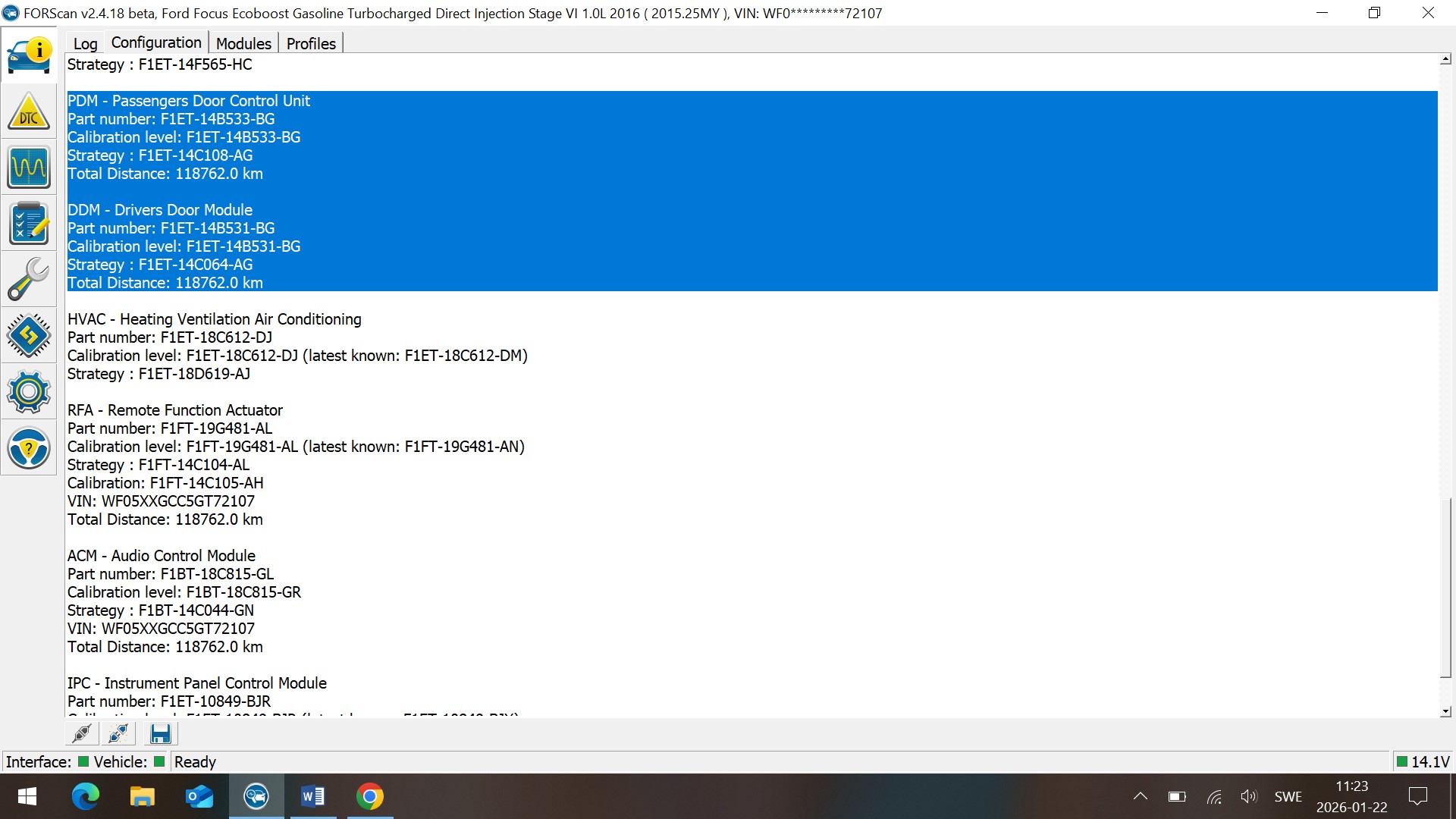
Thank you @warlock12118 for all these help. Right now i am reading these code which are not true when comparing. Have a look on these.. what should be next??

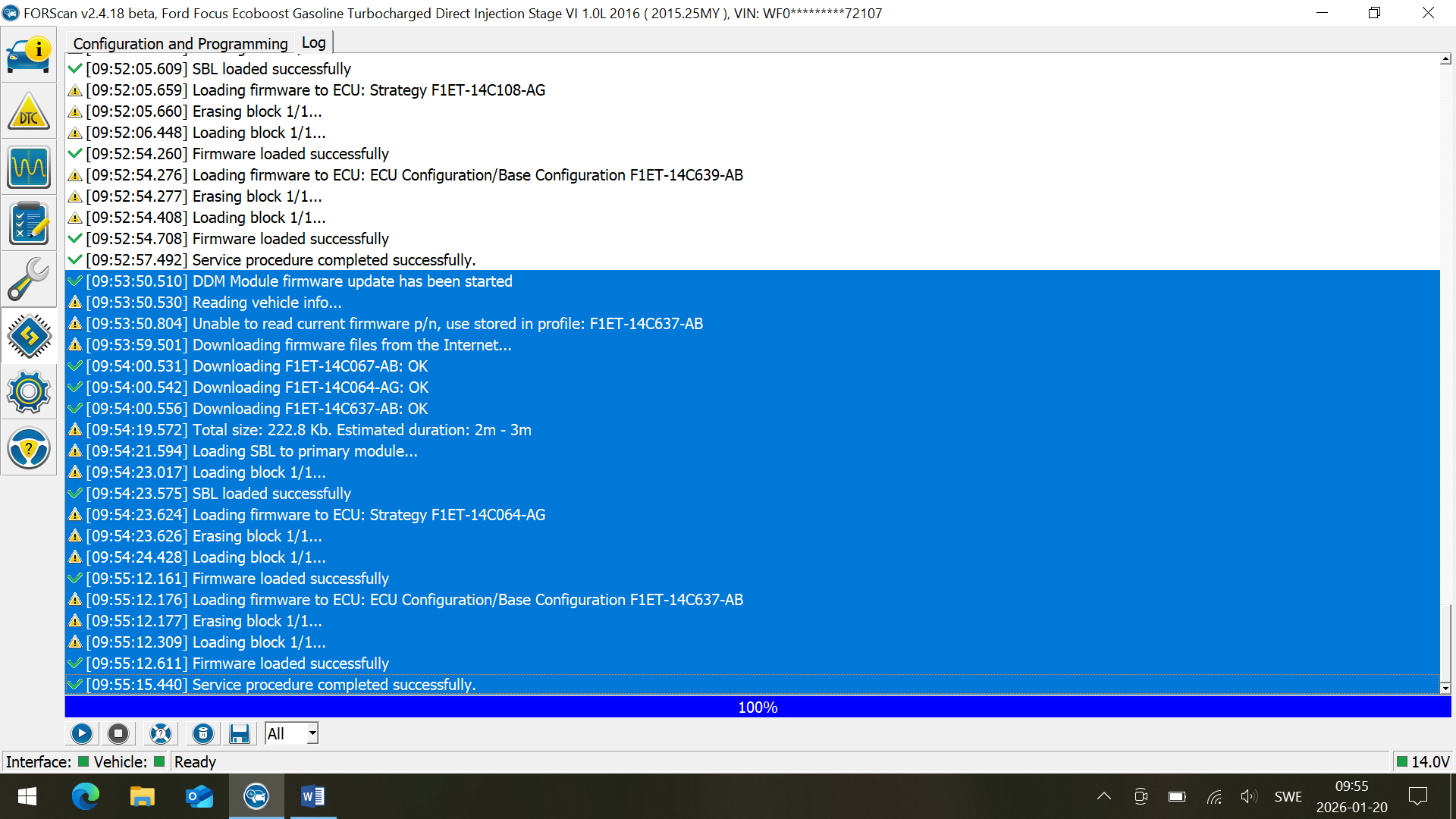
Those are normal messages when flashing a module.

Close ForScan and reopen it without using a saved config, what does the log show now on the module’s strategy and calibration? It should show F1ET-14C064-AG

1 Like

Yes that is same as you told.. But how to fix it now cuz when i try in custom and download the file from my PC its not uploading in firmware section and showing error that it cannot read the file.

Thanks

You need to be online when connected to the car and tell ForScan to download the files.

If you previously did a previous change you will need to hit the box and find the path ForScan downloaded the files to.

But how? I used to online when connect with the forscan but still don’t get anything. Even i cannot go back to factory reset. How to do the process?

I have vbf file and don’t know how to run it.

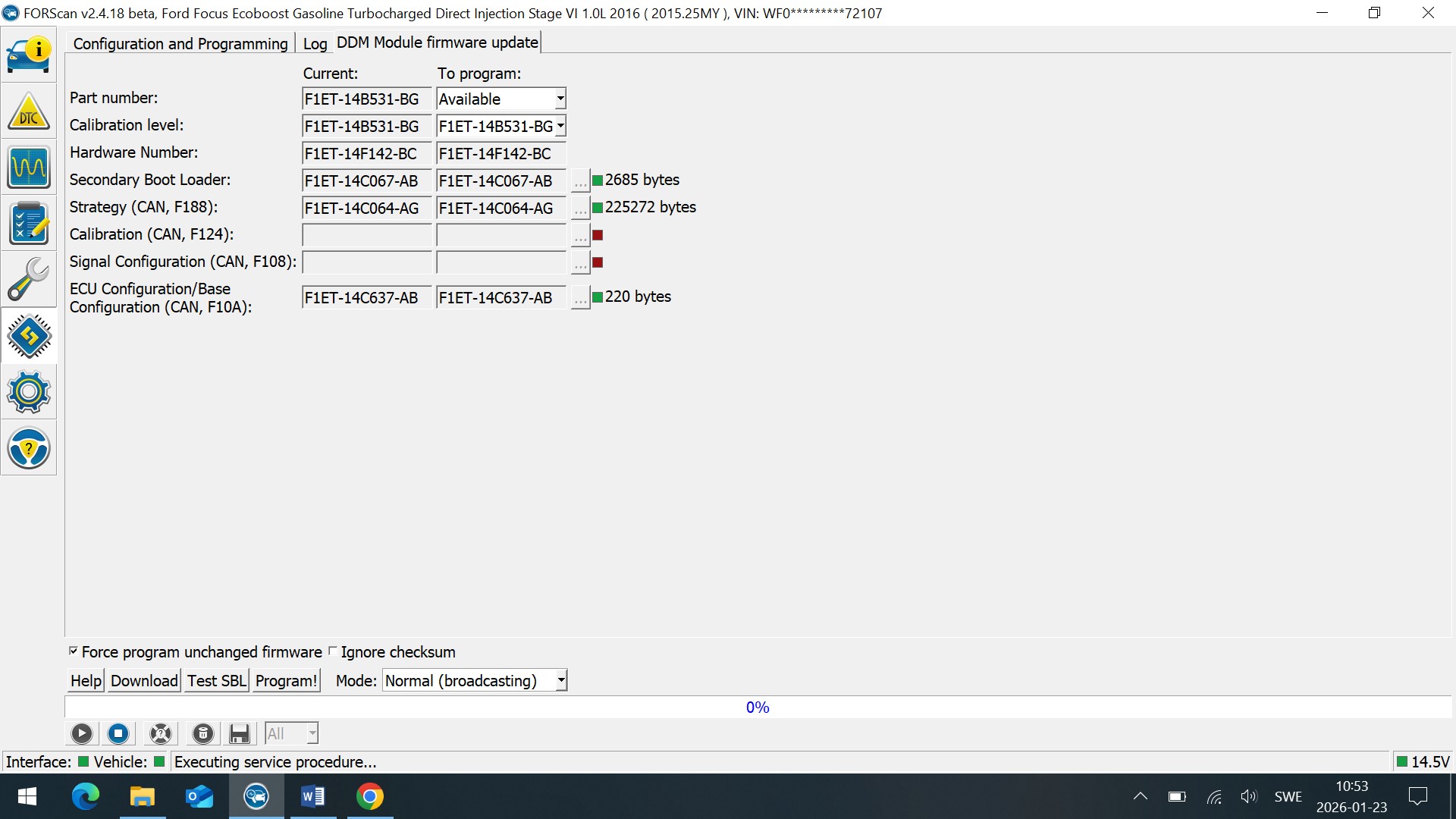
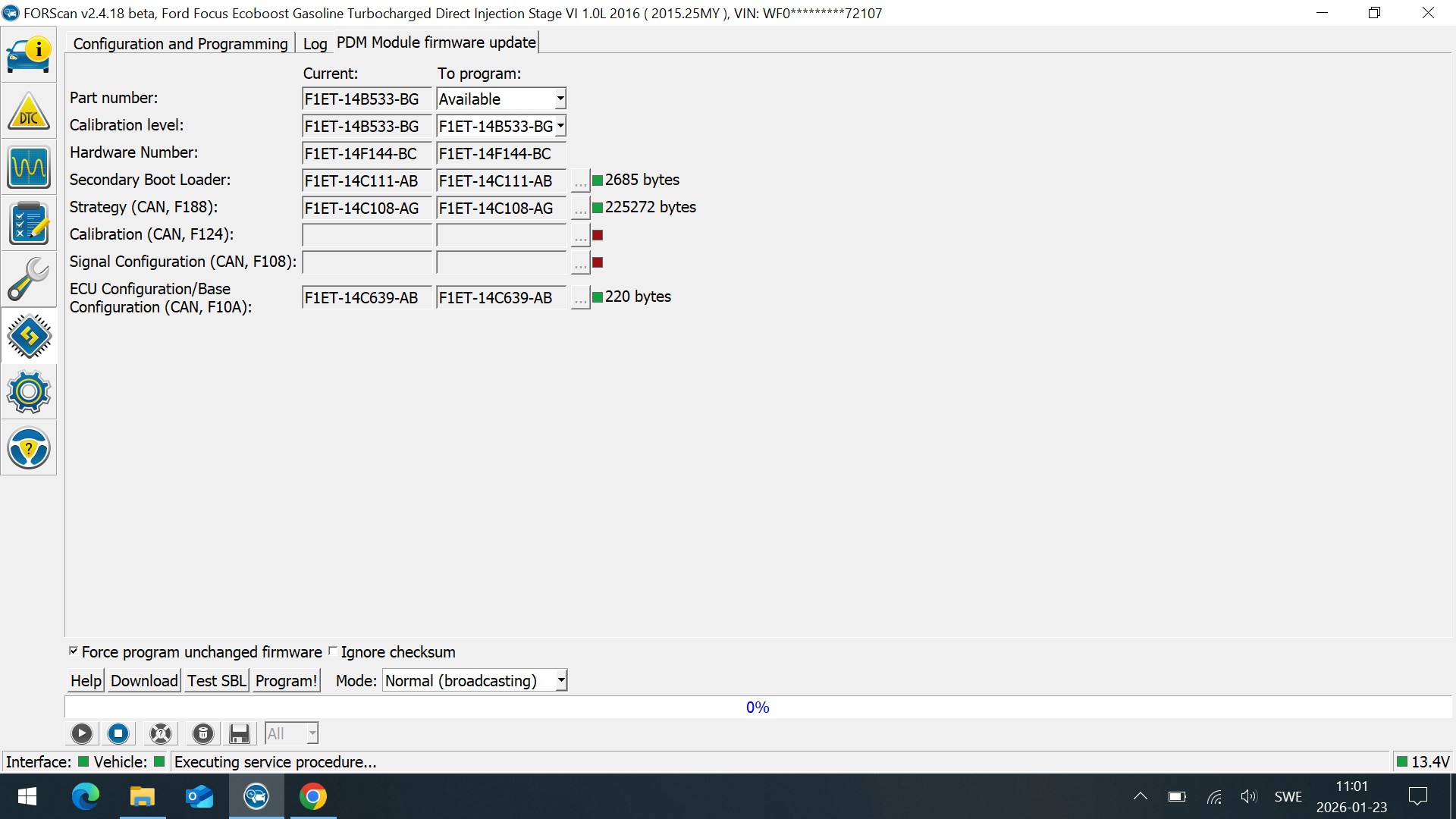
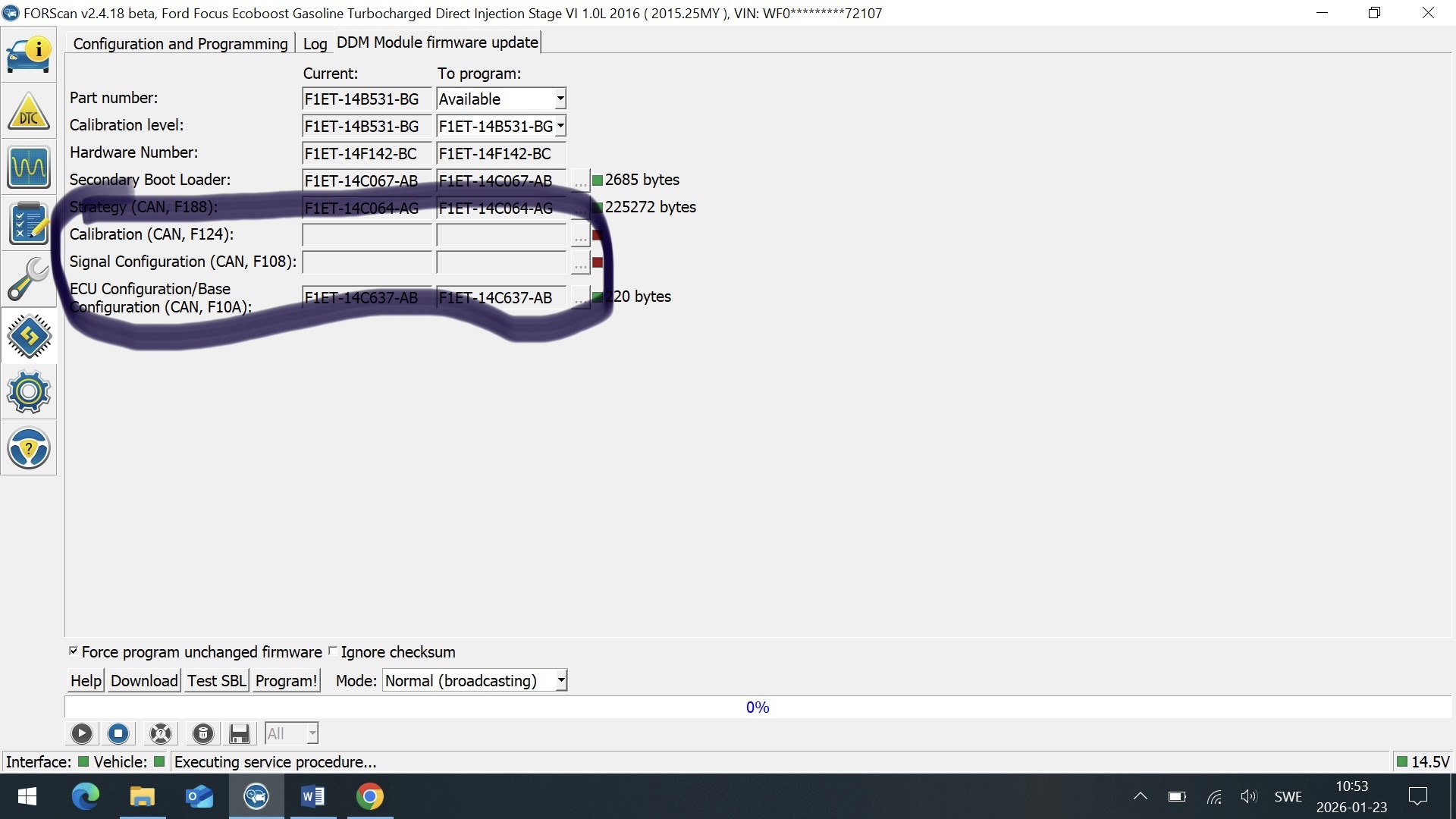
today i tried but rear windows won’t work and still facing the same problem… Firmware was showing this please check..

Means that those aren’t available for download from Ford, you’ll have to find someone that has a copy.

Try to drop down and see if the full -AG get is available

1 Like

You mean these should be also downloadable?

It means you need the actual file names as ForScan doesn’t have them in its DB,

Once you have the names you may be able to download them outside of ForScan or someone on say the ForScan site may have them.