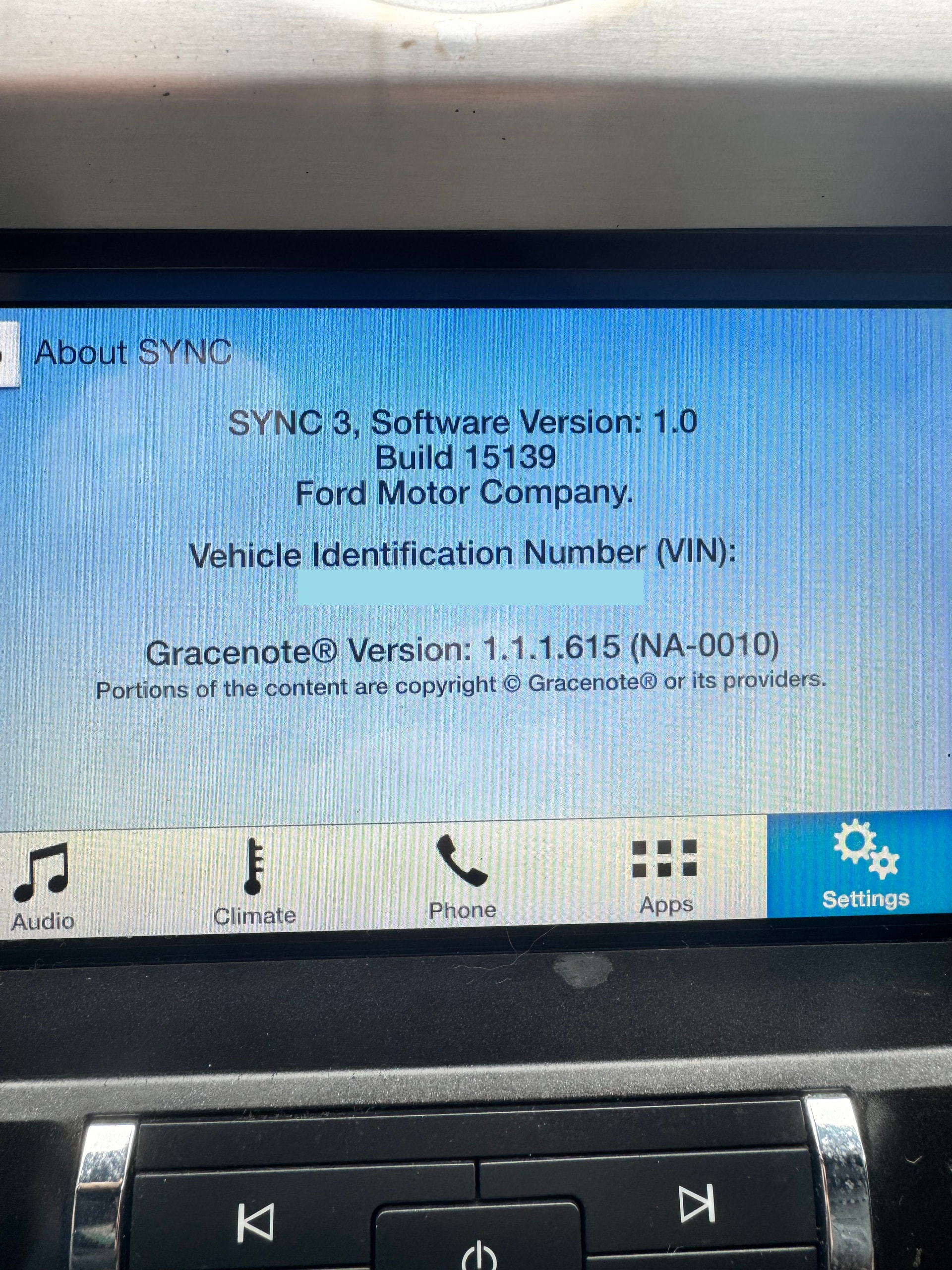
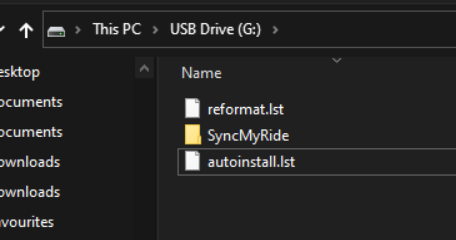
Hello! Im new here, and i this website has helped a bunch but im not very smart with computers. I want apple carpaly in my mustang, and i tried going from v1.0 straight to v3.4 but that wont work i keep getting “bad installation file.” Im also on a mac book so that doesnt help as the manual version doesnt let you go from 1.0 to 3.3 either. So i did some looking in the forum and found this post saying you need to down load a v2.2 file and build the USB. I dont know how to build it lol. Basically i have 2 questions
How do i build the USB so SYNC can read it?
What exct files do I need from Cyan to get v2.2
I plan to try and v2.2 on it then attempt v3.3 then eventually 3.4 if my APIM doesnt explaode lol.
Thank you in advance and if i ask stupid question i apologize im not very good with computers.
SYNC Region: NA
Navigation Variant: Non Nav
Manufacturer Year: Pre MY20
Install Type: OEM
Old SYNC Version: 1.0.15139
New SYNC Version: 1.0.15139
Do you have a error message, if so what is it?
Bad Installation File
Awesome, great, thanks.
That image shows your VIN, if you care about I can redact it.
So, you should have an official Ford update for the latest 3.0 I believe. Have you tried that?.
That’s because you mentioned you are not that good with computers, and Ford’s updates are pre-made, so it’s just about downloading a zip file and uncompromising it onto an USB (Ford provides instructions).
That’s a good way to start, and if Car Play does not work, we can do additional troubleshooting before upgrading to 3.4. It’s better to confirm Car Play works before moving forward.
Oh damn i didnt even realize my vin was there. If you could redact that would be great lol. And i have tried on there website but everytime i go on there website it just gives me an error saying “We apologize for the error. We are working to correct it and request you try again later.”
It’s recommended for you to make sure CP works BEFORE moving to 3.4.
Also, it’s mandatory for you to confirm the APIM model by executing the interrogator log (can be created manually) or by entering the bezel diagnostics from the unit itself ot see which part number the car has.
okay that sounds great! i have the usb hub but it gave me a weird warning when i plugged it in, it said that it doesnt support it, so my next questions are
do i plug the new hub in and then try the update or use the old hub do the update then put the new hub in?
Which files exactly do i need? (im about to open the link you sent so i might answer my own question)
okay i think i messed up the usb, it now wont even read that im trying to do an update. ill send pics of what my USB files look like according to the link you sent me.
Okay, i may be stupid, but i used the manual mode on Cyan, and the region i selected was NA (because im in NA) BUT i put it on ROW and tried again and now it seems to be working. Once i get it all up and running ill back and let yall know!
Let me clear up a few things for you.and others who read this thread….
First, you should have run the Interrogator Utility before you started any software changes. This would have identified the method of update and particulars of the APIM. This particularly important if the APIM uses a disk overlay on very early versions which can be an issue for the reformat tool, causing it to fail.
Any APIM with a version below 2.2 would not have come with a CP compatible usb hub. CP was introduced for production in version 2.2.
If you want to upgrade to version 3.4 using the reformat tool, there is no requirement to install version 2.2 first, unless your APIM is using a disk overlay. Earlier versions of 2.2 contain an overlay removal script which works with the 2.2 installation. This can also be run manually. This is widely misunderstood in the community.
If you want to stay with Sync 3.0 you must run version 2.2 or 2.3 before you upgrade to 3.0. This maintains CP and will remove any disk overlays from early versions of Sync 1.0. The recent Ford released updates for Sync 3.0 do not contain the necessary files to maintain CP or remove overlays from the older version 1.0 software.