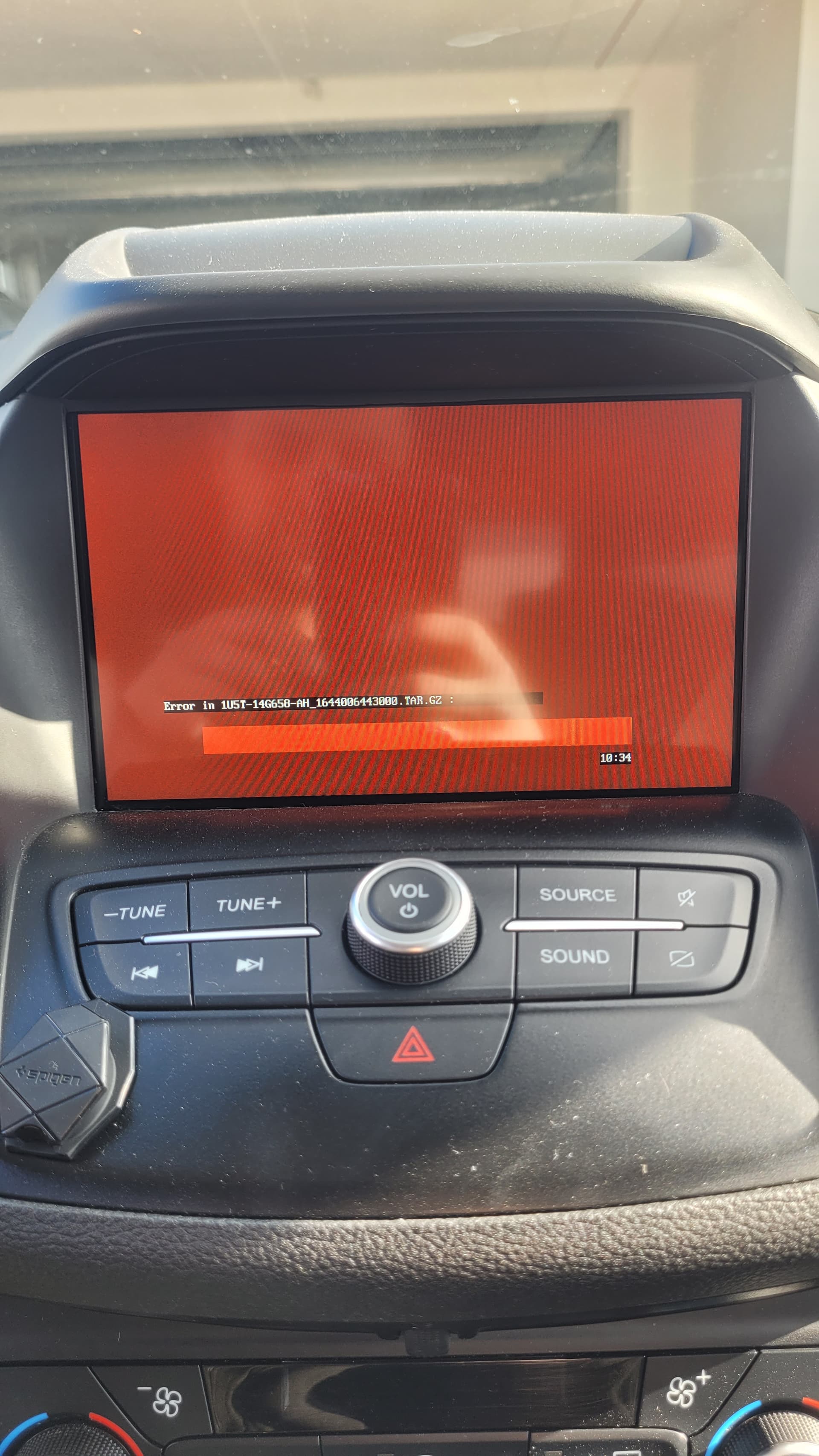
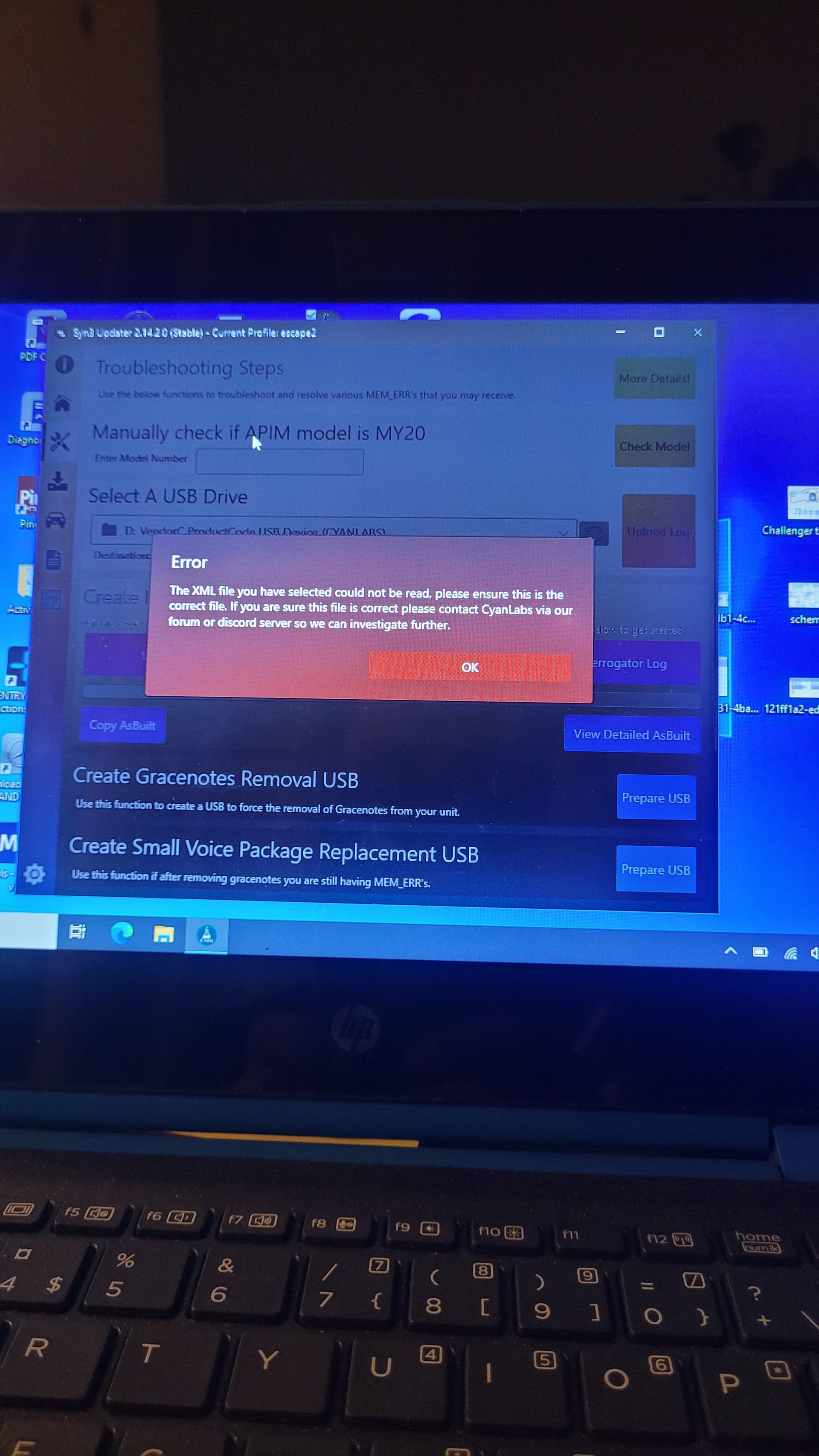
I want to update Sync 3.0 to 3.4 in a 2018 Ford Escape (non-navi with Polish language). Unfortunately, during the installation, a red screen appeared as in the picture. Does this mean there’s not enough memory? Is there anything I can do about it? Delete some files? Maybe I need to install an older software version, but for the EU market.
SYNC Region: NA
Navigation Variant: Non Nav
Manufacturer Year: Pre MY20
Install Type: OEM
Old SYNC Version: 3.0.18093
New SYNC Version: 3.4.23188
Do you have a error message, if so what is it?
Error in 1U5T-14G658AH_1644006443000.TAR.GZ
Update Method: CyanLabs Syn3 Updater
Syn3 Updater Version: 2.14.2.0
Syn3 Updater Documentation Read: yes
Syn3 Updater Log File
CYANLABS - SYN3 UPDATER - V2.14.2.0
Branch: Stable
Operating System: Microsoft Windows 10 Pro Education (2009)

PREVIOUS CONFIGURATION
Version: 3.0.18093
Region: NA
Navigation: False
Install Mode: Auto-Wykrywanie (reformat)
Install Mode Overridden: False
My20 Protection Enabled: Disabled / Not MY20

DESTINATION DETAILS
Mode: Drive
Model: VendorC ProductCode USB Device
Size: 58,6GB
FileSystem: exFAT
Partition Type: MBR

REFORMAT.LST
VOICE=5U5T-14G391-AT_1660763323000.TAR.GZ
GRACENOTES=4U5T-14G423-AC_1615425645000.TAR.GZ
ENH_DAB=1U5T-14G658-AH_1644006443000.TAR.GZ
APPS=NU5T-14G381-AD_1689364279000.TAR.GZ


AUTOINSTALL.LST
; CyanLabs Syn3Updater 2.14.2.0 Stable - reformat  Mode - Sync 3.4.23188 EU

[SYNCGen3.0_ALL_PRODUCT]
Item1 = RWDataCleaner TOOL - PU5T-14G386-BB_1690840002000.TAR.GZ
Open1 = SyncMyRide\PU5T-14G386-BB_1690840002000.TAR.GZ
Item2 = REFORMAT TOOL  - 1u5t-14g386-cb.tar.gz
Open2 = SyncMyRide\1u5t-14g386-cb.tar.gz
Options = AutoInstall

FILES (6)
1u5t-14g386-cb.tar.gz (8,5MB)
PU5T-14G386-BB_1690840002000.TAR.GZ (3,2KB)
5U5T-14G391-AT_1660763323000.TAR.GZ (1,5GB)
4U5T-14G423-AC_1615425645000.TAR.GZ (689MB)
1U5T-14G658-AH_1644006443000.TAR.GZ (57,5MB)
NU5T-14G381-AD_1689364279000.TAR.GZ (869,8MB)

LOG
[28.10.2025 22:10:34] Selected Region: EU - Release: Sync 3.4.23188 - Map Version: Non Nav APIM
[28.10.2025 22:10:34] Install Mode: Auto-Wykrywanie (reformat) Forced: False
[28.10.2025 22:10:34] MY20 Protection: Disabled / Not MY20
[28.10.2025 22:10:34] Formatting USB drive
[28.10.2025 22:10:34] Re-creating partition table as MBR and formatting as ExFat on selected USB drive
[28.10.2025 22:10:42] Checking Existing File: 1u5t-14g386-cb.tar.gz
[28.10.2025 22:10:42] Downloading: 1u5t-14g386-cb.tar.gz
[28.10.2025 22:10:44] Validating: 1u5t-14g386-cb.tar.gz
[28.10.2025 22:10:44] Downloaded: 1u5t-14g386-cb.tar.gz
[28.10.2025 22:10:44] Checking Existing File: PU5T-14G386-BB_1690840002000.TAR.GZ
[28.10.2025 22:10:44] Downloading: PU5T-14G386-BB_1690840002000.TAR.GZ
[28.10.2025 22:10:45] Validating: PU5T-14G386-BB_1690840002000.TAR.GZ
[28.10.2025 22:10:45] Downloaded: PU5T-14G386-BB_1690840002000.TAR.GZ
[28.10.2025 22:10:45] Checking Existing File: 5U5T-14G391-AT_1660763323000.TAR.GZ
[28.10.2025 22:10:45] Downloading: 5U5T-14G391-AT_1660763323000.TAR.GZ
[28.10.2025 22:11:28] Validating: 5U5T-14G391-AT_1660763323000.TAR.GZ
[28.10.2025 22:11:37] Downloaded: 5U5T-14G391-AT_1660763323000.TAR.GZ
[28.10.2025 22:11:37] Checking Existing File: 4U5T-14G423-AC_1615425645000.TAR.GZ
[28.10.2025 22:11:37] Downloading: 4U5T-14G423-AC_1615425645000.TAR.GZ
[28.10.2025 22:11:55] Validating: 4U5T-14G423-AC_1615425645000.TAR.GZ
[28.10.2025 22:11:59] Downloaded: 4U5T-14G423-AC_1615425645000.TAR.GZ
[28.10.2025 22:11:59] Checking Existing File: 1U5T-14G658-AH_1644006443000.TAR.GZ
[28.10.2025 22:11:59] Downloading: 1U5T-14G658-AH_1644006443000.TAR.GZ
[28.10.2025 22:12:01] Validating: 1U5T-14G658-AH_1644006443000.TAR.GZ
[28.10.2025 22:12:01] Downloaded: 1U5T-14G658-AH_1644006443000.TAR.GZ
[28.10.2025 22:12:01] Checking Existing File: NU5T-14G381-AD_1689364279000.TAR.GZ
[28.10.2025 22:12:01] Downloading: NU5T-14G381-AD_1689364279000.TAR.GZ
[28.10.2025 22:12:25] Validating: NU5T-14G381-AD_1689364279000.TAR.GZ
[28.10.2025 22:12:30] Downloaded: NU5T-14G381-AD_1689364279000.TAR.GZ
[28.10.2025 22:12:30] Preparing USB drive
[28.10.2025 22:12:30] Checking Existing File: 1u5t-14g386-cb.tar.gz
[28.10.2025 22:12:30] Copying: 1u5t-14g386-cb.tar.gz
[28.10.2025 22:12:30] Validating: 1u5t-14g386-cb.tar.gz
[28.10.2025 22:12:30] Copied: 1u5t-14g386-cb.tar.gz
[28.10.2025 22:12:30] Checking Existing File: PU5T-14G386-BB_1690840002000.TAR.GZ
[28.10.2025 22:12:30] Copying: PU5T-14G386-BB_1690840002000.TAR.GZ
[28.10.2025 22:12:30] Validating: PU5T-14G386-BB_1690840002000.TAR.GZ
[28.10.2025 22:12:30] Copied: PU5T-14G386-BB_1690840002000.TAR.GZ
[28.10.2025 22:12:30] Checking Existing File: 5U5T-14G391-AT_1660763323000.TAR.GZ
[28.10.2025 22:12:30] Copying: 5U5T-14G391-AT_1660763323000.TAR.GZ
[28.10.2025 22:13:03] Validating: 5U5T-14G391-AT_1660763323000.TAR.GZ
[28.10.2025 22:13:16] Copied: 5U5T-14G391-AT_1660763323000.TAR.GZ
[28.10.2025 22:13:16] Checking Existing File: 4U5T-14G423-AC_1615425645000.TAR.GZ
[28.10.2025 22:13:16] Copying: 4U5T-14G423-AC_1615425645000.TAR.GZ
[28.10.2025 22:13:34] Validating: 4U5T-14G423-AC_1615425645000.TAR.GZ
[28.10.2025 22:13:40] Copied: 4U5T-14G423-AC_1615425645000.TAR.GZ
[28.10.2025 22:13:40] Checking Existing File: 1U5T-14G658-AH_1644006443000.TAR.GZ
[28.10.2025 22:13:40] Copying: 1U5T-14G658-AH_1644006443000.TAR.GZ
[28.10.2025 22:13:41] Validating: 1U5T-14G658-AH_1644006443000.TAR.GZ
[28.10.2025 22:13:42] Copied: 1U5T-14G658-AH_1644006443000.TAR.GZ
[28.10.2025 22:13:42] Checking Existing File: NU5T-14G381-AD_1689364279000.TAR.GZ
[28.10.2025 22:13:42] Copying: NU5T-14G381-AD_1689364279000.TAR.GZ
[28.10.2025 22:14:05] Validating: NU5T-14G381-AD_1689364279000.TAR.GZ
[28.10.2025 22:14