Volume Minimum 0? Everything work except volume control

I’ve went into the scrapeyard and pulled a Sync 3 from a Focus 2015 titanium and installed it into my car (Focus 2013 SE with sync 1).

I then bought an Harness (that is working) and pulled the Titanium radio bezel from the sync 2 version (for locking my doors).

Now everything works, even the radio sony button on the bezels, but the volume is stuck at “0” despite being extremely loud.

Wheel control can skip music, call siri but not lower the sound. As for the spinning wheel, it’s not even giving feedback.

I think it’s a APIM issue or ACM based on someone else post but i can’t find a solution.

Anyone can help me out with that issue?

VIN of my current car : 1FADP3K2XDL214887
VIN of the Sync car : 1FADP3F21FL272089
VIN of the Radio bezel : 1FAHP3N27CL322251


SYNC Region: NA

Navigation Variant: Nav

Manufacturer Year: Pre MY20

Install Type: Retrofit

Old SYNC Version: 1.0

New SYNC Version: 3.4

Do you have a error message, if so what is it?
None.

Update Method: CyanLabs Syn3 Updater

Syn3 Updater Version: Latest

Syn3 Updater Documentation Read: yes

Syn3 Updater Log File

No log

You’ve got an APIM ASBuilt config issue, the Ti would have the Sony DSP which your car does not.

The Focus did not come with Sync 3 in 2015.

2015 Ford Focus Brochure

I’ve pulled the wrong VIN but I assure you I possess a Sync3 with Carplay and everything in it.

Alright, so how do I fix this issue?

Do I put the APIM of my original 2013 into ForScan?

First of all, make sure all VIN entries match your vehicle. This can be done in FORScan, see the asbuilt database info for the VIN entry. You should be able to look in the old FCIM or in the BCM for the coding for your VIN in hex.

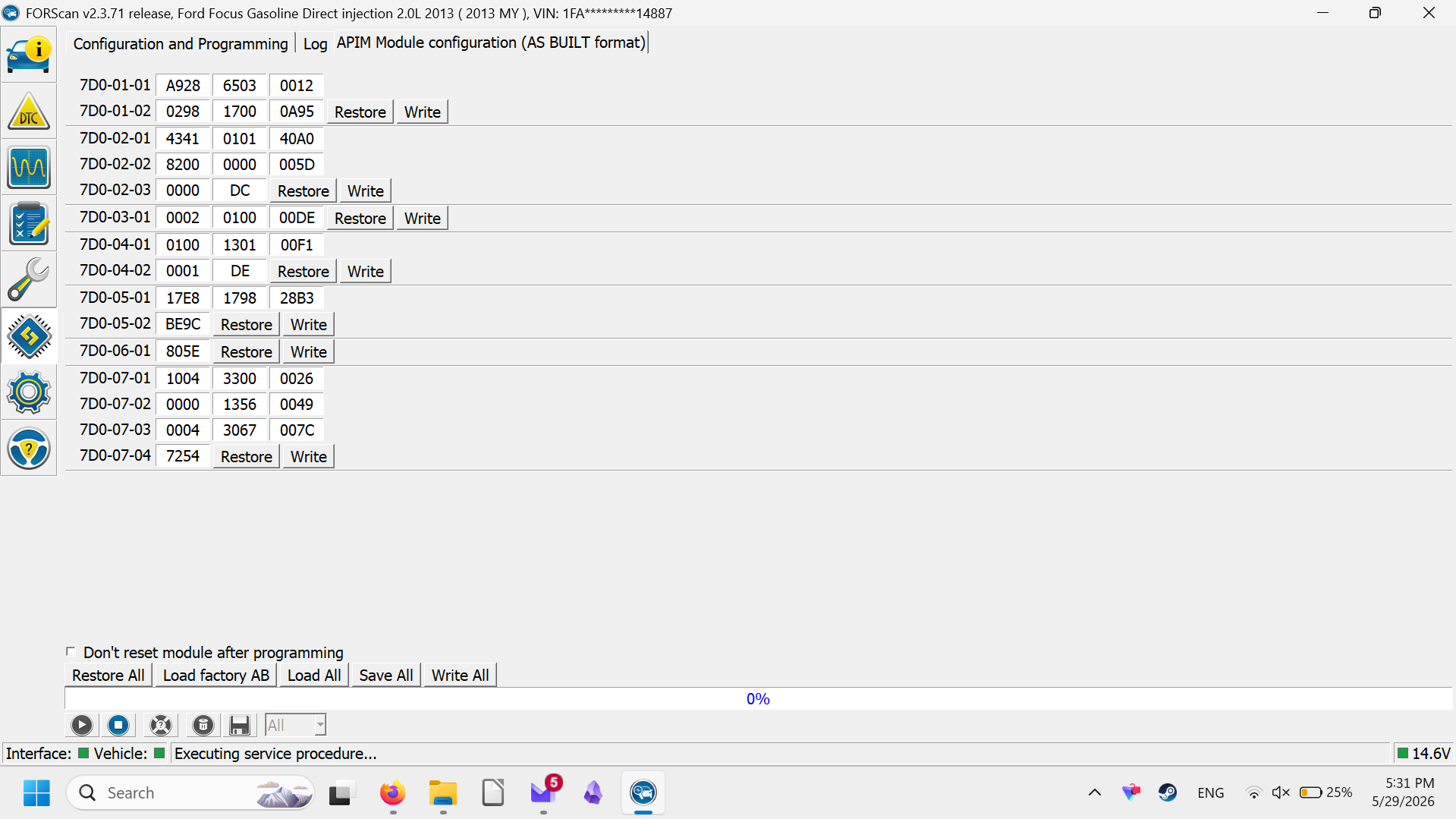
Then go to the APIM and make sure the DSP is disabled in 7D0-01-01.

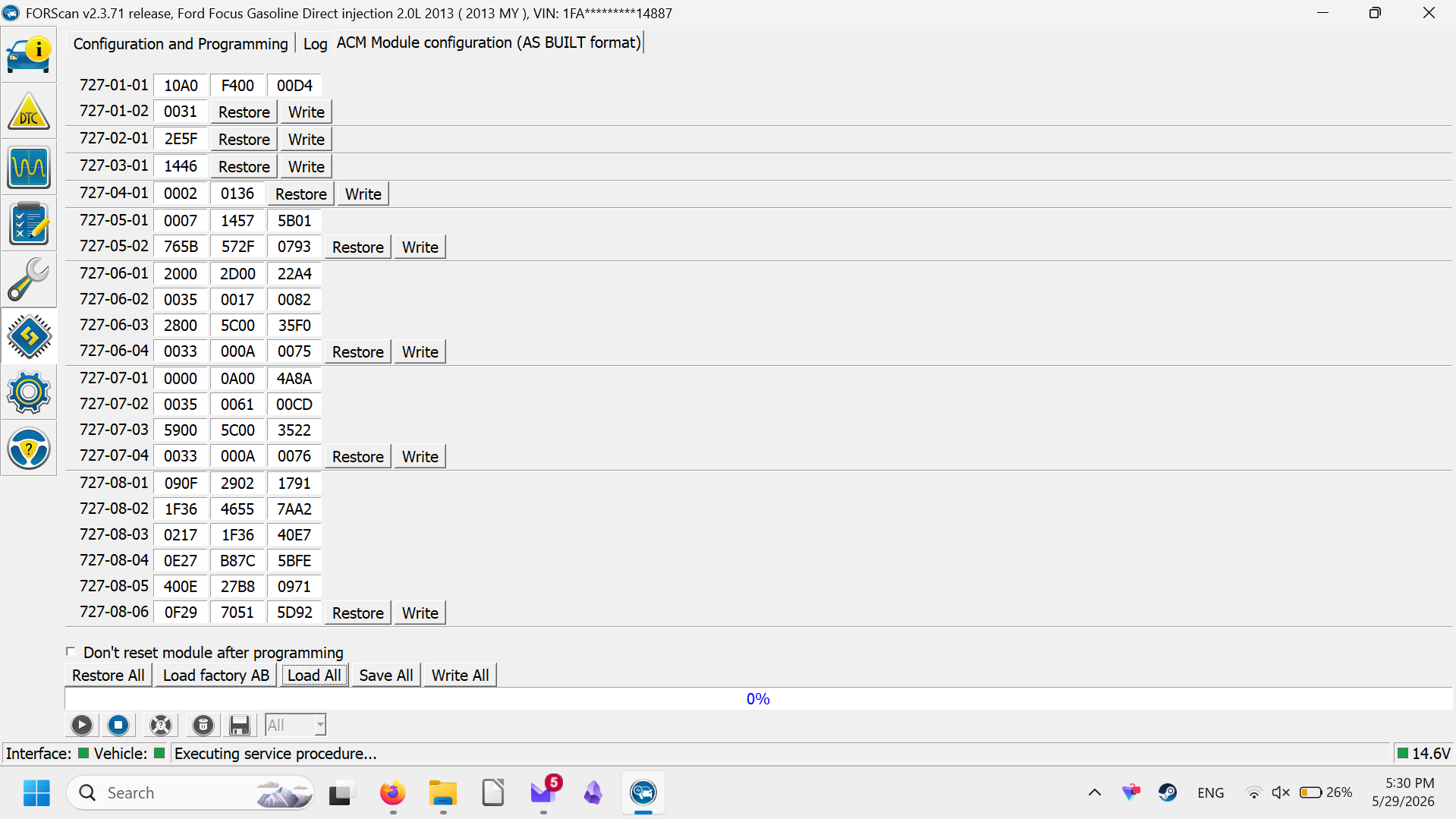
Then if necessary go to the ACM and change the value at 727-01-01 to reflect 0=Front: Int Amp, Rear: Int Amp.

Thank you a lot, i’ll double check it tomorrow morning and keep you posted.

Sorry for the long delay, I was unable to try your solution.

All VIN are matching within ForScan.

As for the ACM, here a picture :

As for the APIM, here another one :

As for the Smart DSP. I assume mine is activated? I tried using the Built-in Database but i’m a bit lost there.

As for the As-Built data, also tried using the one provided by motorcraft (motorcraftservice.com) but it doesn’t seems to help either.

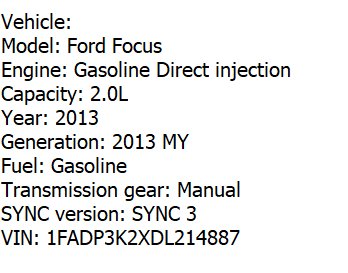
And just to show, I truly have the Sync3 in my car :

I’m just unsure what i’m doing wrong here.

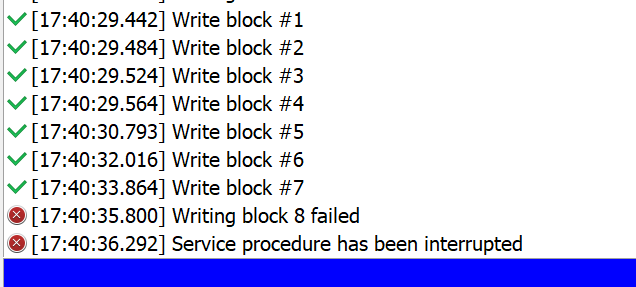
As for ACM, I try to replace 1 with 0 but it gives me this msg.

Disable the DSP, you don’t have one. That should fix the volume control issue.
Why do you have that asbuilt in the ACM? Did you replace the ACM? That is not your factory asbuilt.
Based on your VIN the ACM asbuilt for the OEM ACM should be:

ACM 727-01-01 F800 2C00 0054
ACM 727-01-02 0435
ACM 727-02-01 2E5F
ACM 727-03-01 3062
ACM 727-04-01 0002 0243 41BB

This is a Canadian Vehicle? This is important to mention…
Yes, this is a canadian car.