That makes more sense.
Ok so what step should I take next… I never would assume it was a eu apim seeing as im 2nd owner. Do I select eu maps then and re-install?
You already have the maps installed. It is a hardware difference between the NA and EU APIM’s. There is nothing you can do about it other than replacing the APIM.
This is what is loaded on your APIM…
4U5T-14G421-CAH
4U5T-14G421-CBH
4U5T-14G421-CCH
4U5T-14G421-CDH
4U5T-14G421-CEH
4U5T-14G421-CFH
4U5T-14G421-CGH
4U5T-14G421-CJH
4U5T-14G421-CHH
5U5T-14G391-CS
4U5T-14G422-CAP
4U5T-14G422-CBP
4U5T-14G422-CCP
4U5T-14G423-CC
NU5T-14G381-AD
This APIM came from EU or an associated region…
<d2p1:DID didFormat=“ASCII” didType=“On-line Diagnostic Database Reference Number” didValue=“F110” responseLength=“24”>
d2p1:ResponseDS-1U5T-14G371-DA</d2p1:Response>
d2p1:IsConfigfalse</d2p1:IsConfig>
</d2p1:DID>
<d2p1:DID didFormat=“ASCII” didType=“ECU Core Assembly Number” didValue=“F111” responseLength=“24”>
d2p1:Response1U5T-14G380-FE</d2p1:Response>
d2p1:IsConfigfalse</d2p1:IsConfig>
</d2p1:DID>
<d2p1:DID didFormat=“ASCII” didType=“ECU Delivery Assembly Number” didValue=“F113” responseLength=“24”>
d2p1:Response4U5T-14G371-GFA</d2p1:Response>
d2p1:IsConfigfalse</d2p1:IsConfig>
</d2p1:DID>
<d2p1:DID didFormat=“ASCII” didType=“ECU Calibration Data #1 Number” didValue=“F124” responseLength=“24”>
d2p1:Response1U5T-14G375-HA</d2p1:Response>
d2p1:IsConfigfalse</d2p1:IsConfig>
</d2p1:DID>
<d2p1:DID didFormat=“ASCII” didType=“Private Sub Node #1 Serial Number” didValue=“F141” responseLength=“16”>
d2p1:ResponseLY58018K</d2p1:Response>
d2p1:IsConfigfalse</d2p1:IsConfig>
</d2p1:DID>
<d2p1:DID didFormat=“State Encoded” didType=“Software Download Specification Version” didValue=“F162” responseLength=“1”>
d2p1:ResponseBlank</d2p1:Response>
d2p1:IsConfigfalse</d2p1:IsConfig>
</d2p1:DID>
<d2p1:DID didFormat=“State Encoded” didType=“Diagnostic Specification Version” didValue=“F163” responseLength=“1”>
d2p1:Response03</d2p1:Response>
d2p1:IsConfigfalse</d2p1:IsConfig>
</d2p1:DID>
<d2p1:DID didFormat=“ASCII” didType=“Vehicle Manufacturer ECU Software Number” didValue=“F188” responseLength=“24”>
d2p1:Response1U5T-14G374-DA</d2p1:Response>
d2p1:IsConfigfalse</d2p1:IsConfig>
</d2p1:DID>
<d2p1:DID didFormat=“ASCII” didType=“ECU Serial Number” didValue=“F18C” responseLength=“16”>
d2p1:Response/
d2p1:IsConfigfalse</d2p1:IsConfig>
</d2p1:DID>
<d2p1:DID didFormat=“HEX” didType=“ECU MAC Address 1” didValue=“F1D0” responseLength=“6”>
d2p1:Responsea8:10:87:b1:ce:00</d2p1:Response>
d2p1:IsConfigfalse</d2p1:IsConfig>
</d2p1:DID>
<d2p1:DID didFormat=“HEX” didType=“ECU MAC Address 2” didValue=“F1D1” responseLength=“6”>
d2p1:Responsea8:10:87:b1:ce:01</d2p1:Response>
d2p1:IsConfigfalse</d2p1:IsConfig>
1U5T-14G375-HA This is a xxxx-14G375-H*.vbf 64GB EU with NAV (Telenav).
You also have 3 DTC’s on the APIM. You should look in FORScan to see what these are…
So because I didn’t know it was eu and used na im gonna have to replace the apim? Or can I use the loader and undo what I did?
You can’t use that APIM in NA for nav. Otherwise it would work.
Ok sorry to sound repetitive but before I messed with it the maps work so if I reload it using eu verison of maps gps should pick back up in na or no?
Probably not unless you are in EU.
No im in na ohio specifically but that’s wild that it worked before I did the update.
There are ways to put NA maps on an EU APIM. It requires disassembly and other parts to make it work.
Out of curiosity, do you know if you are using a Ford GPS antenna or an aftermarket hockey puck one with your unit.
I hear you when you said you had factory navigation for NA before you updated. It would stand to reason you should be able to still have navigation.
Since this is a retrofit, frequently the GPS antenna used is an aftermarket hockey puck. My thought is that the update does not like that antenna and wants an OEM Ford GPS antenna.
However, you have DTCs so you do need to figure them out and fix them as it can affect functionality of your unit no matter what GPS antenna you have.
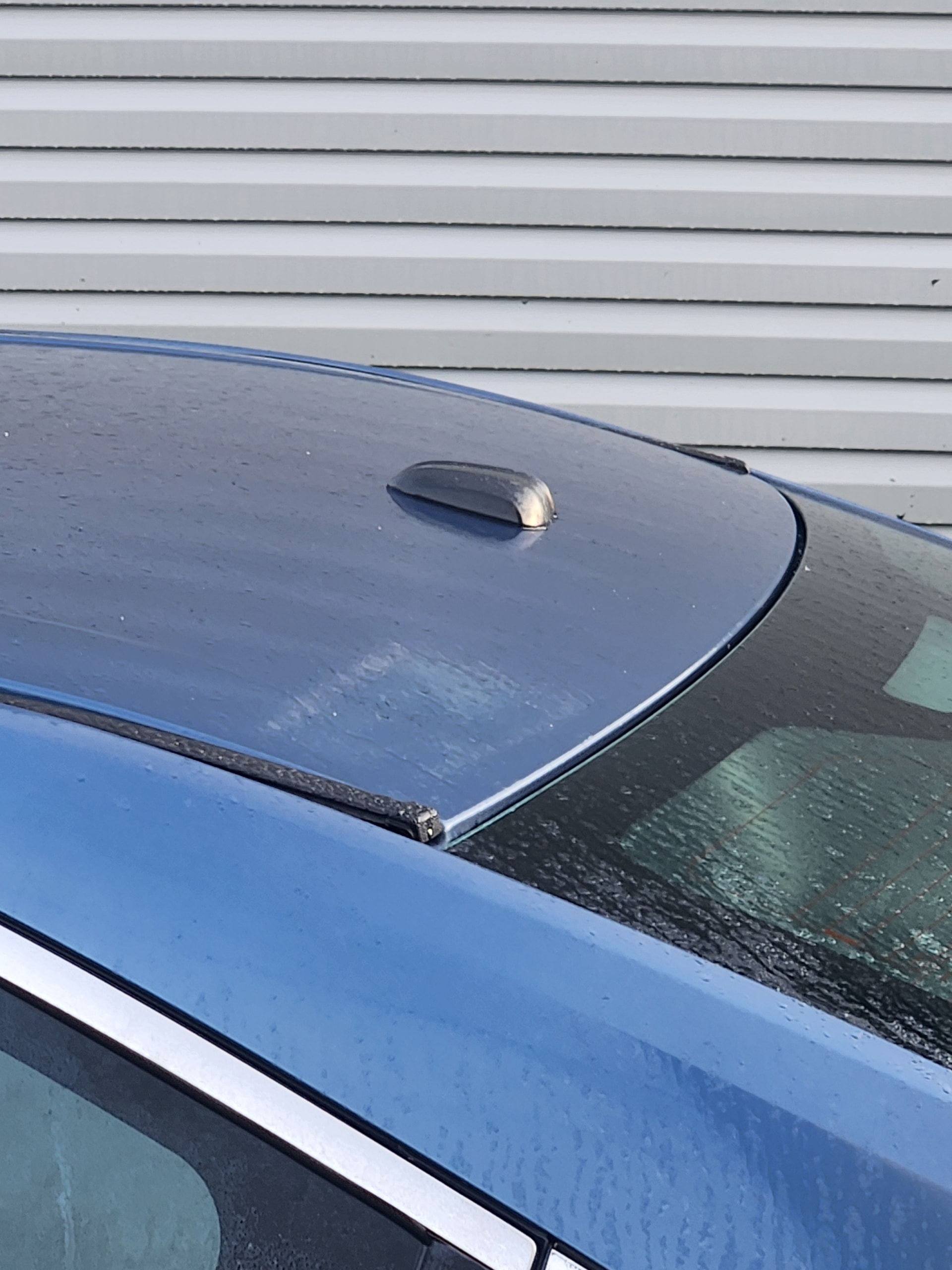
That does not mean anything. My 2015 Mustang that I did a SYNC2 MFT to SYNC3 conversion had a similar looking antenna. However that antenna was only for SiriusXM. I bought a Ford OEM GPS/SiriusXM antenna for a model year that had SYNC3 and replaced that antenna. Just had to remove the cover off the old antenna and used it for the new.
I also needed an OEM splitter that splits the GPS and SiriusXM signals to separate antenna connectors.
If you feel adventurous, you can open the console and look at the GPS connector and follow the wire. It will either lead to the OEM wiring harness or to a GPS puck.
You can test the GPS hardware using this…
https://community.cyanlabs.net/t/gps-hardware-test-the-compass-navigation-is-inoperative-or-does-not-operate-correctly-no-gps/5453/2
Update
Interesting side note Sync says it wasn’t factory equipped with nav but it was a fleet vehicle/rental before and there’s no record on Carfax of anything with the radio. (Not that it really means anything) But makes me wonder why they’d install an aftermarket apim seeing as it spent its time in the US never overseas.
Figured Id try to use the EU version just to see if it would come back but to no avail now it just speaks German lol. Anyway the ones saying to check the antenna the navigation worked just fine before i did the update the first time. At this point I’m looking at just a full replacement due to it being $175 diag at dealer and that’s hoping they actually fix it. I found a company Rhino radio tesla style that is a complete replacement for the entire radio and hvac panel for $500 its supposed to be direct oem plug and play. Anyone heard of these if so are they worth the money?
I do understand it worked before the update. It is possible that the update may have changed something in the APIM that made it more sensitive to a non-oem antenna.
However, I do not know if Ford equipped cars with the same hockey puck antenna for cars with and without nav. If they did not, then checking only costs you time and nothing else.
Before you buy another APIM, try downgrading the Sync app to 3.4.21265. All you need to do is install the app thru autoinstall from the Syn3 Updater.
Ok, i tried to downgrade to what you said and i still have no gps and clock still wont take the correct time. As far as checking the antenna I tried that before when i pulled everything apart to the apim but couldnt quite follow how to check it from there. But there again i was assuming it was working fine before it should be ok. I didnt even start all this for the navigation to begin with
Have you ran the GPS/Satellite test from the bezel diagnostics menu?
If not, it’s a good time to do so.
Take a photo of the screen while doing so and share it with us please.
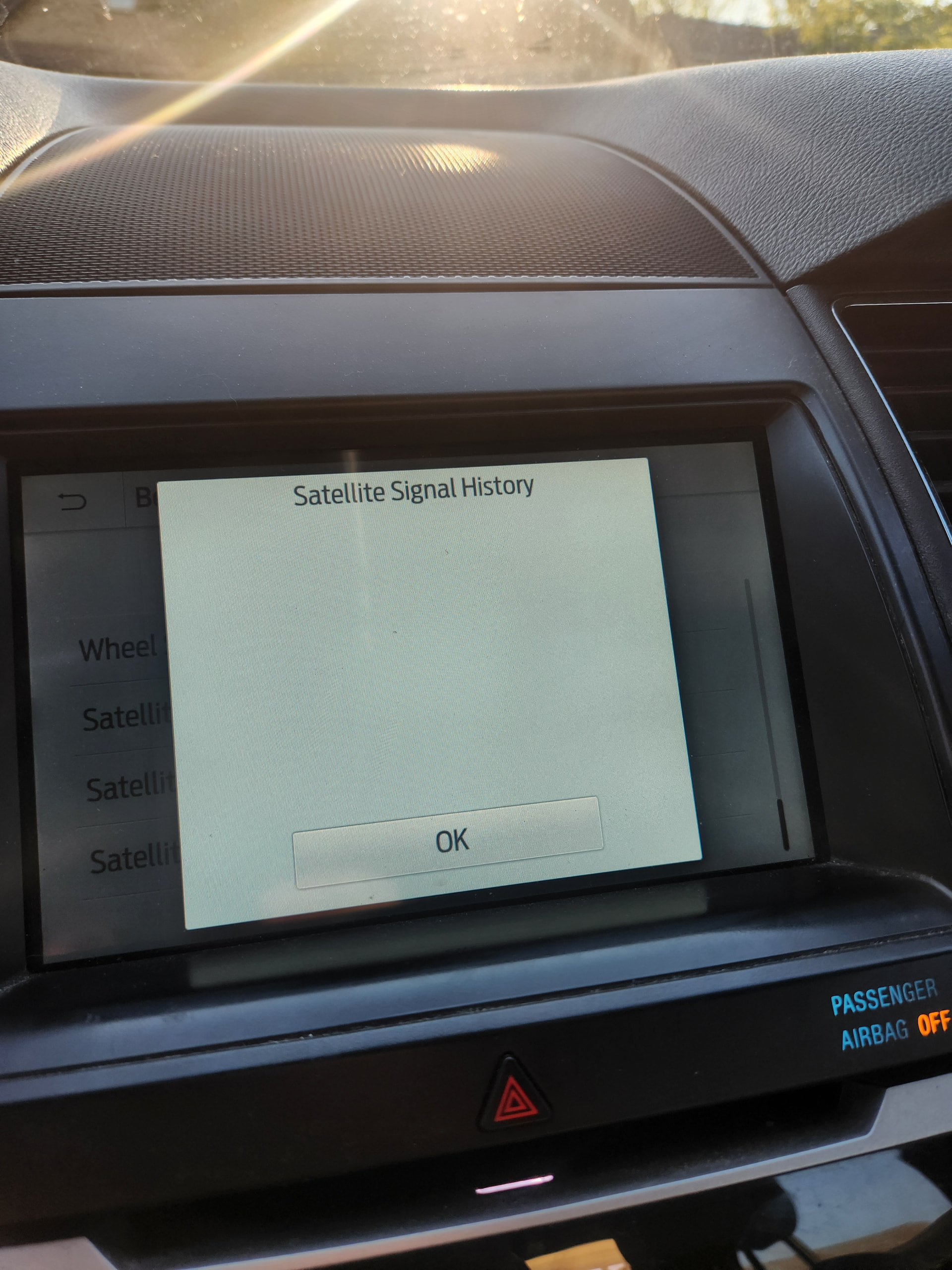
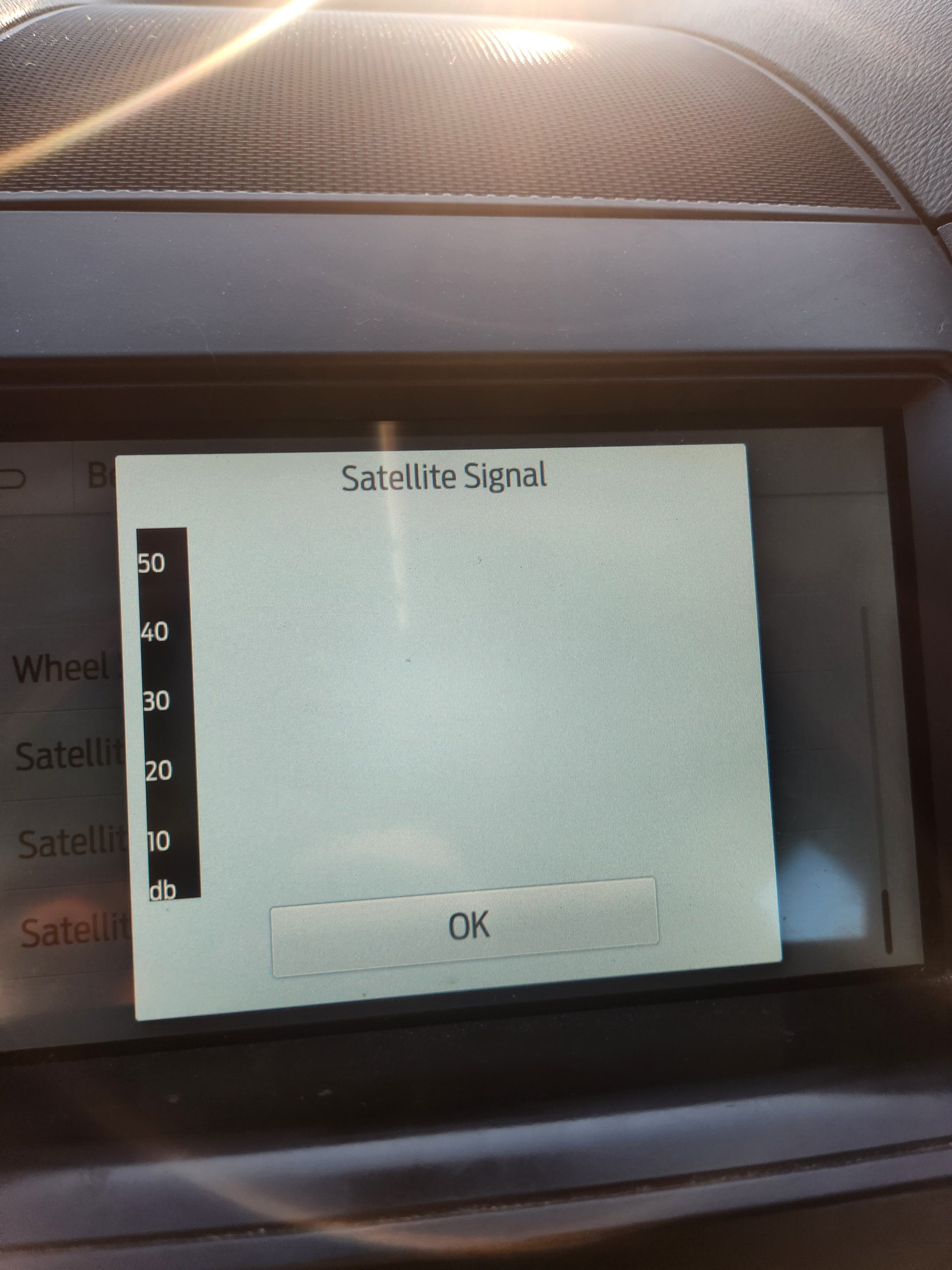
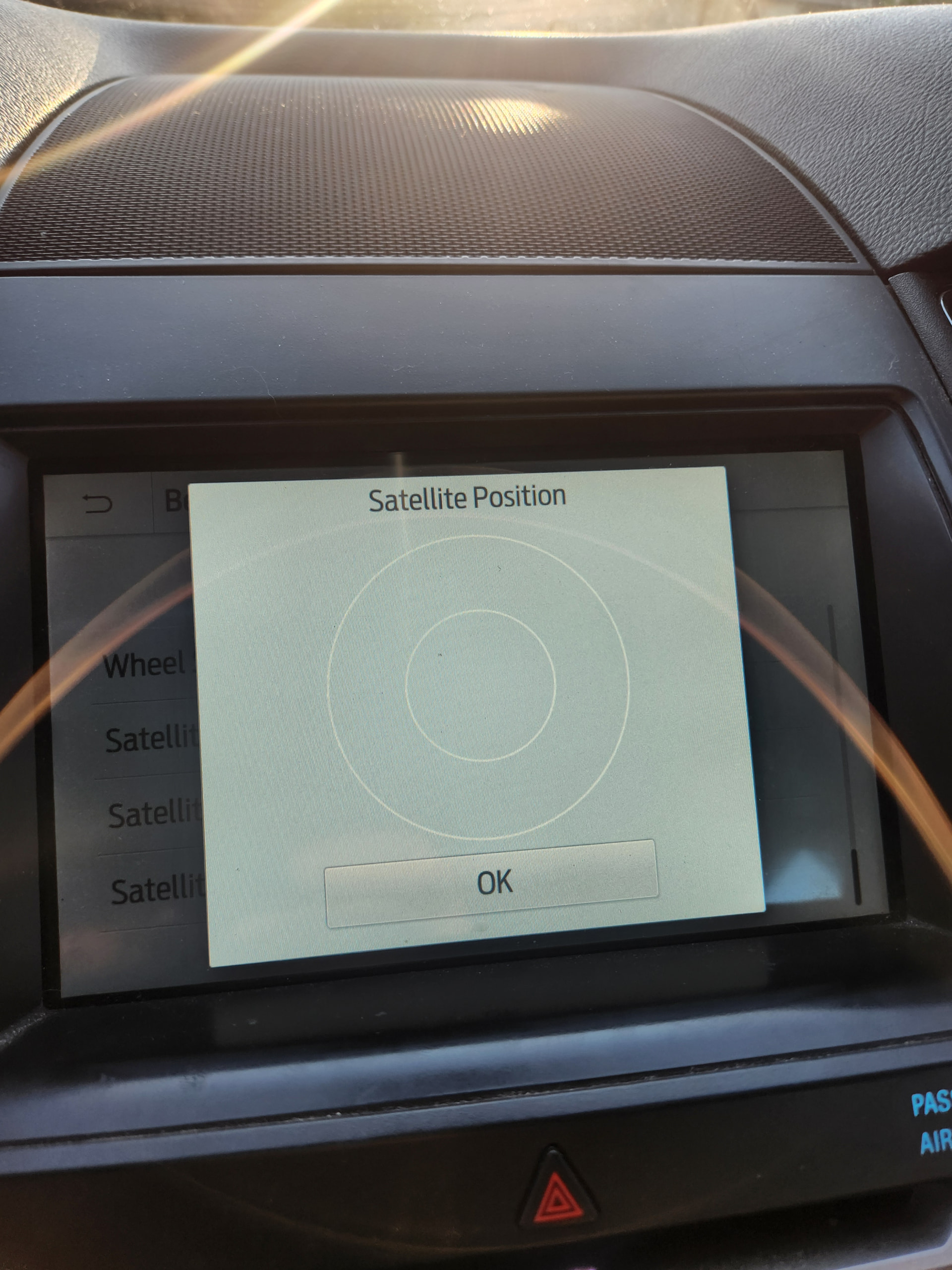
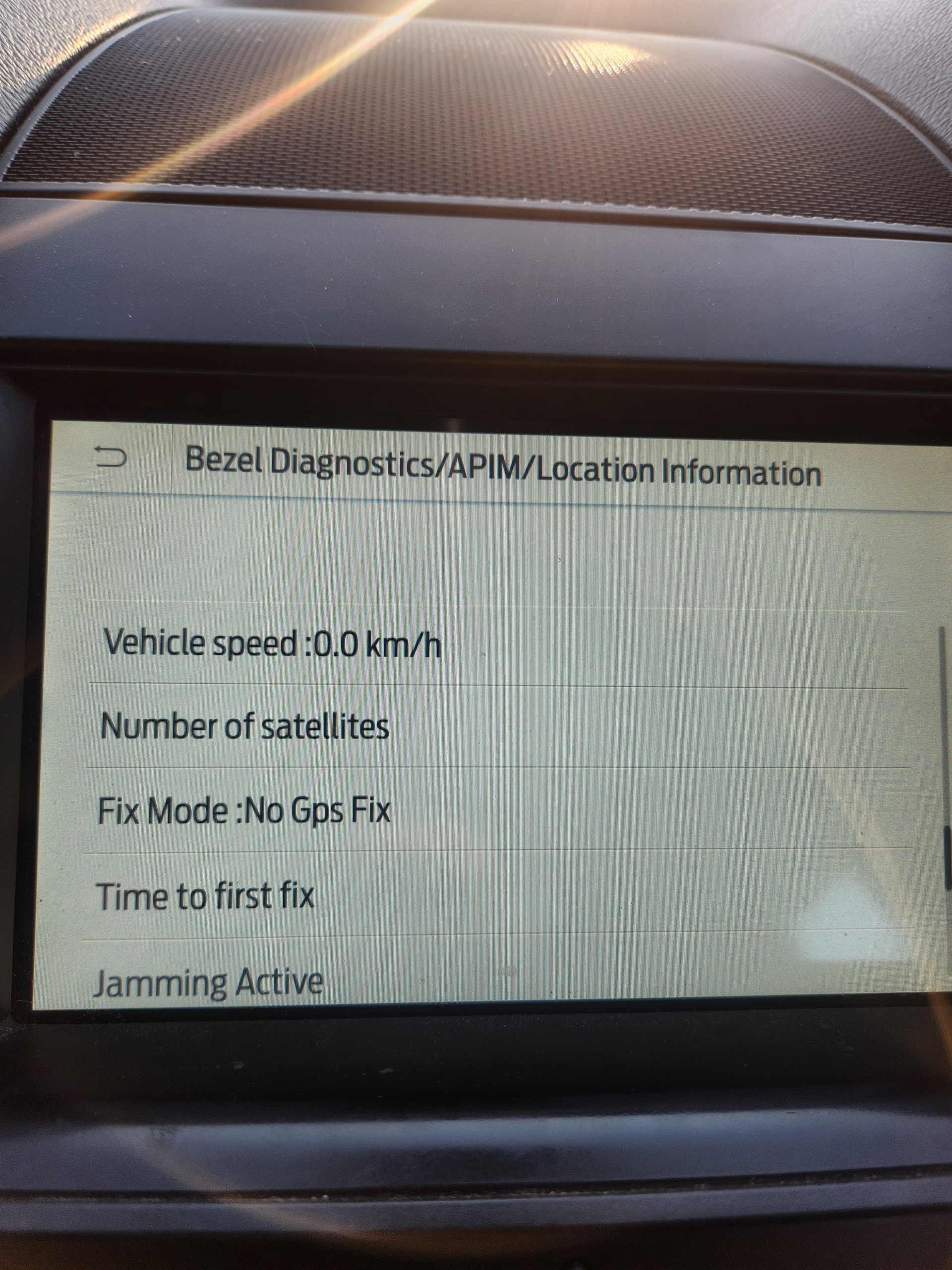
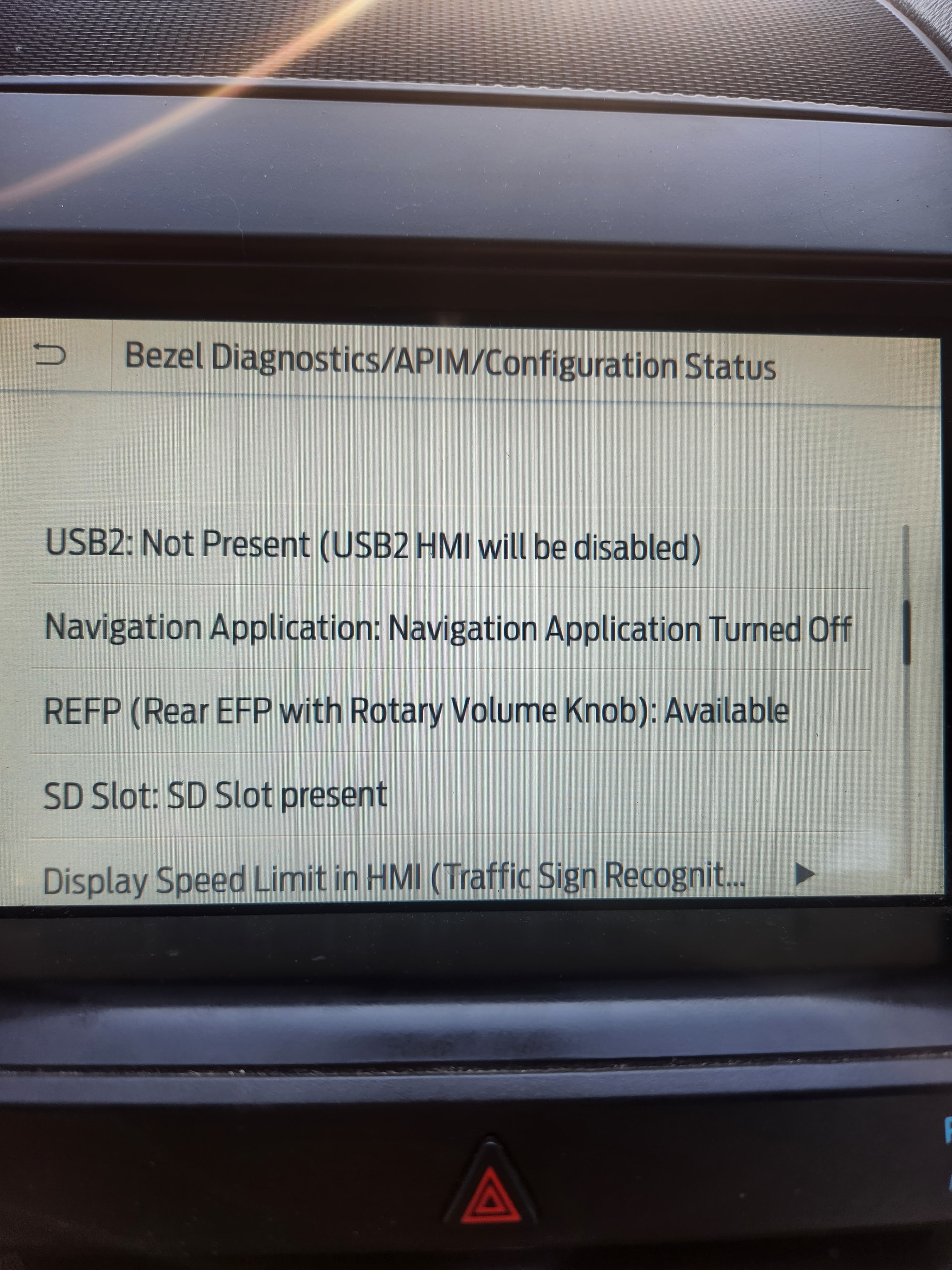
Thanks, those were the menus I was referring to.
So, the unit is blind and does not see a single satellite, not good.
I’m not very familiar with this, but I’ve seen in the past that even though a misconfiguration could lead to issues with the nav stuff, the unit would see satellites either way. But if your unit does not see a single satellite, even with the proper configuration it would not work.
I’m not 100% up to date with your thread, but if they have already suggested double checking the GPS antenna/circuit, I would say they are on the right track. Also, keep in mind they have already said that an EU APIM should not work for NA NAV, so there’s that as well…