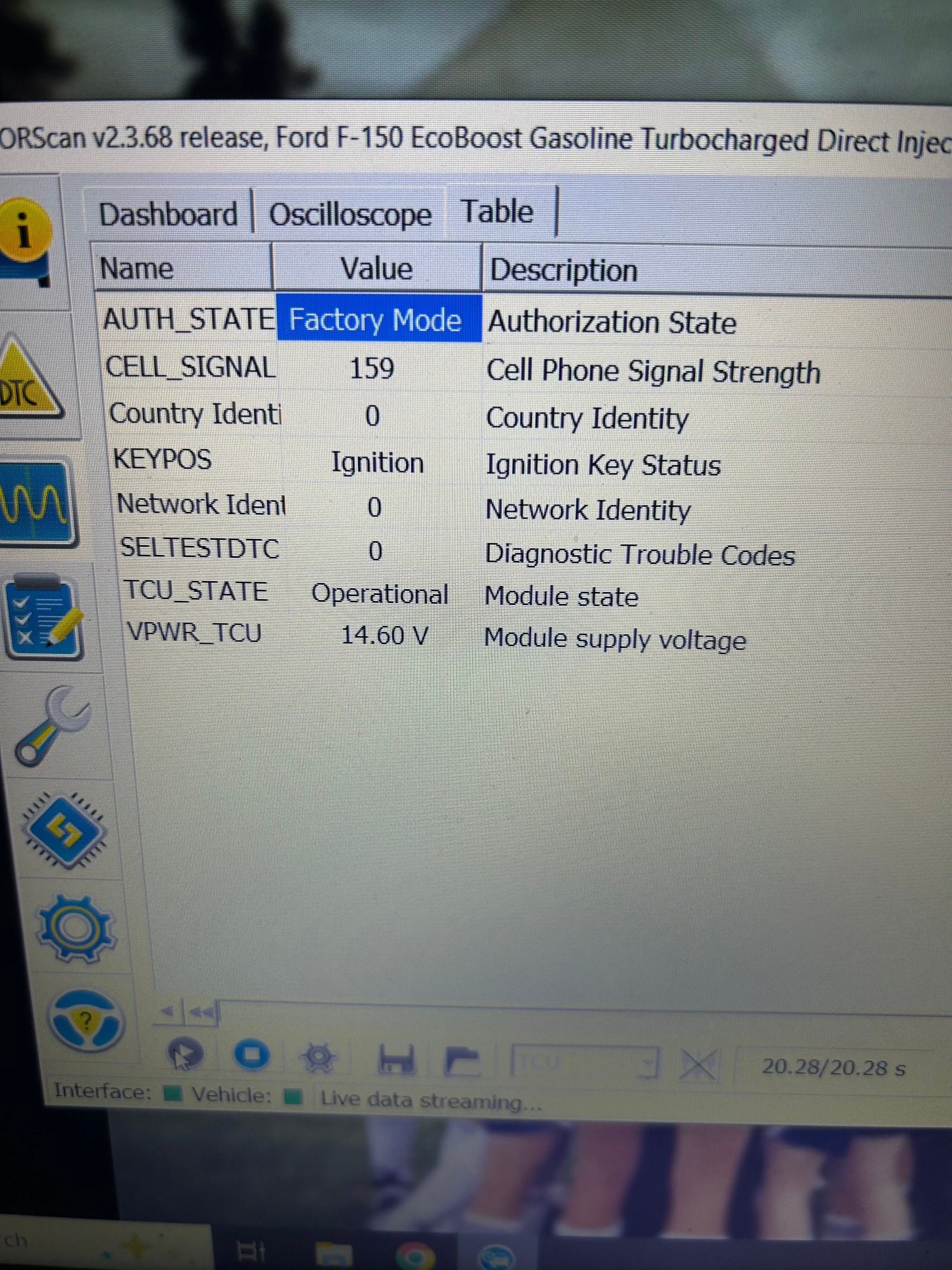
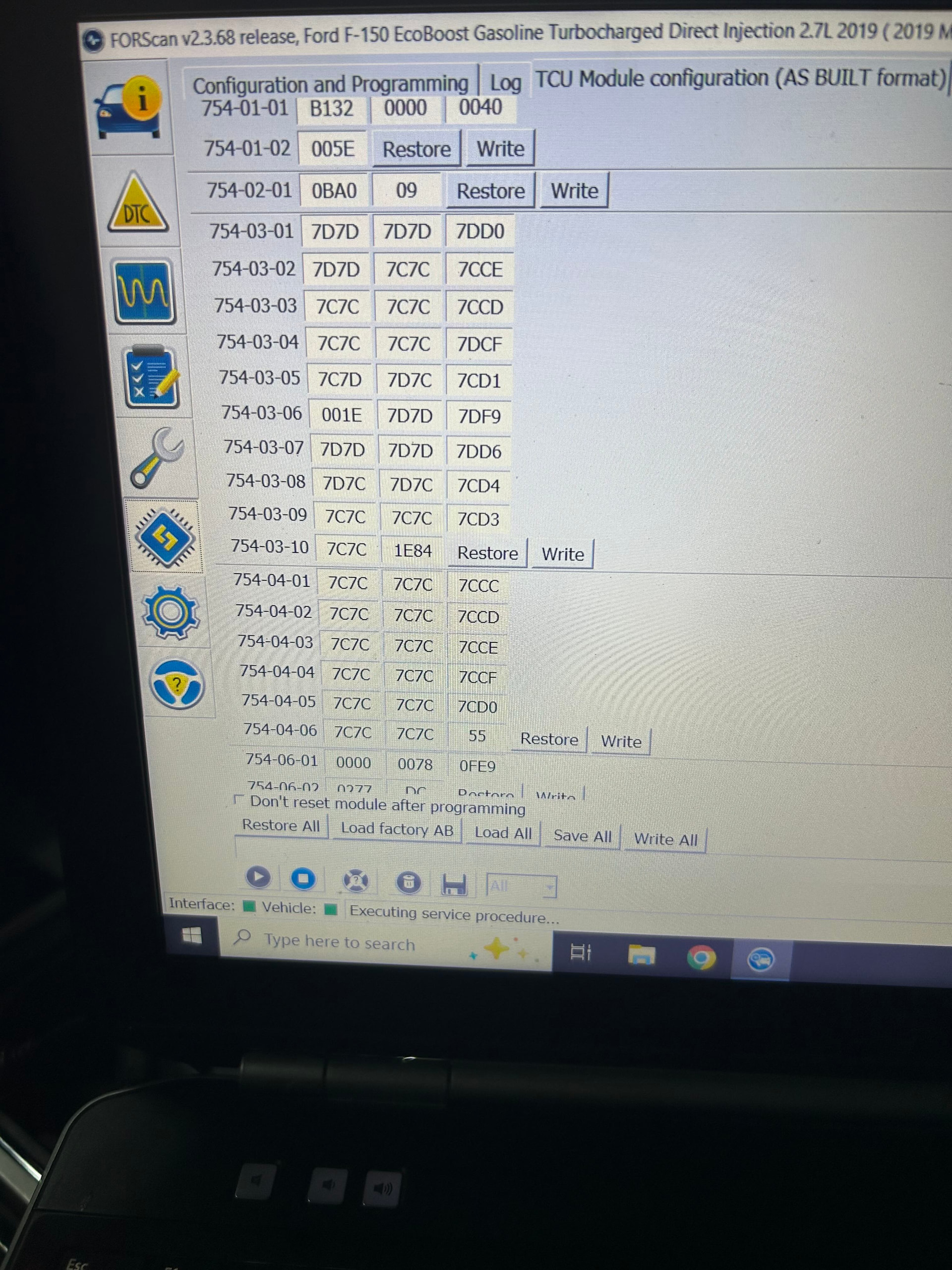
Sync 3 dropped, master reset, battery disconnect and upgrade to Sync 3.4 would not restore connectivity. ForScan shows TCU in Factory mode, tried the change the TCU module config from the B132 to B100 and then back again to see if it would change. It just stays in factory mode. I am very new to Forscan so it is likely what I’m doing. When I rewrite the asbuilt info and write the changes it asks me to turn the vehicle off then back on. Doing this severs the connection with the vehicle and Forscan so I’m not able to watch the PID in Live stream and see if anything is changing. The country code is showing as 0, Cell signal as 159 Keypos Ignition Network Ident 0 TCU State Operational Voltage 14.6 and no DTC’s
SYNC Region: NA
Navigation Variant: Nav
Manufacturer Year: Pre MY20
Install Type: OEM
Old SYNC Version: 3.0
New SYNC Version: 3.4
Do you have a error message, if so what is it?
Ford Pass connect will not connect to vehicle for authorization
That might help, I have a pretty good write up but my lack of experience with ForScan is very likely the issue. It tells me I have to turn the vehicle off then back on, but that breaks the connection to forescan so I can’t watch the live PID data to see if it is actually trying to change anything. Everything I’ve read about making changes to the As Built Data never refers to having to cycle the vehicle off then back on. Not sure if that may be my only issue
I’ve done a master reset probably about 5 or 6 times in the last week. The issue is that the TCU seems to be stuck in Factory Mode, I need to get it to change to anything other than that so I can then reload the As built data and hopefully get it to a state where I can activate it again.
Thanks for the response, I’ll check to see if the APIM shows the TCU Serial number tomorrow when I’m back out at the truck, I’ll confirm the TCU model number as well but I believe it was a J.
Is the link to the guide that Walock provided the same guide you are referring to. It seems I’ve been able to come up with at least 2 versions of a guide to reset/authorize a TCU. The major difference between the two is the configuration of TCU as built info to put it into Factory mode as well as whether or not the vehicle should be ON or Running. Anyway, if you can point me to the correct guide, then I can reference particular points in the guide that I know you would agree with. Thanks again for your help
The vehicle needs to be on and running, as the guide says ignore the ForScan ignition off/on when the AB is changed to move it through modes.
So not knowing what all you’ve done to the AB of the TCU at this point…
reload the factory into the TCU, follow the ForScan prompts to get this back where you started.
For a vehicle in North America, in ForScan change 754-01-01 to B133 0000 0041, save, do NOT cycle power
Go into the PIDs and watch the auth state, once it goes from un-provisioned, if you have good AT&T cell service it should go to Wait for Authorize in a few minutes
Go into FordPass, login and ask for access, acknowledge the request when it comes in on the car
Once you’re provisioned, load the factory AB for your vehicle back in, write and reboot.
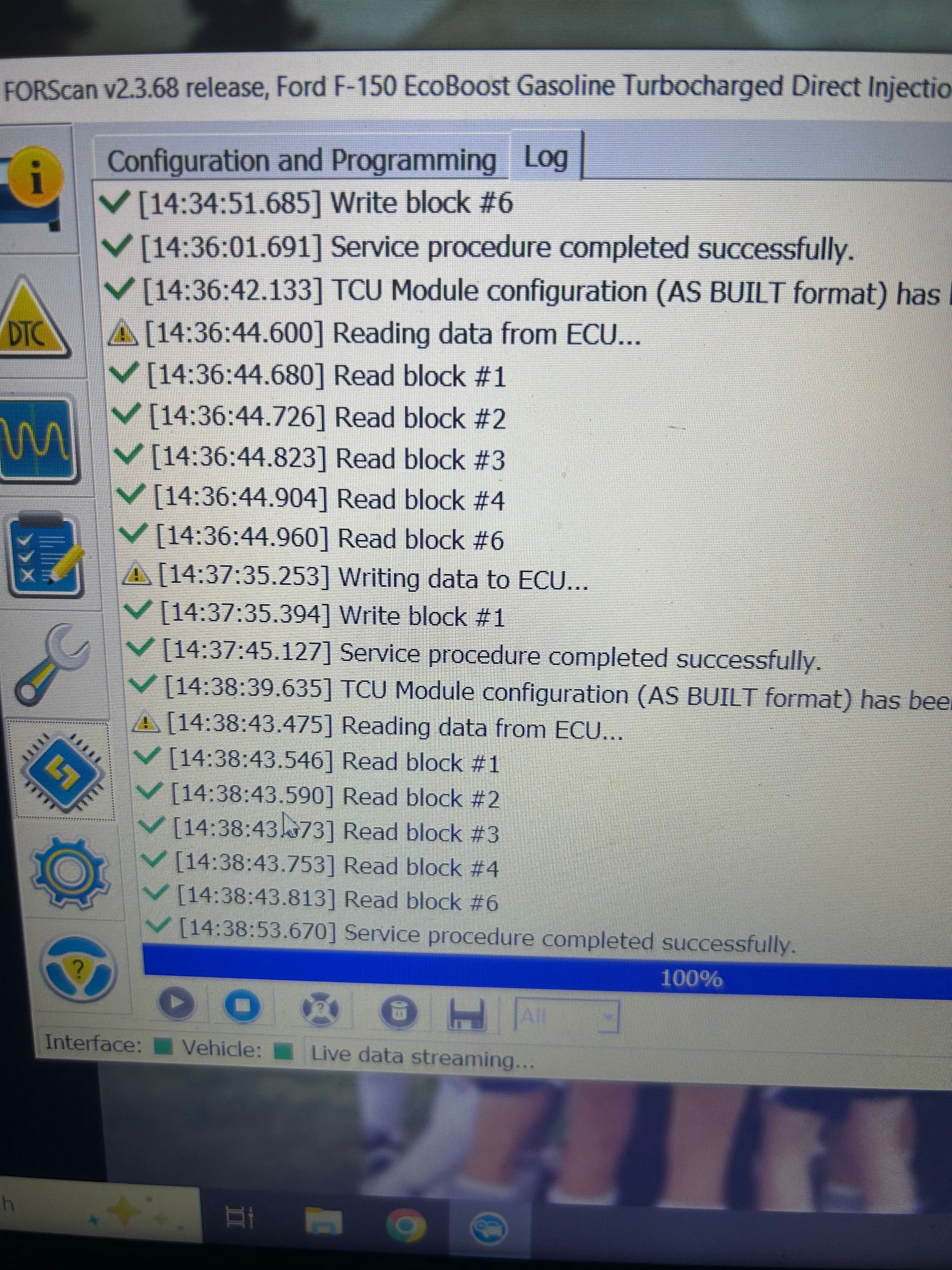
Ok, I worked on the truck again today, a couple things to note. Although the picture of the TCU PID shows Signal Strength 159 and country code at 0, a couple of times when I went into the live streaming mode I was actually getting a high signal strength number and a country code for a brief second and then it would revert back to what you see in the photo. The Factory mode condition was always the same. The other thing I noticed as you can see in the second photo is that it keeps generating an error both Reading and Writing to the ECU. There is no more detail than that and no DTC’s to be read either. I can’t help but thiink that may not be contributing to the problem. I should also add that although I am very new to ForScan, I am very familiar with vehicle scanning, codes and resets as I was a Body Tech for over 20 years so although the interface is new to me but the concept certainly is not. This was done with the vehicle on and running this time. Any further advice would be appreciated. Thanks
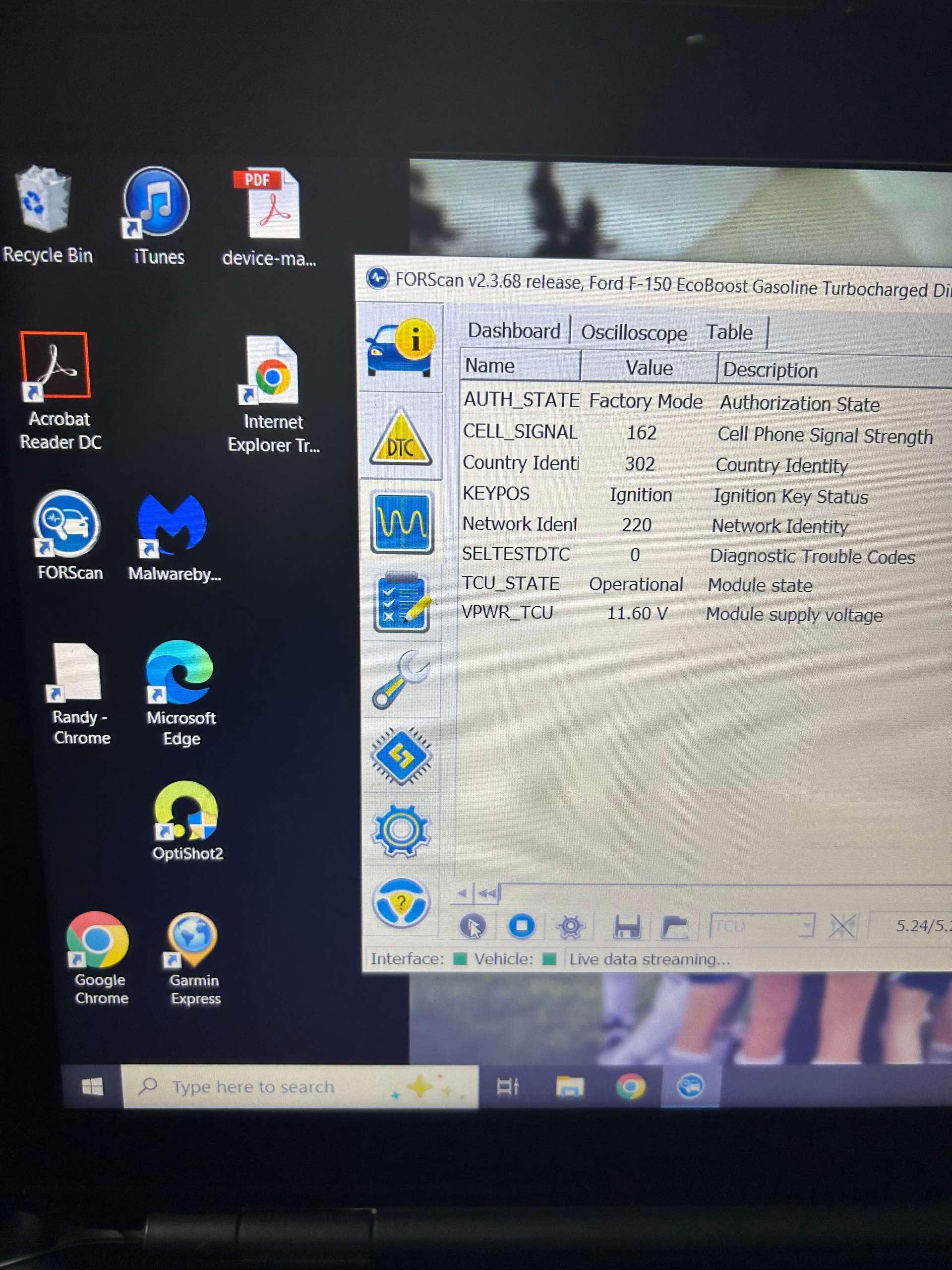
Here is a picture of the TCU PID when it flashes up with connectivity info for a second or two with Country Identity and Network ID. This time it lasted for a couple minutes before it dropped it.
That is something I was considering, I’m sure the antenna connections are fine, no real reason for them to have suddenly gone bad although I did make sure the plugs into the TCU were good. The truck outside part is what I was considering, that, and I don’t have the strongest cell signal where my house is and I did have the truck in the garage.
I was considering taking it somewhere else that had a good cell signal and trying it again. Thanks for helping me confirm my suspicion that this could be contributing to the problem I’m having.
Should have a chance to try it again over the weekend.
You may need to adjust the AB for Canada as opposed to the US to get it to activate, in theory that went away with the H series units.
If the TCU is bad there are plenty on eBay, look for JL3T-14G229-xx the last 2 characters really don’t matter as they refer to the type of bracket/mount the TCU is shipped with to the factory. You would just unscrew those, mount yours and then put your factory AB in. After tha it would be the standard activation sequence with the correct market/country code.
I’m in Canada, this is the original APIM and TCU and everything was working just fine until a week ago. I parked the truck, when I got back in I got a message about having to sign in to my wireless network etc. Then I checked Ford Pass and it was no longer connected. I contacted Ford and they said that it hadn’t been updated since 2019. They tried to do a wireless upgrade and that didn’t work so I did an upgrade with a USB and the Cyan Labs 3.4 update. I was not able to download the update from Ford as their tech had described as it kept producing an error. Apparently there is a problem with Ford and they said I had to go to the dealer to have them connect to it and see what the issue is.
At $187 per hour I figured it was worth the effort to see if I could reboot it.
So a full update to Sync 3.4, numerous Soft Reboots, Hard Reboots, Battery disconnects and TCU disconnect for 24 hours I am no further ahead.
I tried to make a connection somewhere other than my house with better cell coverage and outside and didn’t have any different results.
I also downloaded the As Built for my vehicle and checked all the settings on the TCU before I did anything with what was on the TCU and they were all correct.
The TCU is sitting in Factory mode and any update to the TCU or module reboot doesn’t seem to change that. The only thing that periodically changes is the cell signal, country and network codes. Factory mode never changes.
I have it scheduled in at the dealer on the 11th of Feb so if I can’t figure it out by then i guess I’m going to the bank to withdraw a large amount of cash.