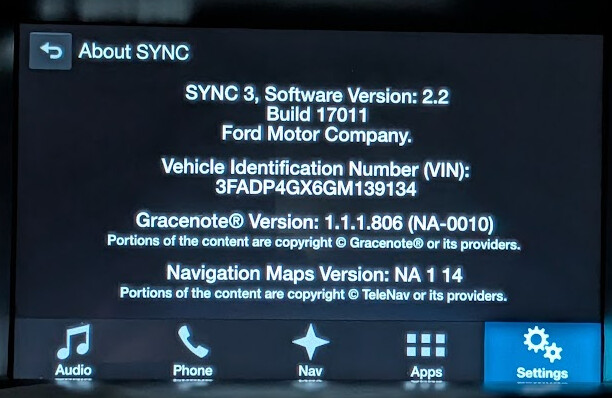
Trying to revert from Sync 3.0.20204 to 2.2.17011

Hi,

I recently purchased this 2016 Ford Fiesta ST and the previous owner updated the software to 3.0.20204, unsure with what method, but he was not able to get Android Auto or Carplay to work.

Now I am taking a shot at it and am running into some issues.

I initially plugged in my phone with a known working data USB 3.0 to USB C cable. While my Pixel 10 Pro is able to switch to charging only/File transfer/Android auto etc, etc I get no response from the headunit

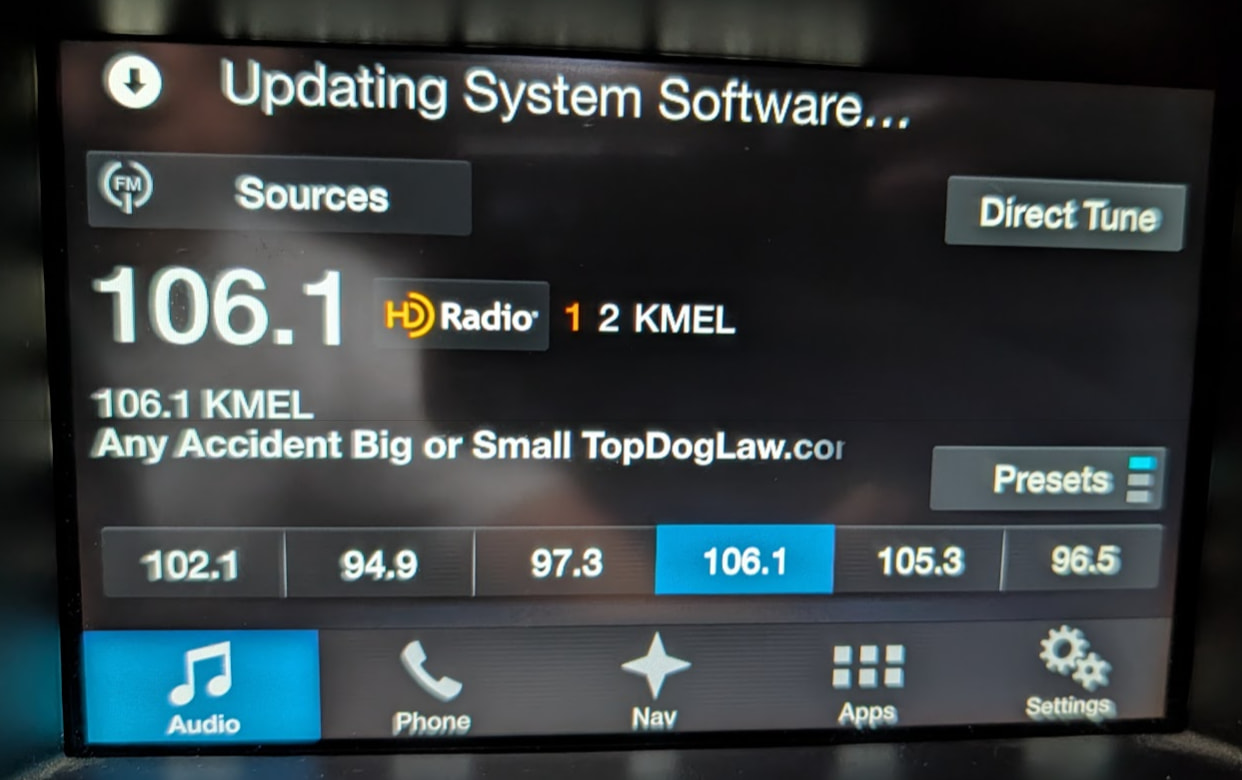
And then I came upon this post 2016 Mustang Sync3 1.0 updated to 3.0 and no Apple Carplay! - #10 by SaNdMaN by Sandman describing a similar issue I am having and have tried following those steps to revert back to 2.2.17011 and I get the “Updating System Software…” message to pop up and wait for over 10 minutes and nothing else happens.

The red activity LED on the usb stick initially turns on but turns off after a while.

Maybe the previous owner fitted a new USB hub that is faulty?
I also read about a reformat tool? Do I need to put that on the USB stick?

I wanted to use the Syn3 updater tool, but after entering in my details, the only option is to go up in version, I don’t see an option to go down.

I did see a Create Downgrade USB tool, but the description didn’t fit my situation

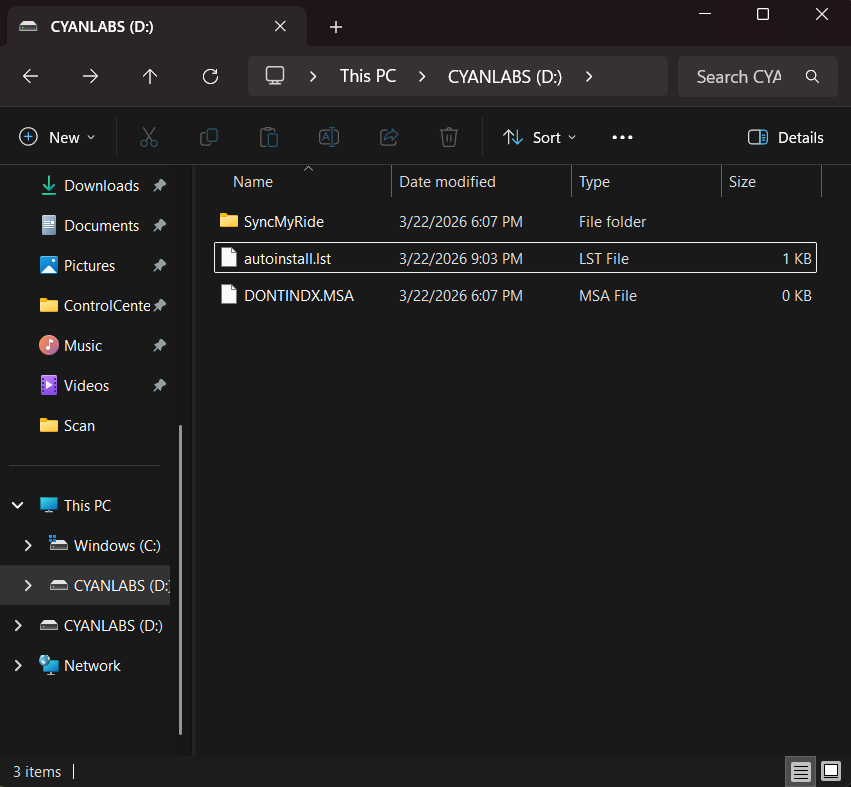
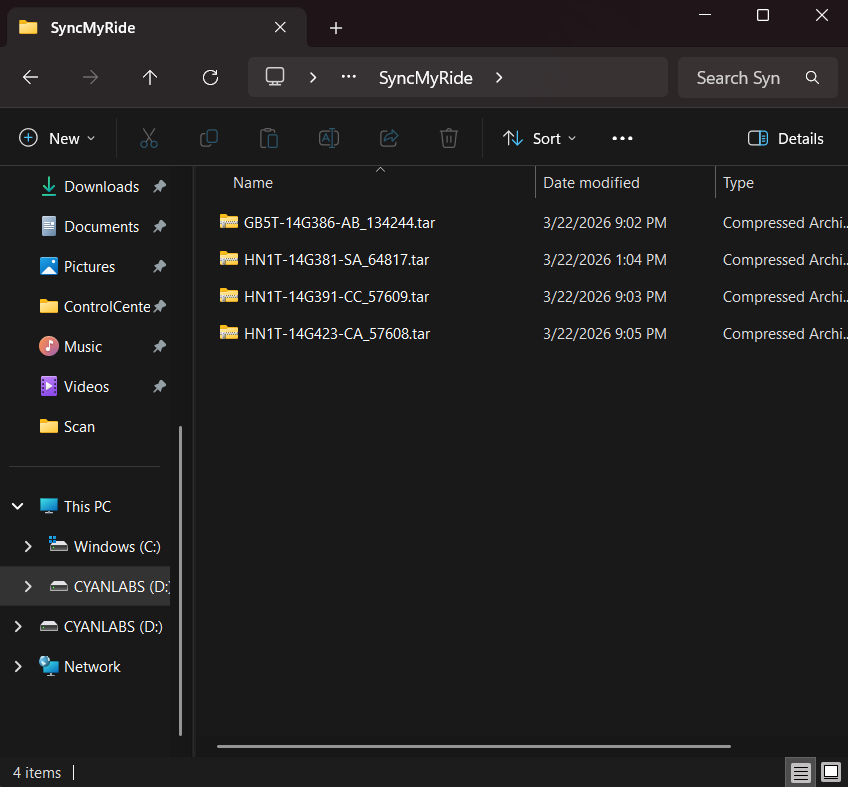
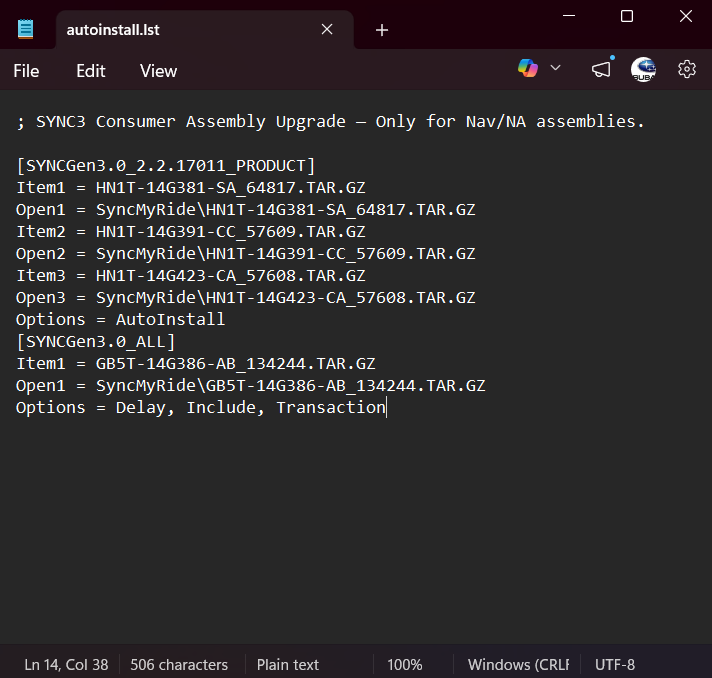
I have the LST file set to what Sandman posted, SyncMyRide folder with the 2.2 zip file in it, there’s a couple extra files from the Syn3 tool, log text file and DONTINDX.MSA file. USB drive is formatted to EXFAT and is MBR. Not sure what else I could be doing wrong.

Thanks in advance


SYNC Region: NA

Navigation Variant: Nav

Manufacturer Year: Pre MY20

Install Type: OEM

Old SYNC Version: 3.0.20204

New SYNC Version: 3.0.20204

Do you have a error message, if so what is it?
Updating System Software…

Update Method: Official Ford
Hello.

There’s absolutely no way of knowing what the previous owner did, so one thing you should confirm right now is if the hub the car has is the required one. You can check it here → Media Hub, CarPlay Compatible - 2015-2020 Ford/Lincoln - SYNC 3

Disclaimer: upgrading the HUB might not be necessary for Android Auto to work.

Now, try running the interrogator log against the unit and share the produced XML file (redact the VIN from the file’s title and content if you care about it).

So I pulled the hub out and found that the part number is HC3T-14F014-BE does not seem to be on that list of Apple Carplay compatible hubs, but shouldn’t be necessary since I’m using an Android phone.

I tried using the interrogator log utility but I had the same issue, “Updating System Software…” would pop up, red blinky light on the USB stick would eventually go out, and nothing happens after 5 minutes of waiting.

Any advice?

Have you master reset?, does it work?.

performed a master reset

still same result

Well, if the unit can’t process a single package then there’s no solution for your current predicament.

Other than trying with a different usb pendrive or port, I’m already running out of ideas.

another thing to add is even before trying to do anything with updating, I would randomly receive error messages like “USB device not recognized, please remove” with nothing at all plugged into the USB ports

and just now I was trying to run the interrogator again and got another error message like “USB hubs are not supported, please remove”

cool, I hadn’t see this thread yet but it describes what I think is happening to my car, the software being updated to 3.0.xxx without having first been updated to 2.0.xxx

I’ve prepared the USB drive and will try tomorrow and if that doesn’t work I have ordered USB hub HC3Z-19A387-F and maybe that will do something

One question, when I do try it tomorrow, how long from initially inserting the USB drive and the “Updating System Software…” message should something else happen. From the videos I’ve watched on the process, usually it takes less than a minute for the screen to switch over to a green loading bar screen. After how much time should I concede that the updating process isn’t working.

Thanks again Sandman and F150Chief

Good, I was going to recommend that.

It depends on what the USB is for, but the interrogator log should take “a few” seconds, well under a minute.